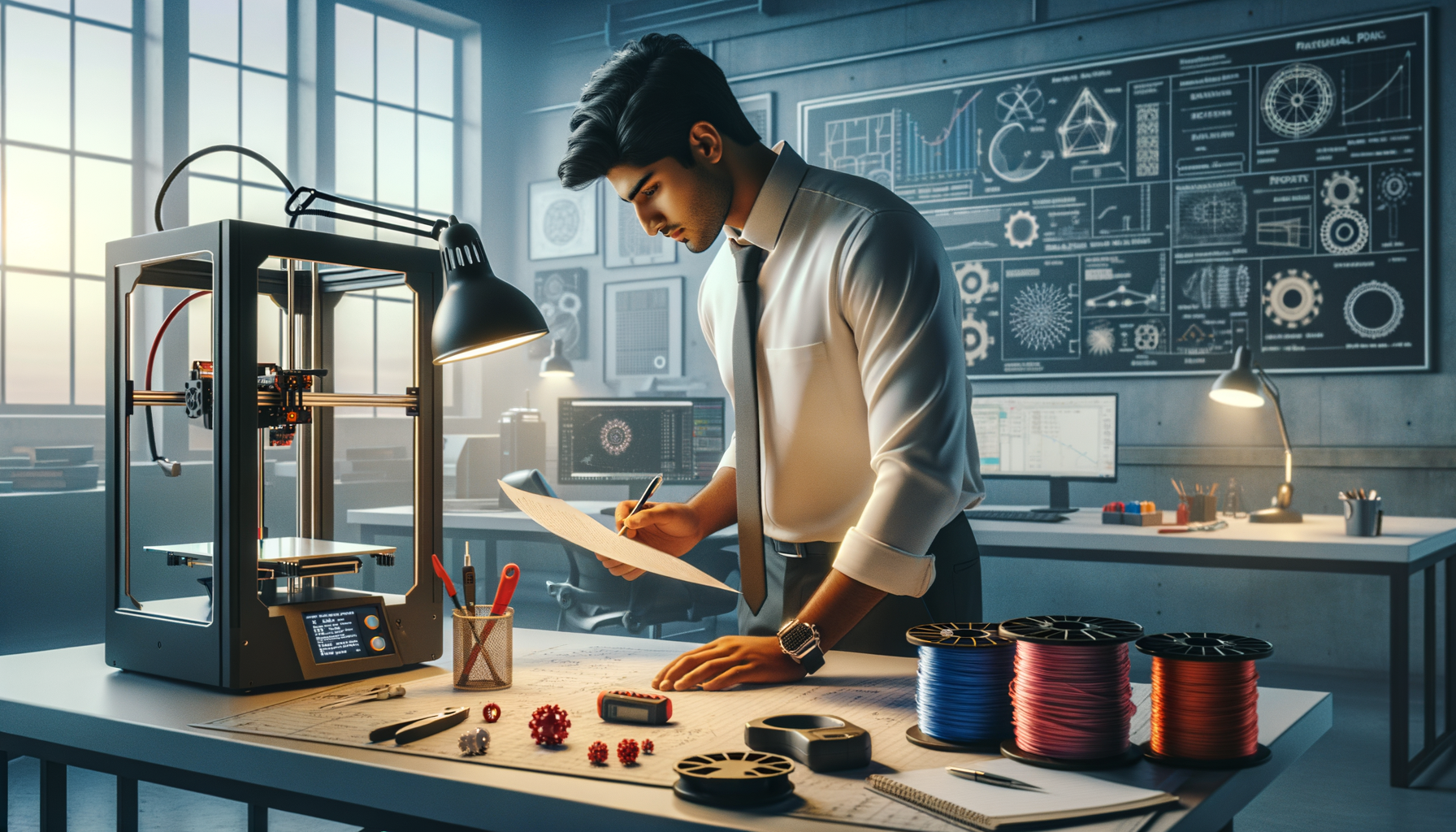
Additive manufacturing training in India has moved far beyond basic hobby printing. If you already understand that a 3D printer builds parts layer by layer from a CAD model, the next step is learning how professionals actually control quality, speed, cost, and repeatability. That's where most learners get stuck. They know the concept, but they don't know the workflow. Here's the thing: in real projects, success depends less on pressing print and more on how you prepare geometry, choose material, set orientation, control tolerances, and plan post-processing. This guide is for that deeper level.
The good news is, once you understand the complete additive manufacturing pipeline, you'll start thinking like an industry engineer instead of a trial-and-error operator. Whether you're targeting roles in Pune, Chhatrapati Sambhajinagar, Sangli, or aiming for companies like Tata Technologies, Bosch, Siemens, Mahindra Engineering, Bajaj Auto, or L&T, these advanced concepts matter.
What is additive manufacturing beyond basic 3D printing?
Most people don't realize additive manufacturing is not just about making plastic demo parts. In industry, AM is used for prototypes, jigs, fixtures, casting patterns, concept validation, tooling aids, and in some sectors even end-use components. The difference between beginner-level 3D printing and professional additive manufacturing is process control.
At the basic level, you model a part, export STL, slice it, and print. At the advanced level, you ask better questions: What is the functional load path? Where will shrinkage affect fit? Should the part be split for strength or support reduction? Is the goal surface finish, dimensional control, or speed? Trust me, these decisions are what separate a student project from an industry-ready part.
You'll also need to understand the process families. FDM is common for training and prototyping. SLA is preferred when you need better surface finish and fine detail. SLS and metal AM come into discussion for industrial applications, though many learners first build their workflow discipline on FDM systems before moving ahead.
How do professionals plan the CAD-to-print workflow?
A clean additive workflow starts in CAD, not in the slicer. That's one of the biggest mindset shifts. If your CAD model is weak, your print settings can't save it.
Start by checking wall thickness, hole sizes, overhangs, fillets, and part segmentation. Thin walls may look fine in SolidWorks 2025 or Fusion 360, but can fail in printing if they don't match nozzle width or process capability. Internal corners should often be relieved. Snap fits need print-direction awareness. Threads may need redesign depending on printer resolution.
Then comes export control. STL is still widely used, but mesh quality matters. If the tessellation is too coarse, curves become faceted and fit issues show up. If it's too fine, file handling becomes slow with no practical gain. For advanced users, 3MF is often a better choice because it stores more print-relevant data and reduces some common file transfer issues.
After export, slicing is not just conversion. It's strategy. You decide orientation, support zones, infill style, shell count, layer height, seam position, and cooling behavior based on part function. That's the real engineering layer.
Which print orientation gives the best strength and accuracy?
Orientation is one of the highest-impact decisions in additive manufacturing. A part printed flat may be faster but weaker in the Z direction. A part printed vertically may improve surface access or reduce footprint but increase print time and wobble risk.
Here's a practical rule: orient for function first, then for support reduction, then for appearance. If the part takes load, align the layers so they don't split along the stress path. If the part needs a clean visible surface, hide support scars and seam lines. If dimensional accuracy matters on a mating face, avoid placing that critical face directly on support.
What most people don't realize is that orientation also changes heat distribution. Large flat areas can warp. Tall thin geometries can resonate or detach. Circular holes printed horizontally often become slightly oval and may need compensation. That's why experienced operators don't treat orientation as a cosmetic choice. They treat it as a mechanical and thermal decision.
What slicer settings matter most for advanced additive manufacturing?
If you're using Cura, PrusaSlicer, Bambu Studio, or ideaMaker, the names may vary slightly, but the logic is the same. Four settings control most print outcomes: layer height, line width, temperature, and speed. Everything else supports those decisions.
Use lower layer heights only when the geometry demands it. For many engineering parts, 0.2 mm on a 0.4 mm nozzle is a balanced starting point. If you need speed with acceptable strength, 0.28 mm can work. If you need better top-surface definition or curved profile quality, go lower. But don't chase tiny layer heights unless the part justifies the time.
Wall count matters more than infill in many functional parts. Three to five perimeters can outperform a high infill percentage for stiffness and impact resistance. Gyroid infill is useful for balanced internal support, while grid or cubic may suit specific needs. Top and bottom layers should be increased for parts needing better closure and surface quality.
Temperature tuning is material-specific. PLA is forgiving, PETG needs stringing control, ABS and ASA need enclosure discipline, and nylon demands moisture control. Advanced users create material profiles instead of changing values randomly every print. That's how repeatability is built.
How do you choose the right material for industrial use?
Material selection should be based on application, not popularity. PLA is fine for visual models and concept parts. PETG works well for general-purpose fixtures and parts needing better toughness. ABS and ASA are useful where heat resistance and durability matter more. TPU is selected for flexible applications. Nylon is valuable for wear resistance and strength, but only if storage and drying are handled properly.
For students in Maharashtra aiming at manufacturing companies, this matters a lot. A fixture concept for Bajaj Auto or Kirloskar won't be judged only on print quality. It will be judged on whether the material survives the actual environment. Heat, oil exposure, load cycles, and dimensional stability all matter.
That's why advanced training should always include material behavior, not just machine operation. At ABC Trainings, learners who go deeper into process-material-fit usually develop stronger portfolios because they can explain why a part was printed a certain way, not just how.
How do experts improve dimensional accuracy and repeatability?
Accuracy in additive manufacturing is managed, not assumed. First, calibrate extrusion flow, bed leveling, and temperature behavior. Then print test coupons. Use tolerance blocks, hole tests, and mating samples. Measure them with a vernier or micrometer. Adjust horizontal expansion, flow rate, or CAD compensation based on actual data.
Don't expect every feature to print at nominal size. Holes often print undersized. Slots may close slightly. External dimensions may be closer than internal ones. The good news is, once you map your machine-material combination, you can predict these errors and design around them.
Repeatability also depends on machine condition. Worn nozzles, loose belts, moisture-filled filament, and unstable ambient temperature all affect output. That's why professional setups use print logs, profile naming discipline, and maintenance routines. It sounds simple, but these habits save hours.
Where does post-processing fit in the advanced workflow?
Post-processing should be planned before printing starts. If support removal will damage a cosmetic face, change orientation. If a hole needs drilling after print, leave proper stock or access. If bonding two printed halves will improve strength and reduce supports, design the split intentionally.
Common post-processing steps include support removal, sanding, vapor smoothing for selected materials, tapping, drilling, bonding, heat-set inserts, and painting. Functional parts may also need assembly verification and fit correction. For SLA parts, washing and curing are critical process stages, not optional extras.
Trust me, the best additive manufacturing professionals think backward from final use. They don't stop at the print bed. They plan the complete part journey.
What jobs use advanced additive manufacturing skills in India?
In 2026, additive manufacturing skills are useful in product design, prototyping labs, tooling support, R&D teams, and manufacturing engineering. You'll find relevant work around Pune, Nashik, Mumbai, Chhatrapati Sambhajinagar, and industrial clusters across Maharashtra.
Entry-level roles may include 3D printing technician, CAD and prototyping associate, application engineer trainee, or product development support engineer. Salaries typically start around ₹2.4 lakh to ₹4.2 lakh per year for freshers depending on software skills, machine exposure, and interview performance. With strong CAD plus process knowledge, professionals can move into ₹4.5 lakh to ₹7.5 lakh roles in prototyping, tooling, and design support. In companies linked to automotive and engineering supply chains such as Tata Technologies, Mahindra Engineering, Thermax, Bosch, or Siemens, applied AM knowledge adds real value.
If you want guided training on the practical side of CAD, design-for-print thinking, and job-oriented workflows, you can check ABC Trainings. Call 8698270088 or WhatsApp 7774002496 for course details.
How should you learn additive manufacturing at an advanced level?
Don't learn only by watching prints succeed. Learn by documenting why they fail. Build a small portfolio of engineering cases: a bracket redesigned for print, a fixture optimized for lower support, a tolerance test report, a material comparison sample, and a post-processed assembly. That's what hiring teams remember.
Use real software versions, real machine limitations, and real measurements. Keep notes. Save slicer profiles. Compare orientation outcomes. Test at least PLA, PETG, and one engineering material. Once you do that, you'll stop thinking like a beginner and start working like someone industry can trust.
And here's the thing: additive manufacturing is not just a machine skill. It's a decision-making skill. When you can connect CAD, material, process, and application, that's when your training starts paying off.
Is additive manufacturing a good career option in Maharashtra in 2026?
Yes, especially if you combine it with CAD, product design, or manufacturing knowledge. Pune has the strongest demand because of automotive, engineering, and product development companies, but opportunities also exist in Nashik, Mumbai, and Chhatrapati Sambhajinagar. Pure machine operation jobs exist, but better salaries usually go to people who understand design, materials, and print workflow together.
Which software should I learn with additive manufacturing for better jobs?
Start with at least one strong CAD tool such as SolidWorks 2025, Fusion 360, or AutoCAD for modeling basics, then learn a slicer like Cura or PrusaSlicer. If you want industrial relevance, design validation and tolerance understanding matter just as much as the software name. Employers usually prefer candidates who can explain workflow decisions clearly.
What salary can a fresher get after a 3D printing or additive manufacturing course in India?
For freshers, ₹2.4 lakh to ₹4.2 lakh per year is a practical range depending on city, portfolio, CAD skills, and whether you can handle machines independently. In Pune, candidates with CAD plus prototyping exposure often perform better than those with only machine familiarity. Freelance prototype work can also add income if your print quality and turnaround are reliable.
Where can I learn additive manufacturing training near Pune or Chhatrapati Sambhajinagar?
Look for a program that teaches CAD-to-print workflow, material selection, machine settings, troubleshooting, and portfolio projects instead of only basic demos. ABC Trainings is one option students consider for practical CAD and industry-focused learning support in Maharashtra. You can call 8698270088 or WhatsApp 7774002496 to check the latest batch details and course structure.
Visit Our Centers
Chhatrapati Sambhajinagar
Corporate Office (HQ)
2nd Floor, Kandi Towers, Jalna Road, Amarpreet Chowk, Chhatrapati Sambhajinagar, Maharashtra 431001
Osmanpura Branch
Plot No 14, Shanya Sect, Near Sant Eknath Rang Mandir, Osmanpura, Chhatrapati Sambhajinagar, Maharashtra 431005
CIDCO Branch
Plot No 4, N-3, Cidco, Opp. High Court, Chhatrapati Sambhajinagar, Maharashtra 431003
Pune
Wagholi Branch
1st Floor, ABC Trainings, Laxmi Datta Arcade, Pune - Ahilyanagar Hwy, Wagholi, Pune, Maharashtra 412207
Hadapsar Branch
Bloom Hotel, ABC Trainings 1st Floor, S.no 156/3 Shree Tower Pune - Solapur Rd, Hadapsar, Pune, Maharashtra 411028
Sangli
Sangli Branch
2nd Floor, Vasant Market, Opp. City High School, Sangli, Maharashtra 416416
Start Your Career Journey Today
Join 10,000+ students who transformed their careers with ABC Trainings.
💬 WhatsApp: 7774002496📞 Call: 8698270088