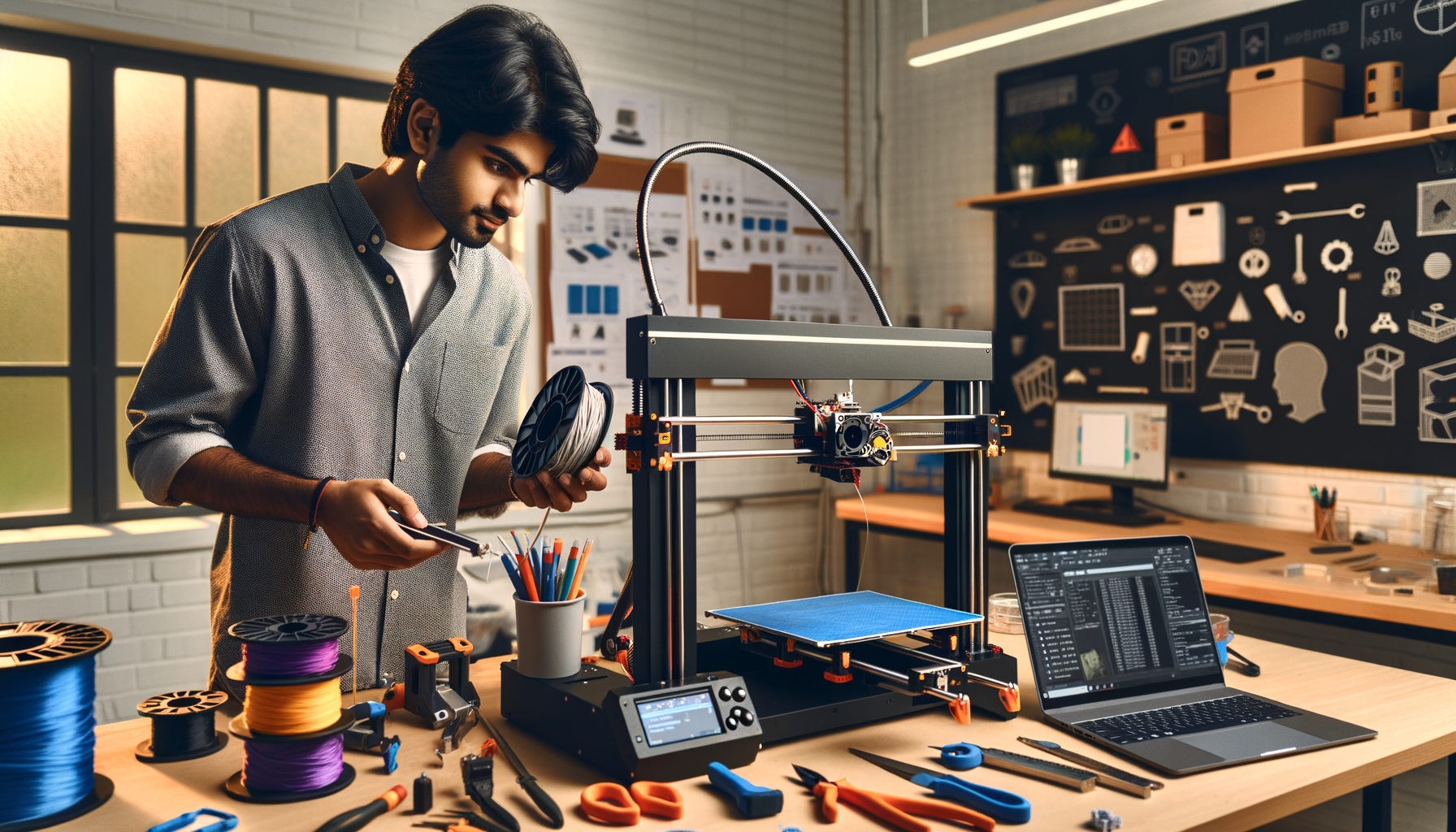
If you already understand how FDM printing works, this guide is for the next step. 3D printer hardware and materials in India can look simple from the outside, but once you start chasing print consistency, dimensional accuracy, and repeatable production, the details matter a lot. Here's the thing: most beginners focus only on the model and slicer settings, but professionals spend just as much time on nozzle choice, extruder path, bed surface, cooling control, and filament storage. That's where print quality really starts improving.
At ABC Trainings, we see this all the time with students from Pune, Chhatrapati Sambhajinagar, and Sangli. They know the basics, but they want the power-user logic that helps in real prototyping labs, service bureaus, and manufacturing teams working with automotive, tooling, and product design projects.
What are the most important 3D printer hardware parts to master beyond basics?
Once you're past entry-level printing, stop treating the machine as a box that just melts filament. Start reading it as a system. The main hardware areas that affect performance are the extruder, hotend, nozzle, build plate, motion system, cooling setup, and frame rigidity.
The extruder controls how consistently filament is pushed. Direct-drive extruders usually handle flexible materials better and give tighter retraction control. Bowden systems can still print fast, but they often need more tuning for stringing and pressure lag.
The hotend isn't just a heater. Its melt zone length affects flow stability. If you're printing PLA at moderate speed, a standard hotend may be fine. But when you push layer heights, larger nozzles, or engineering materials, flow consistency becomes the bottleneck.
The motion system matters more than most people realize. Loose belts, eccentric wheel play, bent lead screws, or poor frame stiffness show up as ringing, Z-banding, and dimensional errors. Trust me, many print defects that people blame on filament are actually mechanical.
Which nozzle, hotend, and extruder setup is best for advanced FDM printing?
The answer depends on your application, not just your printer model. For standard prototypes, a 0.4 mm brass nozzle is still the safe default. But advanced users should think in terms of output goals.
If you need faster draft prototypes, move to a 0.6 mm nozzle. You'll reduce print time and improve layer bonding in many cases. If you need fine visible detail, a 0.25 mm nozzle can work, but only if your machine is mechanically stable and your filament diameter is consistent.
For abrasive materials like carbon-filled blends or glow filaments, use a hardened steel nozzle. Brass wears out quickly. That wear changes extrusion width, and then your dimensional control starts drifting without obvious warning.
For higher-temperature materials, an all-metal hotend is usually the better option. It allows safer processing of PETG, ABS, ASA, nylon, and some composite filaments. The good news is, you don't need an expensive industrial printer to apply industrial thinking. You just need to match the hardware to the material and speed target.
How do professionals choose the right filament material for each job?
This is where advanced printing becomes practical engineering. PLA is easy, yes, but it isn't always the right production material. Material choice should follow function, temperature, mechanical load, finish, and post-processing needs.
PLA works well for concept models, fixtures with low heat exposure, educational parts, and display prototypes. It prints easily, but heat resistance is limited.
PETG is a strong all-rounder. It gives better toughness and chemical resistance than PLA, which makes it useful for covers, brackets, housings, and workshop-use parts.
ABS and ASA are better when heat resistance and impact behavior matter more. ASA is especially useful for parts exposed to sunlight. But you'll need better temperature control and enclosure discipline.
TPU is for flexible components, seals, grips, and vibration-damping parts. Direct drive helps a lot here.
Nylon is excellent for wear resistance and functional engineering parts, but moisture control becomes critical.
What most people don't realize is that material handling is part of material selection. If your shop in Pune or Mumbai has humid conditions, nylon and PETG can absorb moisture fast. That changes surface finish, layer bonding, and extrusion stability.
What build plate surfaces and temperature settings give more reliable prints?
Bed adhesion isn't just about applying glue and hoping for the best. The build surface, bed temperature, first-layer speed, and Z-offset all work together.
For PLA, textured PEI or smooth PEI sheets are common and reliable. PETG often sticks too aggressively on some surfaces, so using a release layer can prevent damage. ABS and ASA generally benefit from enclosed printers and controlled bed temperatures to reduce warping.
Here is a practical starting point many advanced users follow:
- PLA: nozzle 200-215°C, bed 50-60°C
- PETG: nozzle 230-245°C, bed 70-85°C
- ABS: nozzle 240-255°C, bed 90-110°C
- TPU: nozzle 210-230°C, bed 40-60°C
These are starting ranges, not fixed rules. Different brands sold in India vary a lot. A local filament spool and a premium imported spool may need different settings even if both are labeled PETG.
How do you tune cooling, retraction, and speed like a power user?
Advanced FDM tuning is all about balance. Too much cooling can improve overhangs but weaken layer adhesion. Too little cooling can ruin bridges and sharp edges. PLA usually likes more part cooling. ABS usually needs restraint to avoid cracking and warping.
Retraction must match your extruder path. Direct-drive systems usually need shorter retraction distances. Bowden systems often need longer ones. But don't chase stringing only with retraction. Check nozzle temperature, travel path, and filament moisture too.
Print speed should be tied to volumetric flow, not just a number in mm/s. A printer may run outer walls at 45 mm/s and infill at 80 mm/s, but if the hotend cannot melt material consistently at that flow rate, you'll see under-extrusion.
Professionals also separate settings by feature: slower outer walls, moderate inner walls, stronger top layers, and carefully tuned acceleration. That's how you get parts that look clean and still finish on time.
What maintenance routine keeps 3D printer hardware accurate over time?
If you're using the printer seriously, maintenance can't be random. A weekly and monthly checklist saves failed prints and wasted material.
Check belt tension, pulley set screws, bed level consistency, nozzle cleanliness, fan operation, and extruder gear dust buildup. Inspect wiring near moving axes. Lubricate rods or lead screws as recommended by the machine design.
Also calibrate E-steps, flow rate, and first-layer offset whenever you make major hardware changes. If you switch from brass to hardened steel, or from PLA to PETG, verify the profile instead of assuming old settings still work.
In production-oriented environments, even small repeatability gains matter. That's why companies such as Bosch, Siemens, Tata Technologies, Mahindra Engineering, and L&T value engineers who can diagnose print inconsistency instead of just restarting the job.
What advanced 3D printing skills actually help in jobs in Maharashtra?
If you're planning a career in additive manufacturing, prototyping, CAD support, or R&D, hardware and material knowledge gives you an edge. Anyone can click print. The person who gets hired is usually the one who can choose the right nozzle, predict warping risk, dry filament properly, and reduce print failures across batches.
In Pune, Nashik, Chhatrapati Sambhajinagar, and Mumbai, freshers working around prototyping, product design support, or machine labs can start around ₹2.4 lakh to ₹4.2 lakh per year. With strong CAD plus additive manufacturing workflow skills, many professionals move into roles paying ₹4.5 lakh to ₹7.5 lakh per year. In specialized R&D, tooling, automotive prototyping, or application engineering linked to firms like Bajaj Auto, KPIT Technologies, Thermax, Kirloskar, TCS, Infosys, or supplier networks around industrial design, the growth can be stronger.
That's why deep technical training matters. If you want structured hands-on learning, ABC Trainings can help you build industry-ready additive manufacturing skills. You can call 8698270088 or WhatsApp 7774002496 to ask about current 3D printing and design training options.
How should you build an advanced workflow for better FDM print results?
Here's a simple professional workflow: define part function, choose material, match nozzle and hotend, verify bed surface, set print profile based on geometry, dry filament if needed, run a small validation print, then start the full job. Don't reverse that process.
Trust me, this one habit saves hours. A 20-minute test coupon can prevent a 9-hour failure. The same thinking applies whether you're printing a jig, an enclosure, a concept model, or a small-batch functional part.
The real jump from beginner to advanced user happens when you stop asking, “What setting should I use?” and start asking, “Why is this hardware-material combination behaving this way?” Once you think like that, your print quality improves fast.
Which 3D printing material is best for beginners moving into advanced projects in India?
PETG is often the best next step after PLA for Indian learners who want tougher functional parts. It offers better durability and chemical resistance while still being easier to print than ABS or nylon. If your printer is well-tuned and your filament is kept dry, PETG teaches you a lot about temperature control, adhesion, and cooling. It's a smart bridge between hobby printing and professional prototyping.
Do I need an enclosed 3D printer for advanced material printing?
For PLA, not necessarily. But if you want stable results with ABS, ASA, and some nylon blends, an enclosure helps a lot by controlling temperature changes and reducing warping. In Maharashtra's mixed climate conditions, especially during monsoon, that thermal stability becomes even more useful. If you're serious about engineering-grade parts, an enclosed setup is worth considering.
Can 3D printer hardware knowledge help me get a job in Pune or Mumbai?
Yes, because employers value people who can solve practical print issues, not just operate software. If you understand nozzle wear, extruder tuning, bed adhesion logic, and material behavior, you become useful in prototyping labs, product design teams, and R&D support roles. This is relevant in automotive, electrical product development, and manufacturing support companies across Pune, Mumbai, and Nashik. Pair these skills with CAD and your job profile gets stronger.
Where can I learn advanced 3D printing hardware and materials in Maharashtra?
You can learn through a structured hands-on course that covers machine components, slicer logic, calibration, and real project workflows. ABC Trainings offers practical training for students and working professionals who want job-ready additive manufacturing skills. If you want course details, batch timing, or guidance on whether this fits your career path, call 8698270088 or WhatsApp 7774002496. That's usually the fastest way to get clear answers.
Visit Our Centers
Chhatrapati Sambhajinagar
Corporate Office (HQ)
2nd Floor, Kandi Towers, Jalna Road, Amarpreet Chowk, Chhatrapati Sambhajinagar, Maharashtra 431001
Osmanpura Branch
Plot No 14, Shanya Sect, Near Sant Eknath Rang Mandir, Osmanpura, Chhatrapati Sambhajinagar, Maharashtra 431005
CIDCO Branch
Plot No 4, N-3, Cidco, Opp. High Court, Chhatrapati Sambhajinagar, Maharashtra 431003
Pune
Wagholi Branch
1st Floor, ABC Trainings, Laxmi Datta Arcade, Pune - Ahilyanagar Hwy, Wagholi, Pune, Maharashtra 412207
Hadapsar Branch
Bloom Hotel, ABC Trainings 1st Floor, S.no 156/3 Shree Tower Pune - Solapur Rd, Hadapsar, Pune, Maharashtra 411028
Sangli
Sangli Branch
2nd Floor, Vasant Market, Opp. City High School, Sangli, Maharashtra 416416
Start Your Career Journey Today
Join 10,000+ students who transformed their careers with ABC Trainings.
💬 WhatsApp: 7774002496📞 Call: 8698270088