
If you already know sketching, extrude, revolve, fillet, and basic assemblies, this is where advanced SolidWorks tricks start making a real difference. A lot of students in Maharashtra can model a part. Fewer can model it fast, clean, editable, and production-ready. Here's the thing: companies don't just pay for software knowledge. They pay for speed, design intent, revision control, and fewer mistakes on the shop floor. If you're aiming for roles in Pune, Chhatrapati Sambhajinagar, Sangli, Nashik, or even supplier companies working with Bajaj Auto, Tata Technologies, Mahindra Engineering, Bosch, or Kirloskar, you need more than beginner commands.
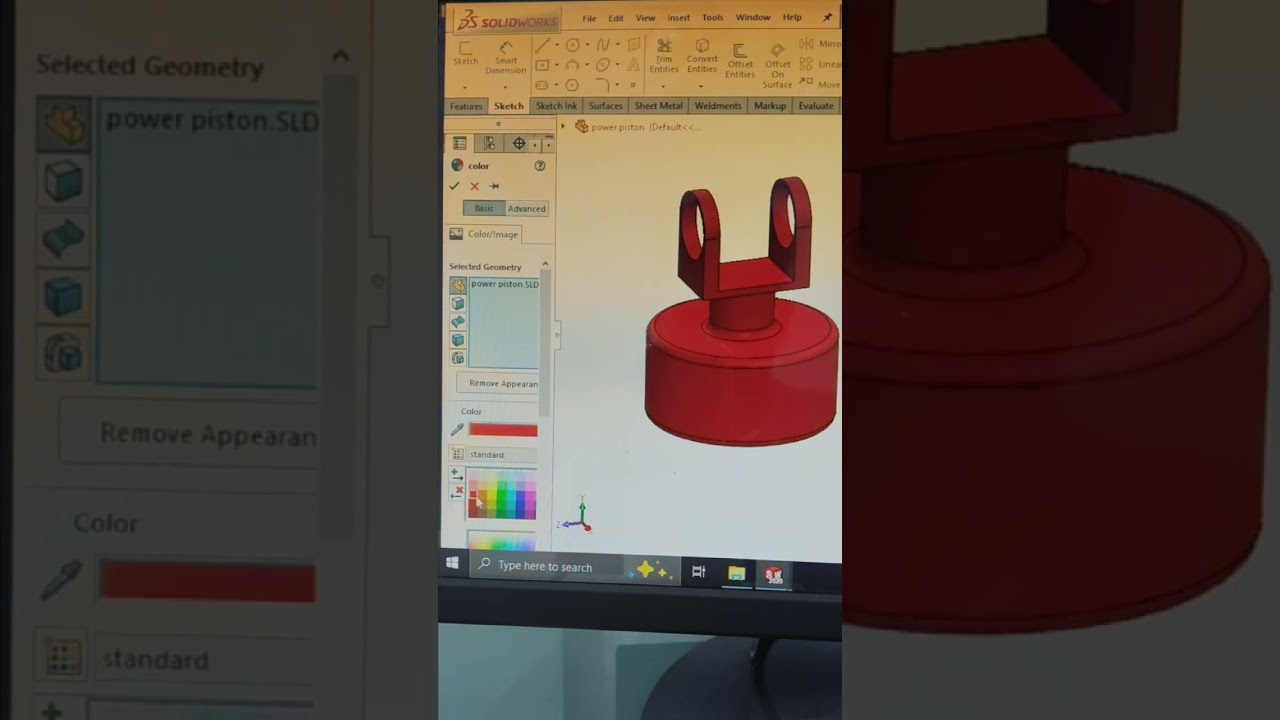
This guide is for that next step. Trust me, once you start using advanced workflows properly in SolidWorks 2024 and SolidWorks 2025, your models become easier to update, drawings become cleaner, and your interview confidence goes up fast.
What advanced SolidWorks tricks actually matter in real jobs?
What most people don't realize is that advanced work in SolidWorks isn't about flashy commands. It's about building models that survive change. In real design offices, dimensions change, vendors change, casting allowances change, and assembly clearances change. If your part breaks every time a dimension is edited, you're still working like a beginner.
The most useful advanced areas are:
- Design intent through smart sketches and references
- Configurations for product variants
- Equations and global variables for parameter control
- Feature pattern strategy for faster rebuilds
- Assembly mates that stay stable during revisions
- Drawing views and annotations that match manufacturing expectations
- Custom properties for BOM and documentation
The good news is, you don't need to learn everything at once. But you do need to stop modeling randomly.
How do professionals build faster models in SolidWorks?
Speed in SolidWorks comes from structure, not panic clicking. A trained designer will usually spend more time planning the first few features and less time repairing the last twenty.
1. Start with the right base feature
Don't just begin on the Front Plane because it feels familiar. Start from the plane that best represents the manufacturing or assembly orientation. If you're making a sheet metal bracket, choose the face that controls most downstream dimensions. If you're modeling a turned component, think around the revolve axis first.
2. Use fewer sketches, but make them smarter
Many students create too many tiny sketches. That slows editing. Instead, use a master sketch where it makes sense, especially for profiles that control multiple features. Keep relations intentional. Fully define sketches, but don't overconstrain them with unnecessary dimensions.
3. Rename features properly
Extrude1, Extrude2, Cut-Extrude7 — that might work in practice sessions, but not in a company. Rename features like Base Plate, Motor Mount Cut, Bearing Seat, Cover Rib. When someone else opens your file at Siemens, Thermax, or L&T vendor teams, they should understand your tree in seconds.
4. Group edits near the top
If several downstream features depend on one profile, keep those controlling features early in the tree. This reduces rebuild errors and makes future edits safer.
How do equations, global variables, and configurations save time?
This is one of the biggest jumps from basic to advanced SolidWorks. If you're making parts in multiple sizes, stop copying files manually. Use equations, global variables, and configurations.
For example, if you're designing a mounting plate family, define variables such as:
- Plate_Length = 250
- Plate_Width = 120
- Hole_Pitch = Plate_Length - 40
- Thickness = 8
Now if the customer asks for a 300 mm version, one value change updates multiple features. That's how designers work when handling repeat jobs in automotive, fabrication, and machine design.
Configurations are useful for:
- Same part with 3 thickness options
- Different hole patterns
- Open and closed positions
- Left-hand and right-hand variants
Trust me, if you show configuration logic in an interview, you instantly sound more job-ready than someone who only knows part modeling.
Which SolidWorks settings should power users change first?
Most learners use default settings forever. That's a mistake. What most people don't realize is that small system settings can save hours every week.
Image quality and performance
For large assemblies, keep image quality balanced. Very high image quality on every part can slow rotation badly on mid-range laptops. Use lightweight components where suitable and review automatic rebuild options.
Units and document templates
Create standard templates for MMGS, drawing sheets, and company-style annotations. If every file starts differently, your output becomes inconsistent. In many Indian companies, drawing format discipline matters as much as the model.
Auto-recover and backup
Keep backup copies active. If you've ever lost a file after 2 hours of work, you'll never ignore this again.
Custom properties
Set part number, material, description, and revision fields early. This helps BOM generation and drawing title blocks later.
How can you make assemblies more stable and easier to edit?
Assembly work is where many students struggle. They can make parts, but assemblies become over-mated, slow, or unstable.
Here's a cleaner workflow:
- Fix one base component intentionally, not randomly
- Use standard mates before advanced mates
- Avoid redundant mates that fight each other
- Check movement after every major mate set
- Use sub-assemblies for logical groups
If you're building a machine fixture, for example, keep purchased items, fabricated frame parts, and moving mechanisms organized separately. This mirrors how real projects are handled in teams.
For motion checks, don't wait until the end. Test travel, clearance, and interference early. A simple interference detection check can save major embarrassment before a design review.
What drawing and documentation tricks do experienced designers use?
A good 3D model is only half the job. Manufacturing teams still rely heavily on proper drawings, dimensions, section views, tolerances, and BOM clarity.
Use model items carefully
Importing model dimensions can save time, but don't dump every dimension into the drawing. Clean selection matters. The drawing should help production, not confuse it.
Choose views based on manufacturing need
If a machinist needs hole depth and relation to datum faces, give section and detail views where needed. Don't create decorative views that add no value.
Control annotation style
Arrow size, text height, decimal places, and tolerance display should match drafting standards used by your company or client.
This is where students who trained properly stand out. At ABC Trainings, we often tell learners that industry-ready output is not just about making a shape. It's about making a file another engineer can trust.
How does SolidWorks help in jobs and salaries in Maharashtra?
SolidWorks remains one of the most practical CAD tools for mechanical design, product development, fabrication design, and machine assembly work in India. Companies connected to automotive, industrial equipment, process systems, and manufacturing support regularly value SolidWorks skills.
In cities like Pune, Chhatrapati Sambhajinagar, and Sangli, a fresher with solid modeling, assemblies, drawings, and basic design logic can expect around ₹2.4 lakh to ₹3.8 lakh per year depending on project exposure and communication. If you can handle configurations, sheet metal, weldments, and drawing standards properly, many junior design roles move into the ₹3.5 lakh to ₹5.2 lakh per year range after some experience.
Suppliers and engineering service firms supporting Bajaj Auto, Mahindra Engineering, Tata Technologies, Bosch, Siemens, Thermax, Infosys engineering teams, TCS engineering projects, and KPIT Technologies-linked product work often prefer candidates who can model with intent, not just follow commands.
How should you practice advanced SolidWorks if you already know the basics?
Don't practice random YouTube parts only for looks. Practice like a working designer.
- Rebuild the same part in two different ways and compare editability
- Create one part with three configurations
- Make an assembly and run interference checks
- Generate a drawing with section, detail, and BOM
- Edit one early dimension and see what breaks
That's the test. A model that survives change is a strong model.
If you're serious about becoming a power user, get guided feedback from trainers who correct workflow, not just final output. ABC Trainings works with many students from Pune, Chhatrapati Sambhajinagar, and Sangli who want exactly this jump from classroom basics to job-level CAD work. For course details, call 8698270088 or WhatsApp 7774002496.
Is SolidWorks enough to get a mechanical design job in Pune in 2026?
For many entry-level roles, SolidWorks is enough if you also know assemblies, drawings, design intent, and basic manufacturing understanding. Companies in Pune usually look for practical modeling speed and clean documentation, not just certificate completion. If you add GD&T basics, sheet metal, weldments, and interview-ready projects, your chances improve a lot.
What is the best advanced topic to learn after basic SolidWorks?
Start with equations, global variables, and configurations because they directly improve productivity in real jobs. After that, move to assemblies, drawing standards, sheet metal, and weldments. These areas are used regularly in machine design and fabrication projects across Maharashtra.
What salary can a SolidWorks designer get in Maharashtra?
Freshers commonly start around ₹2.4 lakh to ₹3.8 lakh per year depending on city, software depth, and project quality. With stronger assembly work, manufacturing drawings, and 1 to 3 years of experience, many designers reach ₹4 lakh to ₹6.5 lakh per year. Pune usually offers higher pay than smaller cities, but skills still matter more than location alone.
Where can I learn advanced SolidWorks in Maharashtra with practical training?
Look for an institute that teaches part modeling, assemblies, drawings, configurations, and industry workflow instead of only basic commands. Ask whether they train on current versions like SolidWorks 2024 or 2025 and whether projects reflect real manufacturing use. If you want to check practical CAD training options, contact ABC Trainings at 8698270088 or WhatsApp 7774002496.
Visit Our Centers
Chhatrapati Sambhajinagar
Corporate Office (HQ)
2nd Floor, Kandi Towers, Jalna Road, Amarpreet Chowk, Chhatrapati Sambhajinagar, Maharashtra 431001
Osmanpura Branch
Plot No 14, Shanya Sect, Near Sant Eknath Rang Mandir, Osmanpura, Chhatrapati Sambhajinagar, Maharashtra 431005
CIDCO Branch
Plot No 4, N-3, Cidco, Opp. High Court, Chhatrapati Sambhajinagar, Maharashtra 431003
Pune
Wagholi Branch
1st Floor, ABC Trainings, Laxmi Datta Arcade, Pune - Ahilyanagar Hwy, Wagholi, Pune, Maharashtra 412207
Hadapsar Branch
Bloom Hotel, ABC Trainings 1st Floor, S.no 156/3 Shree Tower Pune - Solapur Rd, Hadapsar, Pune, Maharashtra 411028
Sangli
Sangli Branch
2nd Floor, Vasant Market, Opp. City High School, Sangli, Maharashtra 416416
Start Your Career Journey Today
Join 10,000+ students who transformed their careers with ABC Trainings.
💬 WhatsApp: 7774002496📞 Call: 8698270088