
SOLIDWORKS 3D CAD Basics to Pro Workflow India 2026
SOLIDWORKS is one of the most searched 3D CAD tools in India, but most students only learn the surface level: sketch, extrude, cut, save. If you already know that much and want to understand how professionals actually work, this guide is for you. I’m not talking about random button-clicking. I’m talking about how SOLIDWORKS is used in real product design, mechanical engineering, and manufacturing teams across Pune, Chhatrapati Sambhajinagar, Sangli, and beyond. Here's the thing: software knowledge alone doesn’t get you hired. Workflow knowledge does.
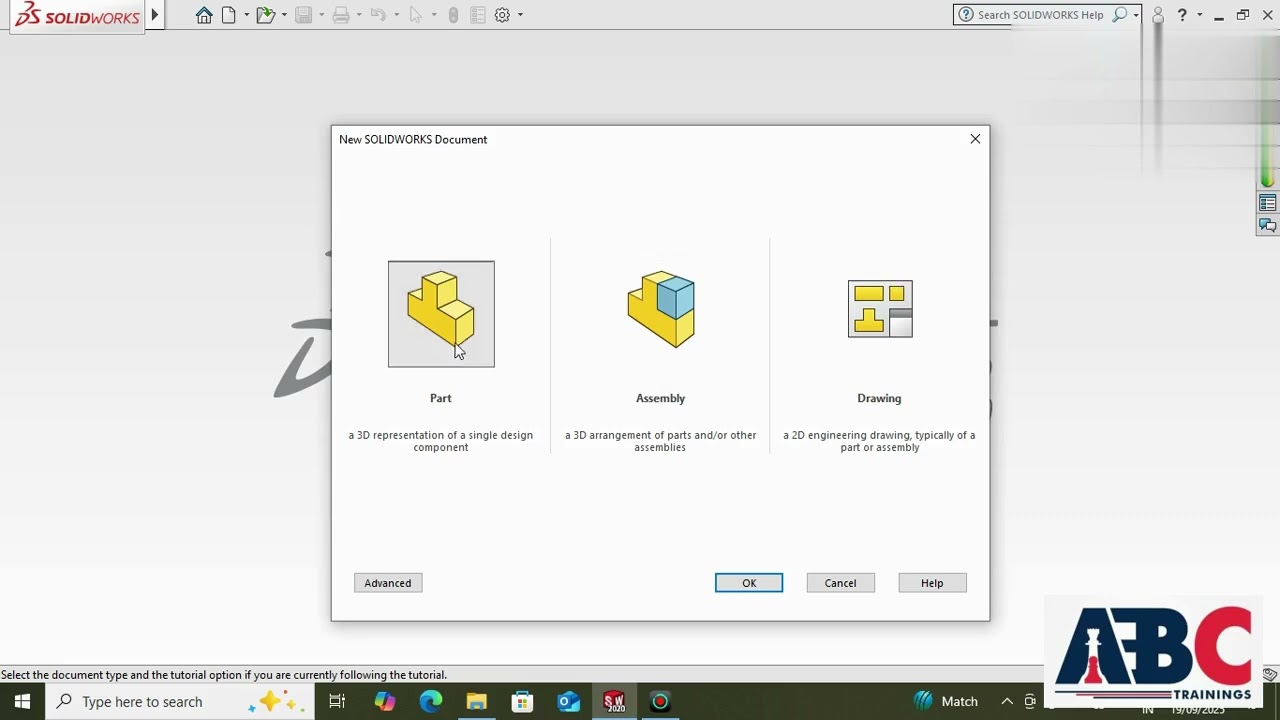
Whether you want to work with companies like Bajaj Auto, Tata Technologies, Mahindra Engineering, Bosch, Siemens, Thermax, or Kirloskar, you need to understand why SOLIDWORKS became a go-to platform for 3D CAD design and how to use it the way industry expects. Let’s go deeper than a beginner introduction and look at the settings, habits, and advanced thinking that save time and reduce design errors.
What is SOLIDWORKS actually used for in India?
SOLIDWORKS is a 3D CAD software widely used for part modeling, assembly design, sheet metal, weldments, simulation preparation, and manufacturing drawings. In the Indian market, it’s especially common in automotive vendors, machine design companies, fabrication units, product development firms, and industrial equipment manufacturers.
What most people don't realize is that SOLIDWORKS is not just a modeling tool. It’s a design communication system. A properly built model can feed drawings, BOMs, exploded views, rendering, and design revisions without rebuilding everything from scratch. That’s why employers value candidates who understand design intent, not just feature creation.
In Maharashtra, a fresher with practical SOLIDWORKS skills can typically start around ₹2.4 lakh to ₹3.6 lakh per year in small and mid-sized firms. If you combine SOLIDWORKS with GD&T, assemblies, sheet metal, and manufacturing understanding, salaries can move toward ₹4.2 lakh to ₹5.5 lakh in stronger roles. In companies supporting OEMs or exports, your growth is even better.
Why do companies prefer SOLIDWORKS over basic drafting tools?
Because 2D drafting shows shape. 3D parametric modeling shows logic. That difference matters in production.
In SOLIDWORKS, dimensions drive geometry. Features build on each other. Assemblies test fitment. Drawings stay linked to the model. If a hole size changes, the connected views and dimensions can update. The good news is that once you understand this parametric structure, your speed improves dramatically.
That’s why design teams in machine building and product development often prefer SOLIDWORKS for concept-to-detail workflows. AutoCAD still has its place, but for mechanical product design, SOLIDWORKS gives more control over edits, revisions, and component relationships.
Which SOLIDWORKS features matter most after the basics?
If you’re beyond the beginner stage, focus on the features that improve model stability and editing efficiency. Trust me, this is where serious users separate themselves from casual learners.
1. Sketch discipline
Don’t create messy sketches with unnecessary entities. Use fully defined sketches, centerlines, relations, and smart dimensioning with purpose. A clean sketch is easier to edit later. Advanced users know that unstable sketches are the root cause of many failed features.
2. Feature order strategy
Build base geometry first. Add secondary details later. Keep fillets and chamfers toward the end unless they are function-critical. This makes edits cleaner and prevents rebuild failures when dimensions change.
3. Reference geometry
Planes, axes, and coordinate systems are not optional for complex work. Use them early. If you’re working on imported parts, multi-body models, or assembly references, proper reference geometry gives you control that beginners usually miss.
4. Design intent
This is the heart of professional CAD. Ask yourself: what dimensions are fixed, what can vary, and what must remain aligned? Build the model so future changes happen with minimum damage.
5. Configurations
Instead of creating separate files for every size variation, use configurations. This is useful for fastener families, machine frame variations, and standard product ranges. In industry, this saves file management time and reduces duplication.
How do professionals build faster in SOLIDWORKS?
Speed in SOLIDWORKS doesn’t come from rushing. It comes from fewer corrections. Here are the power-user habits I recommend:
Use templates with pre-set units, drafting standards, custom properties, and material settings. If your company works in MMGS, don’t start every file from a random template. Create standard part, assembly, and drawing templates once.
Use the FeatureManager tree properly. Rename important features. Group related operations logically. Six months later, when your team reopens the file, they should understand it in minutes.
Master keyboard shortcuts and mouse gestures. In SOLIDWORKS 2024 and SOLIDWORKS 2025, even small interface efficiency gains matter when you model all day. Repeating common commands through the search bar is slower than setting up your own shortcut workflow.
Use equations and linked values where repeat dimensions matter. For example, if slot width depends on shaft diameter, connect the values. This reduces human error in revisions.
And one more thing: don’t ignore rebuild warnings. Many freshers suppress errors, export a PDF, and move on. That habit won’t survive in a real company environment.
How are assemblies used in real mechanical design work?
Assemblies are where SOLIDWORKS starts feeling like actual engineering instead of isolated modeling. A part may look perfect alone, but assemblies reveal clashes, orientation problems, missing clearances, and wrong fastener logic.
In professional workflows, you’ll use mates carefully, not excessively. Too many unnecessary mates make the assembly heavy and unstable. Use the minimum set required to define movement or lock position correctly.
Top-down and bottom-up assembly methods both matter. Bottom-up is common for standard machine assemblies where parts already exist. Top-down is useful when parts must adapt to surrounding geometry. What most people don't realize is that top-down modeling is powerful but risky if references are unmanaged. External references can break when files move across systems.
For job readiness, you should know exploded view creation, BOM generation, basic interference checking, and drawing extraction from assemblies. These tasks are common in vendor companies supporting manufacturing teams in Pune and Nashik.
How do drawings in SOLIDWORKS affect manufacturing quality?
A 3D model is not the final output in many companies. The shop floor, QC team, vendor, and client often still depend on drawings. That means your drawing quality directly affects production quality.
Advanced drawing practice includes correct view selection, section views where they add clarity, proper dimension placement, tolerance awareness, hole callouts, notes discipline, and revision control. If your drawing is crowded, unclear, or inconsistent, it creates manufacturing confusion.
Here’s the thing: many students think drawing generation is automatic. It isn’t. The software creates views, but engineering judgment creates useful documentation.
If you’re targeting companies like L&T, Bosch, Siemens, or Tata Technologies, you should also get comfortable with title block data, custom properties, and BOM-linked drawing workflows. These details matter in production documentation.
What industries use SOLIDWORKS the most in Maharashtra?
SOLIDWORKS is widely used in automotive components, industrial machinery, fabrication design, consumer product development, agricultural equipment, and plant-related mechanical systems. Around Pune, you’ll see demand in automotive and product engineering support roles. In Chhatrapati Sambhajinagar and Sangli, smaller manufacturing units and design service firms often need practical CAD talent that can work from concept to drawing release.
If you pair SOLIDWORKS with manufacturing basics, you become more employable than someone who only knows software commands. That’s why at ABC Trainings, we always tell students to study the why behind every feature, not just the how. If you want guidance on course selection, call 8698270088 or WhatsApp 7774002496.
How should you learn SOLIDWORKS if you already know the basics?
Move from tool learning to project learning. Start with single parts, then assemblies, then drawings, then revision-based redesign. That sequence builds confidence and industry logic.
A strong advanced practice path looks like this: model a machine bracket, create configurations, insert it into an assembly, check fitment, generate manufacturing drawings, then revise the part based on a design change. That one exercise teaches more than ten disconnected tutorials.
Also practice with realistic file discipline. Use proper naming, folder structure, version control habits, and export standards. Trust me, interviewers notice when your work looks professional.
If you’re in Maharashtra and want structured training with practical assignments, ABC Trainings can help you move from beginner familiarity to job-ready CAD workflow. The good news is that SOLIDWORKS is still one of the most practical tools for mechanical careers in India when learned properly.
Is SOLIDWORKS enough to get a mechanical design job in Pune?
SOLIDWORKS alone can help you enter entry-level design roles, but it’s usually not enough for better-paying jobs. You should add manufacturing drawings, GD&T basics, assemblies, BOM understanding, and some domain exposure like sheet metal or machine design. In Pune, companies prefer candidates who can handle practical design tasks, not just 3D models. If your portfolio shows complete part-to-drawing workflow, your chances improve a lot.
Which SOLIDWORKS version should students learn in 2026?
Students should ideally train on SOLIDWORKS 2024 or SOLIDWORKS 2025 because many institutes and companies in India are currently using these versions or nearby releases. The interface logic stays similar across versions, so the workflow matters more than chasing every new button. Focus on sketching, parts, assemblies, drawings, and file management first. Once that foundation is strong, version updates are easy to adapt to.
What salary can a SOLIDWORKS fresher expect in Maharashtra?
A fresher with only basic modeling knowledge may get around ₹2.4 lakh to ₹3 lakh per year in smaller firms. If you know assemblies, drawings, design intent, and can explain real projects well, ₹3.5 lakh to ₹5 lakh is realistic in stronger companies or vendor networks. Pune usually offers better salary growth than smaller cities, but competition is also higher. Your project quality and interview performance make a big difference.
Is SOLIDWORKS better than AutoCAD for mechanical students in India?
For mechanical product design, SOLIDWORKS is usually the better choice because it supports parametric 3D modeling, assemblies, and linked drawings. AutoCAD is still useful for 2D drafting and some documentation work, but most design-oriented mechanical roles expect 3D CAD capability. If possible, learn both, but give more focus to SOLIDWORKS for product and machine design careers. That combination is valued by many manufacturing employers in India.
Visit Our Centers
Chhatrapati Sambhajinagar
Corporate Office (HQ)
2nd Floor, Kandi Towers, Jalna Road, Amarpreet Chowk, Chhatrapati Sambhajinagar, Maharashtra 431001
Osmanpura Branch
Plot No 14, Shanya Sect, Near Sant Eknath Rang Mandir, Osmanpura, Chhatrapati Sambhajinagar, Maharashtra 431005
CIDCO Branch
Plot No 4, N-3, Cidco, Opp. High Court, Chhatrapati Sambhajinagar, Maharashtra 431003
Pune
Wagholi Branch
1st Floor, ABC Trainings, Laxmi Datta Arcade, Pune - Ahilyanagar Hwy, Wagholi, Pune, Maharashtra 412207
Hadapsar Branch
Bloom Hotel, ABC Trainings 1st Floor, S.no 156/3 Shree Tower Pune - Solapur Rd, Hadapsar, Pune, Maharashtra 411028
Sangli
Sangli Branch
2nd Floor, Vasant Market, Opp. City High School, Sangli, Maharashtra 416416
Start Your Career Journey Today
Join 10,000+ students who transformed their careers with ABC Trainings.
💬 WhatsApp: 7774002496📞 Call: 8698270088