If you already know what ANSYS Workbench is and you've opened a few static structural projects before, this is where things start getting useful. The real skill isn't just dragging a system into the Project Schematic. It's knowing how to move from geometry to mesh to setup to solve to post-processing without wasting time or getting unreliable results. This ANSYS Workbench workflow guide is written for students and working engineers in India who want deeper, job-ready habits for 2026. Here's the thing: companies like Tata Technologies, Mahindra Engineering, Bosch, Siemens and Kirloskar don't just want someone who can click through menus. They want engineers who understand why a model fails, why a mesh is poor, and how to present simulation results with confidence.
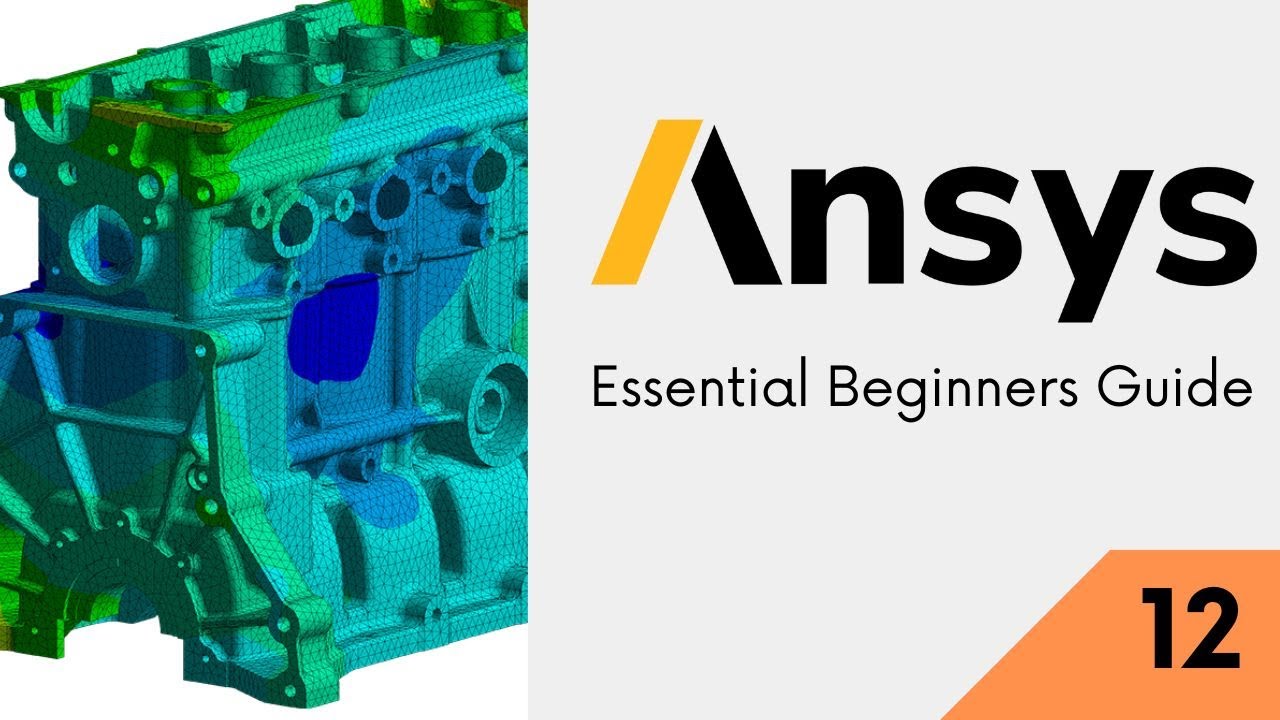
The video introduces the essential Workbench flow for beginners, but what most people don't realize is that this same flow becomes the foundation of advanced CAE work too. Trust me, if you build clean habits at the Geometry, Mesh, Setup, Solve and Results stages, you'll work faster and make fewer mistakes when project complexity increases.
What is the correct ANSYS Workbench workflow for real projects?
The standard workflow is simple on paper: create or import geometry, define engineering data, assign materials, generate mesh, apply boundary conditions, solve, then review results. But in real industry use, each stage affects the next one.
For example, if you're importing a bracket from SolidWorks or CATIA into ANSYS Workbench 2024 R2, don't rush straight to meshing. First check units, suppressed bodies, shared topology, tiny edges, and contact surfaces. A badly prepared model creates mesh errors, false stress peaks and longer solve times. The good news is, once you train yourself to inspect geometry before meshing, your simulation quality improves immediately.
In automotive and manufacturing companies around Pune, Chhatrapati Sambhajinagar and Sangli, engineers often use Workbench as part of a larger product validation process. That means your workflow must be repeatable. Save named selections. Keep clear material assignments. Use meaningful load names. Don't leave your project as Untitled with six random bodies and default settings.
How should you prepare geometry in ANSYS Workbench before meshing?
Geometry prep is where serious users separate themselves from beginners. If you're working inside SpaceClaim or DesignModeler, your first job is simplification. Remove cosmetic rounds, tiny holes, logos, embossed text and features that do not affect structural behavior. If a fillet is too small compared to overall part size, it's often better removed for faster meshing unless stress concentration at that exact location matters.
Another power-user habit is creating clean named selections early. Define faces for fixed support, pressure application, bolt contact zones or symmetry planes before you enter Mechanical. It saves time later and makes model edits easier.
Check body type too. Is it solid, surface or line body? Many students import geometry and don't notice that a thin bracket should be modeled using shells, not bulky solids. That one decision can change solve time from 20 minutes to under 2 minutes.
If you're planning assembly analysis, inspect contact regions before meshing. Shared topology can help for bonded interfaces, but don't use it blindly. For actual part interaction, you'll need proper contacts in Mechanical. That's especially important in machine design work done for Bajaj Auto, Thermax and L&T suppliers where assembly load paths matter.
How do professionals create a better mesh in ANSYS Workbench?
Meshing isn't about chasing the smallest element size. It's about getting the right mesh where the physics demands it. Start with a reasonable global size, then refine only around holes, fillets, contact zones, notches and load application areas. If everything is fine mesh, your solve becomes slow without giving better engineering insight.
Use body sizing, face sizing and sphere of influence controls smartly. For thin parts, inflation may matter more in thermal or fluid-linked studies, while for structural contact problems, local refinement near interfaces is usually more important. Relevance center on Fine is not a strategy by itself. It's just a shortcut.
What most people don't realize is that mesh quality metrics matter. Skewness, aspect ratio and element quality should be checked if results look suspicious. If stress suddenly spikes at a sharp corner, ask whether it's a real concentration or a singularity caused by geometry and constraints.
A solid workflow is to run an initial coarse mesh, review deformation and stress pattern, then do local refinement and compare values. That's basic mesh independence thinking, and it's expected in serious CAE teams. If you're applying for roles in Pune with salaries around ₹3.2 lakh to ₹5.8 lakh per year as a fresher CAE analyst, being able to explain mesh refinement logic gives you an edge. With 2 to 4 years of experience, ANSYS users in Maharashtra often move into the ₹6.5 lakh to ₹11 lakh range depending on domain and company.
How should you set up loads and boundary conditions correctly?
This is the stage where many models become unrealistic. A simulation is only as good as the constraints behind it. Don't apply fixed support just because it's available. Ask how the part is actually held in real life. Is it bolted, clamped, pinned or bearing-loaded? Is friction relevant? Is symmetry valid?
Use remote force, displacement, frictionless support, cylindrical support and joint conditions when needed instead of oversimplifying everything. In Workbench Mechanical, coordinate systems are extremely useful for directional loads. If you ignore local axes, you'll often apply force in the wrong direction and never notice.
Material setup also deserves attention. Don't accept generic structural steel unless the project truly uses it. Enter realistic Young's modulus, Poisson's ratio, density and, where needed, nonlinear properties. In manufacturing projects, even a small mismatch in material assumptions can distort deflection and safety factor predictions.
For contact-heavy assemblies, review contact formulation carefully. Program controlled is fine to start, but advanced users inspect bonded, frictional, no separation and frictionless choices based on actual behavior. Trust me, many “ANSYS errors” are really contact definition problems.
How do you solve faster and avoid common ANSYS Workbench errors?
Before solving, use the tree like a checklist. Missing material? Unscoped load? Suppressed body? Unconnected part? Weak springs unexpectedly active? These are common issues.
If the solver fails, don't panic and rebuild the whole model. First inspect messages. Then check contacts, overconstraints, insufficient constraints, distorted mesh and unit mistakes. A load entered in N instead of kN, or mm geometry with meter-based assumptions, can ruin the run.
One efficient habit is solving in stages. Start with a simplified linear static case. Once that behaves logically, add contact complexity, then nonlinear settings if required. This staged approach is how professionals reduce troubleshooting time.
If you're using ANSYS Workbench in a training lab or institute setup, keep project files organized. Save archive files, use clear naming and document assumptions. At ABC Trainings, students who follow this discipline usually learn faster because they can revisit each decision instead of guessing what they clicked last week.
How do you read post-processing results like an engineer, not just a software user?
Post-processing is not about taking a colorful screenshot and calling it analysis. Start with total deformation, equivalent stress and reaction forces, but don't stop there. Verify whether the result shape makes physical sense. If the deformation mode looks impossible, your constraints are probably wrong.
Probe critical points. Use path results if needed. Review max stress locations carefully. If the highest stress appears at a sharp fixed edge, it may be a stress singularity, not a design failure. Compare average and unaveraged results where appropriate.
Also validate against hand calculations wherever possible. Even a simple beam estimate can tell you whether your ANSYS output is in the right range. That's the habit hiring managers value. Software confidence without engineering judgment is risky.
For presentation, create clean result plots with proper legends, units and annotations. If you're sharing work with a client or interview panel, include assumptions, mesh summary, load cases and conclusion from the data. Engineers at Siemens, Bosch and KPIT Technologies expect clarity, not just screenshots.
What advanced habits help you become faster in ANSYS Workbench?
Use templates for recurring studies. Reuse materials and named selections. Keep units consistent from CAD import to final report. Learn when to stay in Workbench and when to clean geometry in the source CAD tool first.
Another underrated habit is documenting decisions inside your project notes or report. Why did you choose bonded contact? Why was that face fixed? Why was local mesh used around the hole? These short notes make your work interview-ready and team-friendly.
If you're serious about CAE careers in Maharashtra, don't just practice textbook plate examples. Try brackets, base frames, clamps, pressure-loaded covers, welded supports and simple assemblies. That's much closer to the parts handled in real companies around Pune, Nashik and Aurangabad region manufacturing clusters.
If you want guided ANSYS practice with trainer feedback, ABC Trainings can help you move from basic Workbench navigation to job-level simulation thinking. You can call 7039169629 or WhatsApp 7774002496 to check current batches.
Why does this workflow matter for ANSYS jobs in India in 2026?
Because employers don't pay for button clicks. They pay for clean engineering decisions. A fresher who understands geometry cleanup, mesh logic, realistic boundary conditions and result validation is far more useful than someone who only knows the menu flow.
The good news is, this is learnable. You don't need to master every ANSYS module at once. But you do need a disciplined Workbench workflow. Once that's strong, moving into advanced structural, thermal, modal or coupled studies becomes much easier.
Here's the thing: ANSYS Workbench may look beginner-friendly, but professional simulation depends on judgment. Build that judgment now, and you'll be ready for better interviews, stronger projects and higher-value engineering roles in India.
Is ANSYS Workbench enough to get a CAE job in Pune or Mumbai?
It's enough to start, but only if you can explain your workflow clearly. Companies want candidates who understand meshing, boundary conditions, contacts and result interpretation, not just software navigation. For fresher roles, a strong Workbench portfolio can help, especially when combined with CAD knowledge. Adding project-based practice improves your chances a lot.
Which ANSYS version should students learn in 2026?
Learning on a recent version like ANSYS Workbench 2024 R2 is a smart choice because many interface and solver workflows remain relevant across versions. The exact version matters less than your understanding of geometry prep, mesh control and setup logic. If an employer uses a slightly older release, you can adapt quickly. Focus on fundamentals plus practical project execution.
How much salary can an ANSYS fresher get in Maharashtra?
For entry-level CAE or design validation roles, freshers often start around ₹3.2 lakh to ₹5.8 lakh per year depending on skills, city and company type. Pune usually offers stronger opportunities than smaller cities, but good candidates from Sangli or Chhatrapati Sambhajinagar can still enter through supplier companies and service firms. With 2 to 4 years of solid experience, many professionals move into the ₹6.5 lakh to ₹11 lakh range.
Should I learn ANSYS after AutoCAD or SolidWorks?
Yes, that's a practical route. If you already know CAD, you'll understand part geometry, assemblies and design intent better, which makes simulation easier to learn. SolidWorks or CATIA users often pick up Workbench faster because they already think in terms of real components. The best path is CAD first, then ANSYS with engineering problem-solving.
Visit Our Centers
Chhatrapati Sambhajinagar
Corporate Office (HQ)
2nd Floor, Kandi Towers, Jalna Road, Amarpreet Chowk, Chhatrapati Sambhajinagar, Maharashtra 431001
Osmanpura Branch
Plot No 14, Shanya Sect, Near Sant Eknath Rang Mandir, Osmanpura, Chhatrapati Sambhajinagar, Maharashtra 431005
CIDCO Branch
Plot No 4, N-3, Cidco, Opp. High Court, Chhatrapati Sambhajinagar, Maharashtra 431003
Pune
Wagholi Branch
1st Floor, ABC Trainings, Laxmi Datta Arcade, Pune - Ahilyanagar Hwy, Wagholi, Pune, Maharashtra 412207
Hadapsar Branch
Bloom Hotel, ABC Trainings 1st Floor, S.no 156/3 Shree Tower Pune - Solapur Rd, Hadapsar, Pune, Maharashtra 411028
Sangli
Sangli Branch
2nd Floor, Vasant Market, Opp. City High School, Sangli, Maharashtra 416416
Start Your Career Journey Today
Join 10,000+ students who transformed their careers with ABC Trainings.
💬 WhatsApp: 7774002496📞 Call: 7039169629