CATIA V5 Advanced Part Design – Patterns, Body Operations & Parametric Formulas (Updated June 2026) (Updated June 2026)
Here's the thing about CATIA V5 that most self-taught users miss: the basic Pad, Pocket, and Fillet features get you to about 40% of what the software can do. The real power — and the real hiring differentiator — lies in the advanced tools that let you design smarter, faster, and with design intent baked in. The AURIC industrial zone in Sambhajinagar has drawn Rs. 71,343 crore in FDI, creating 62,405 engineering jobs at companies like Skoda VW (Plot A-1/1, Shendra), Toyota Kirloskar, and Bajaj Auto (Waluj, Plot G-137) — all of which run CATIA V5 as their primary design tool. Episode 20 of our CATIA Basics series focuses on the advanced Part Design features that experienced engineers use every day: patterns for repeated features, Boolean body operations for complex geometry, the Formula Editor for parametric relationships, and DMU for assembly clearance checking.
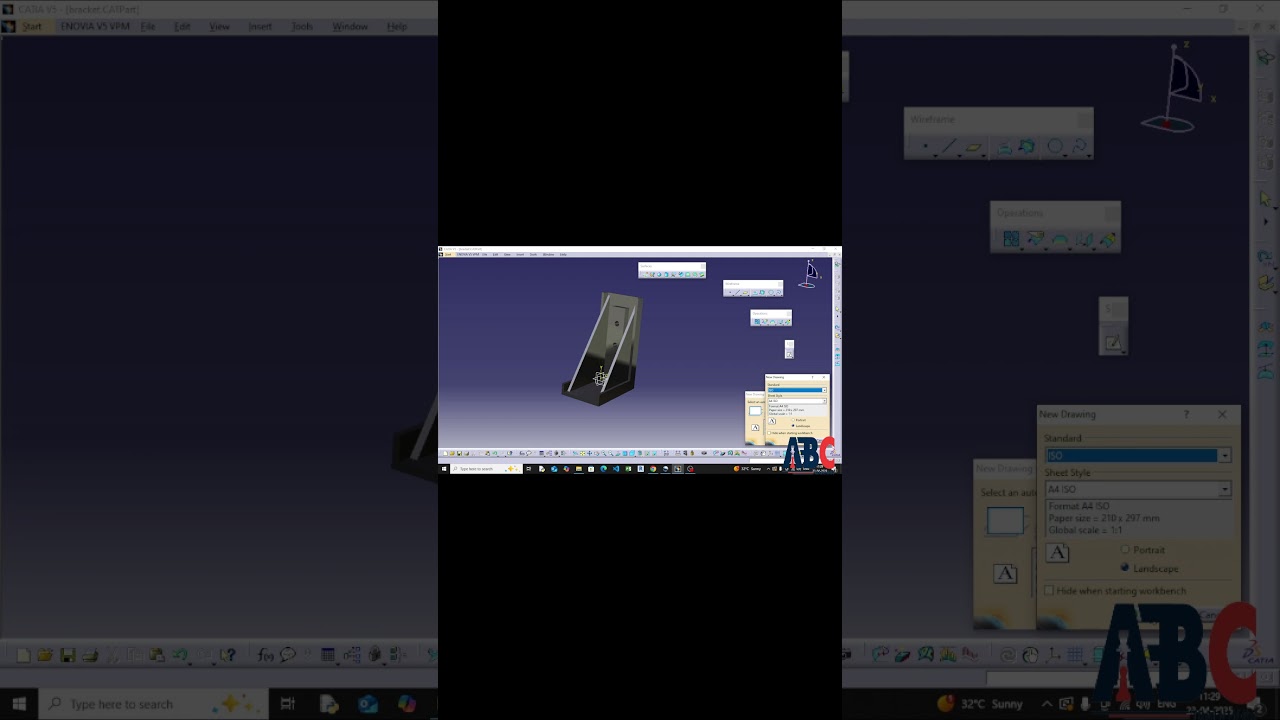
- Rectangular Pattern replicates any CATIA feature in a grid of rows and columns — change the instance count and the entire array updates automatically
- Circular Pattern distributes features around a reference axis — essential for bolt hole arrays, cooling fins, and rotational components
- Boolean body operations (Assemble, Add, Remove, Intersect) combine or subtract solid bodies from one another to create complex shapes impossible with single-body modelling
- The CATIA Formula Editor links dimensions with mathematical expressions — change one master parameter and every dependent dimension updates instantly
- Digital Mock-Up (DMU) Kinematics lets you simulate mechanism motion and detect interference between moving assembly parts before physical prototyping
CATIA Rectangular Pattern: Replicating Features in Rows and Columns
The Rectangular Pattern in CATIA V5 Part Design (Insert, then Pattern, then Rectangular Pattern) replicates any sketch-based or dress-up feature in a 2D grid. You define the feature to replicate, then specify two directions: how many instances and the spacing in Direction 1 (typically horizontal), and the same in Direction 2 (vertical). The intelligent part is that the pattern is associative — if you modify the original feature geometry, all instances update automatically. This is how engineers at L&T and Mahindra model flange bolt holes, heatsink fins, and perforated panel arrays without manually duplicating each feature individually. The pattern also respects your part's parametric constraints, so changing the bolt circle diameter from 80mm to 100mm cascades correctly to every hole.

CATIA Circular Pattern: Distributing Features Around a Rotational Axis
Circular Pattern replicates features around a reference axis, which can be a part edge, a sketch axis, or a reference element. You specify the total number of instances and either the angular spacing or the total angular range. The standard use case is a bolt hole array: create one hole with the correct diameter and counterbore, apply Circular Pattern with 6 instances at 60 degrees spacing around the bolt circle axis, and in seconds you have a fully parametric flanged joint. At Endurance Technologies (E-92 MIDC, Sambhajinagar) and Bharat Forge (Kagal), circular patterns are used extensively for flywheel holes, brake disc vents, and compressor blade arrays — reducing modelling time from hours to minutes.
| CATIA Feature | What It Does | Typical Application |
|---|---|---|
| Rectangular Pattern | Replicates feature in row/column grid | Heatsink fins, perforated plates |
| Circular Pattern | Distributes feature around an axis | Bolt hole arrays, compressor blades |
| Boolean Add | Merges two bodies into one | Complex cast housings |
| Boolean Remove | Subtracts one body from another | Hollow core features, cutouts |
| Formula Editor | Links dimensions with math expressions | Family-of-parts, standard size variants |
| DMU Kinematics | Simulates mechanism motion | Suspension, hinges, engine valve trains |
Boolean Body Operations in CATIA: Add, Remove, and Intersect
When a part's shape cannot be created with a single sequence of add and remove operations, CATIA uses multi-body Part Design with Boolean operations. You create multiple Geometrical Sets (Bodies) independently, then combine them using Assemble (adds a body to the main body), Remove (subtracts one body from another like a Boolean difference), Intersect (keeps only the overlapping volume), or Union Trim (merges two bodies at a defined boundary). This approach lets you design complex castings where multiple features need to be shaped and then combined in a specific sequence that a single-body sketch-based workflow cannot represent cleanly.
The CATIA Formula Editor: Building Parametric Design Intelligence
The Formula Editor (Tools, then Formula) in CATIA V5 lets you write mathematical expressions linking parameters across your part. For example, if your flange outer diameter drives several other dimensions — bolt circle diameter = OD × 0.7, pilot diameter = OD × 0.5, flange thickness = OD × 0.12 — you write these formulas once and they recalculate every time OD changes. The Design Table feature extends this further: you create an Excel spreadsheet with different parameter sets (standard sizes S, M, L) and CATIA switches between configurations by reading from that table. Toyota Kirloskar and Skoda VW use this approach to maintain family-of-parts libraries where dozens of size variants share the same model with different parameter tables.
CATIA DMU Kinematics: Checking Clearances in Assembly Motion
DMU (Digital Mock-Up) in CATIA V5 is a separate workbench (Start, then Digital Mockup, then DMU Kinematics) that lets you define mechanical joints between assembly components and simulate their motion. You constrain the kinematics — a hinge, a slider, a gear pair — and then simulate the assembly moving through its range of travel. DMU Clash Detection highlights any volume overlap between moving parts during the simulation, showing exactly where two components will collide before you build a physical prototype. At Bajaj Auto's R&D centre, DMU kinematic simulations are run on suspension linkages, engine valve trains, and door hinges to eliminate interference issues in the digital stage — saving lakhs of rupees per design cycle.
Where CATIA Advanced Part Design Skills Take Your Career
Engineers proficient in CATIA V5 advanced Part Design — patterns, multi-body Boolean ops, parametric formulas, and DMU — command significantly better starting packages than those who only know basic Pad and Pocket. In Pune, experienced CATIA Design Engineers earn Rs. 6–12 LPA; senior CATIA specialists with DMU and knowledge-based engineering skills reach Rs. 14–22 LPA at automotive OEMs and Tier-1 suppliers. Companies currently recruiting in Pune, Sambhajinagar, and Kolhapur's Bharat Forge Kagal plant include Tata Tech, KPIT Technologies, Mercedes-Benz India R&D, and Force Motors. The PMKVY 4.0 programme has trained 2.1 crore youth nationwide — but advanced CATIA skills at this level remain a clear differentiator.
Maharashtra's Chief Minister Yuva Karya Prashikshan Yojana (CMYKPY) provides Rs. 6,000-10,000/month stipends for mechanical engineering graduates pursuing on-the-job training at automotive and manufacturing firms. ABC Trainings helps CATIA-trained students qualify for CMYKPY placements at Bajaj Auto Waluj, Skoda VW Shendra, and Endurance Technologies Sambhajinagar.Get the CAD/CAM Brochure + Fees + Batch Dates on WhatsApp
Free 1:1 counselling. Placement track record. CMYKPY/PMKVY eligibility check.
💬 Get Brochure on WhatsApp📞 Call 7039169629About the author: Rahul Patil. 12 yrs experience training mechanical and CAD/CAM engineers across Maharashtra.
Visit Our Centers
- Wagholi (Pune): 1st Floor, Laxmi Datta Arcade, Pune-Ahilyanagar Highway. Call 7039169629
- Hadapsar (Pune HQ): 1st Floor, Shree Tower, opp. Vaibhav Theater, Magarpatta. Call 7039169629
- Cidco (Chh. Sambhajinagar): Kalpana Plaza, opp. Eiffel Tower, N-1 Cidco. Call 7039169629
- Osmanpura (Chh. Sambhajinagar): S.S.C Board to Peer Bazar Road, near Jama Masjid. Call 7039169629
- Sangli: Shubham Emphoria, 1st Floor, Above US Polo Assn., Sangli-Miraj Rd, Vishrambag. Weekend batches available. Call 7039169629
FAQs
What is the difference between Rectangular Pattern and User Pattern in CATIA V5?
Rectangular Pattern distributes a feature in a uniform grid with equal spacing — you define row count, column count, and spacing values. User Pattern places instances at manually specified positions (using a sketch of reference points), giving you irregular distributions like a staggered hole pattern. Rectangular and Circular patterns are used 80% of the time; User Pattern is valuable for components where hole or feature locations follow a custom layout that does not fit a regular grid, such as mounting points on a chassis bracket.
Can I use CATIA Boolean operations on features from different Part Design bodies?
Yes — Boolean body operations in CATIA Part Design are specifically designed to combine bodies that exist in the same Part file. You create Body 1 and Body 2 separately using their own Pad and Pocket sequences, then use Insert, then Boolean Operations to combine them with Add, Remove, or Intersect. The key requirement is that both bodies must be in the same .CATPart file. To combine geometry from separate Part files, you use the CATIA Assembly Design workbench or the Insert Body from Another Component workflow.
How does the CATIA Formula Editor differ from Design Tables?
The Formula Editor in CATIA writes mathematical expressions linking individual parameters — for example, setting Hole_Diameter = Flange_OD × 0.15. This is for one-off relational constraints within a single part. Design Tables use an Excel spreadsheet where each row defines a complete set of parameter values for a specific configuration (Size S, Size M, Size L). Design Tables manage multiple discrete variants; formulas manage continuous relationships. For a product family with 10 standard sizes, use a Design Table; for a part where dimensions must scale proportionally with one master value, use formulas.
Is DMU Kinematics part of standard CATIA V5 or a separate licence?
DMU Kinematics is included in the standard CATIA V5 PLM suite as part of the DMU Navigator and DMU Kinematics Simulator products. Whether it is included in your specific CATIA licence depends on the configuration your company or training provider has purchased. In the educational version used at ABC Trainings, DMU Kinematics is accessible from Start, then Digital Mockup, then DMU Kinematics. Students working on their own with a CATIA student licence should verify which DMU modules are included in their package before starting a kinematics simulation project.