Revit Structure Essentials Episode 18: Producing Structural Drawings and Sheet Sets (Updated June 2026)
India made BIM mandatory for all centrally funded government projects above Rs 100 crore — and a key requirement of that mandate is not just building the 3D model, but delivering coordinated, model-linked structural drawing sets that update automatically when the design changes. Pune Metro Line 3 construction that commenced in May 2026 is already using this workflow. If you are in Episode 18 of our Revit Structure series, your model is complete — now it is time to turn that 3D model into the actual construction documents: floor plans, sections, elevations, details, and the full sheet set that goes to the site engineer and the structural consultant. That is exactly what this episode covers.
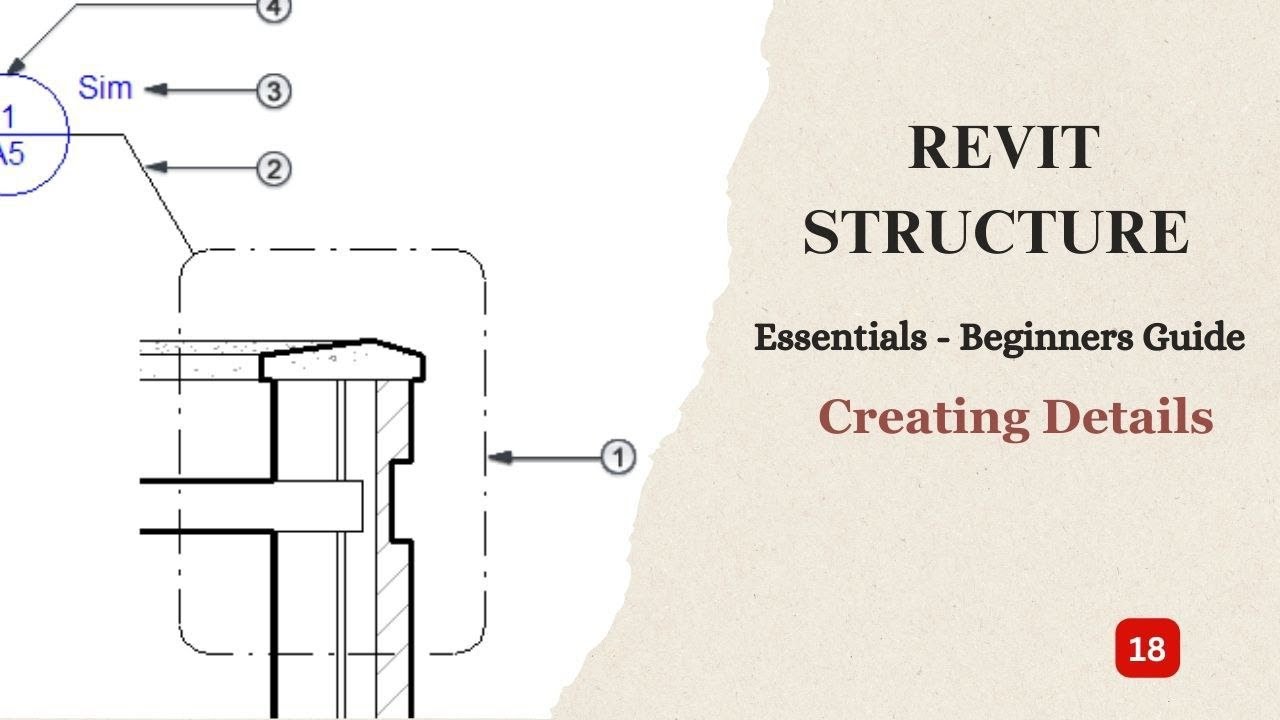
- Revit Structure generates 2D structural drawings automatically from the 3D model — no re-drawing
- Views (plans, sections, details) are placed onto Sheet documents that form the construction drawing set
- Title blocks with project name, revision history and drawing number are set up once and apply to all sheets
- Any model change automatically updates all views on all sheets — a single source of truth
- BIM structural drawing sets are now required for CPWD and PWD projects above Rs 100 crore in India
From 3D Model to Construction Documents: The Revit Workflow
In traditional CAD-based structural drafting, the draftsman produces each drawing independently — a floor plan in one file, sections in another, elevations in a third. When the structural engineer changes a beam size, every affected drawing needs manual editing. In Revit, all views are windows into the same 3D model. Change the beam depth in the model and every plan, section and elevation that shows that beam updates automatically. The Sheet documents (the A1 or A0 paper layouts) simply display those views. This makes coordinated, consistent construction document sets possible at a scale that manual CAD drafting cannot match — which is precisely why L&T Construction, AECOM India and Shapoorji Pallonji have moved their structural documentation to Revit.

Setting Up Views for Structural Plans, Sections and Elevations
In the Project Browser on the left, expand the Views section. You already have structural plans at each floor level from your modeling work. To create a new section, go to the View tab, click Section, and draw a section line through the area you want to document. Revit creates the section view instantly. Double-click it in the Project Browser to open and navigate it. For elevations, click Elevation in the View tab, place an elevation marker in plan, and Revit creates the view. Set the Detail Level of each view to Fine (showing rebar and small structural details) or Medium (showing members without detail) depending on the drawing purpose. Set the Scale — 1:50 for structural plans, 1:25 or 1:10 for connection details.
Title Block Families: Customising the Border and Project Information
Revit comes with a default title block family, but for professional structural drawings you need a custom title block that carries your firm name, logo, project details, revision table and drawing number. Go to File > New > Family, select the Title Block family template. Draw the border lines using Detail Lines. Add text labels (using Label) for Project Name, Drawing Title, Drawing Number, Date, Revision and Scale — these link automatically to the project information you enter in the Manage tab. Load the completed title block family into your project and it applies to every new sheet you create. The project information fields (address, client name, project number) are filled once in Project Information and appear on all sheets.

Placing Views on Sheets and Organising the Drawing Set
In the Project Browser, right-click on Sheets > New Sheet. Select your title block family and click OK. Revit creates a blank A1 (or your chosen size) sheet. Now drag views from the Project Browser directly onto the sheet — a structural floor plan, a section, a foundation plan. You can resize and reposition each view on the sheet. Each view has a View Title annotation that Revit places automatically below it showing the drawing scale and view name. Organize sheets into a numbering system: S-01 for General Arrangement, S-02 to S-05 for floor plans, S-06 onward for sections and details. The Sheet List schedule (under View > Schedule > Sheet List) generates your drawing index automatically from the sheet names and numbers.
| View Type | Typical Scale | Detail Level | Used On Sheet |
|---|---|---|---|
| Structural Floor Plan | 1:100 / 1:50 | Medium | General Arrangement |
| Section | 1:50 / 1:25 | Fine | Sections and Details |
| Elevation | 1:100 / 1:50 | Coarse / Medium | Elevations Sheet |
| Detail Callout | 1:10 / 1:5 | Fine | Connection Details |
| 3D View | As required | Coarse | Presentation Sheet |
Dimensions, Annotations and Tags for Structural Drawings
Structural drawings need dimensions, element tags and annotation to be construction-ready. Use the Annotate tab > Aligned Dimension to add dimensions between grid lines or structural elements — Revit snaps to element center lines and faces accurately. Use the Structural Column Tag and Structural Framing Tag to place labels showing member size (for example, ISMB 400 or 600x300 concrete column). Spot Elevations place the floor level annotation on plans. Section Callouts and Detail Callouts create referenced bubbles on drawings that link to detail views. All these annotations are live — they read from the model, not from typed text, so they cannot drift out of sync with the geometry even after revisions.
Exporting Structural Drawings: PDF, DWG and Sheet Sets
To export your completed sheet set: go to File > Export > PDF. Select the sheets you want to export (you can select all or specific sets like foundation drawings only). Set the paper size, orientation and PDF quality. Revit exports a multi-page PDF with each sheet on its correct page. For AutoCAD export (for consultants still using CAD), go to File > Export > CAD Formats > DWG. Revit maps each structural layer to a DWG layer automatically. You can also use Revit Cloud Worksharing to publish directly to Autodesk Docs for collaborative review with the architect and MEP consultant. The exported set remains fully coordinated because it all comes from the same source model.
Revit Structure Training at ABC Trainings: Pune, Sambhajinagar, Sangli
ABC Trainings delivers Revit Structure training at five centers across Maharashtra. Wagholi, Pune: 1st Floor, Laxmi Datta Arcade, Pune-Ahilyanagar Highway. Hadapsar, Pune: 1st Floor, Shree Tower, opposite Vaibhav Theater, Magarpatta. Cidco, Sambhajinagar: Kalpana Plaza, N-1 Cidco, opposite Eiffel Tower. Osmanpura, Sambhajinagar: near Jama Masjid, S.S.C Board road. Sangli: Shubham Emphoria, 1st Floor, Above US Polo, Sangli-Miraj Road, Vishrambag. Our Revit Structure program covers the full workflow from grids and columns through to drawing production and sheet sets. Weekend batches for working engineers are available at all centers. Call 7039169629 to get the current batch schedule and fees.
Get the AI Powered Building Information Modeling (BIM) Brochure + Fees + Batch Dates on WhatsApp
Free 1:1 counselling. Placement track record. CMYKPY/PMKVY eligibility check.
💬 Get Brochure on WhatsApp📞 Call 7039169629About the author: Rahul Patil. 12 yrs experience training engineers across Maharashtra.
Visit Our Centers
- Wagholi (Pune): 1st Floor, Laxmi Datta Arcade, Pune-Ahilyanagar Highway. Call 7039169629
- Hadapsar (Pune HQ): 1st Floor, Shree Tower, opp. Vaibhav Theater, Magarpatta. Call 7039169629
- Cidco (Chh. Sambhajinagar): Kalpana Plaza, opp. Eiffel Tower, N-1 Cidco. Call 7039169629
- Osmanpura (Chh. Sambhajinagar): S.S.C Board to Peer Bazar Road, near Jama Masjid. Call 7039169629
- Sangli: Shubham Emphoria, 1st Floor, Above US Polo Assn., Sangli-Miraj Rd, Vishrambag. Weekend batches available. Call 7039169629
FAQs
Can Revit Structure drawings be exported in AutoCAD DWG format for consultants?
Yes. Revit exports to DWG with full layer mapping — structural columns go to one layer, beams to another, grids to another — following CAD layer conventions your consultant is used to. The export is done via File > Export > CAD Formats > DWG and you can control the DWG version (AutoCAD 2018 or earlier for compatibility). Note that the exported DWG is not parametric — it is a snapshot of the model at export time. For collaborative review with consultants who have Revit, sharing the .rvt file (or using Autodesk Docs for cloud-based coordination) is always preferred over DWG exchange.
How long does it take to produce a full structural drawing set from a complete Revit model?
For a medium-sized building (ground plus five floors, say 15 to 20 structural drawings), an experienced Revit user can complete the entire sheet set — setting up views, placing on sheets, adding dimensions and tags, and exporting to PDF — in one to two working days. The model itself needs to be complete and clean first. Compare this to traditional AutoCAD drafting where the same drawing set would take three to five days and would need manual cross-checking for consistency. This time saving is the primary reason firms like L&T Construction have mandated Revit for their structural documentation.
What salary can a BIM structural drawing specialist expect in India?
A BIM structural drawing coordinator with Revit Structure skills earns Rs 4.5 to 7 LPA at entry level (1 to 3 years experience) at structural consultancies and large contractors. With 4 to 6 years of experience handling full drawing production, coordination and clash detection, the range moves to Rs 8 to 12 LPA. BIM Managers at firms like L&T, AECOM India or Shapoorji Pallonji who oversee multi-discipline BIM coordination typically earn Rs 12 to 20 LPA. The skill that pays the most premium is multi-discipline coordination — knowing Revit Structure and being able to coordinate with the Revit MEP and Architectural models.
Does ABC Trainings cover Revit sheet production in its Revit Structure training?
Yes. ABC Trainings Revit Structure curriculum includes a dedicated module on drawing production and sheet sets. Students practice creating structural plans, sections and detail views from their own modeled building, setting up title blocks, placing views on sheets, adding dimensions and structural tags, and exporting the complete drawing set to PDF and DWG. This module runs in the second half of the course after the structural modeling and reinforcement modules. Call 7039169629 or WhatsApp 7774002496 for the detailed curriculum and current batch fees.