Best Robotics Training in Pune 2026: ABB, FANUC and KUKA Robots
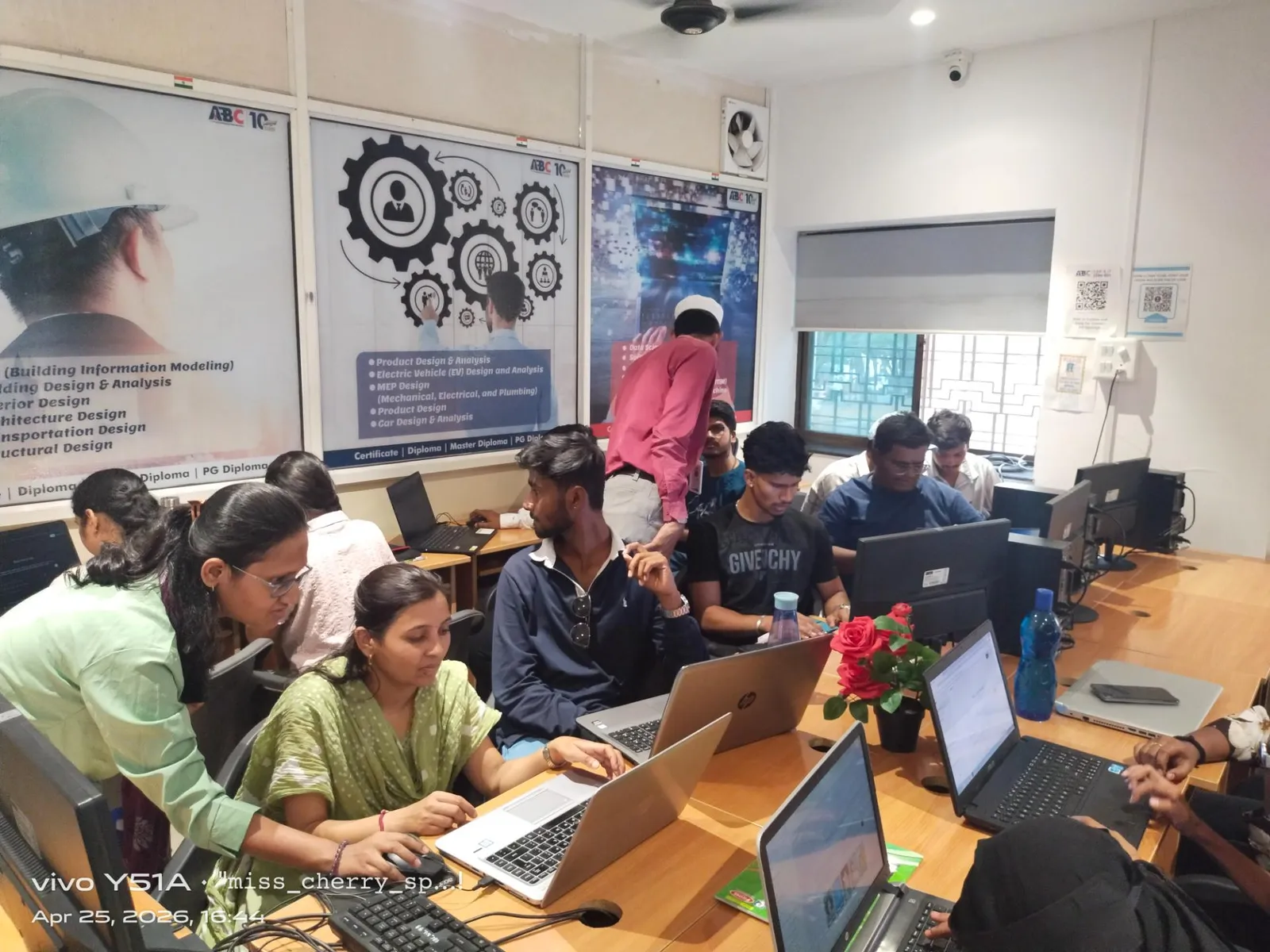
This specialized course at ABC Trainings in Pune is designed for engineers who want to develop expertise in this specific automation domain.
Get Brochure + Fees + Batch Dates on WhatsApp
Free 1:1 counselling. Placement track record. CMYKPY/PMKVY eligibility check.
💬 WhatsApp 7774002496📞 Call 7039169629Visit Our Centers
- Wagholi (Pune): 1st Floor, Laxmi Datta Arcade, Pune-Ahilyanagar Highway. Call 7039169629
- Hadapsar (Pune HQ): 1st Floor, Shree Tower, opp. Vaibhav Theater, near Bloom Hotel, Magarpatta. Call 7039169629
- Cidco (Chh. Sambhajinagar): Kalpana Plaza, opp. Eiffel Tower, N-1 Cidco. Call 7039169629
- Osmanpura (Chh. Sambhajinagar): S.S.C Board to Peer Bazar Road, near Jama Masjid. Call 7039169629
- Sangli: Shubham Emphoria, 1st Floor, Above US Polo Assn., Sangli-Miraj Rd, Vishrambag. Weekend batches available. Call 7039169629
Industrial robotics training teaches you to program, calibrate and safely operate six-axis articulated robots: jogging a manipulator from its teach pendant, defining tool and work-object frames, writing motion and I/O logic, and simulating a cell offline before anything moves on a real floor. That is the core of it.
The vendor layer sits on top of that foundation. ABB uses RAPID and RobotStudio, FANUC uses TP and ROBOGUIDE, KUKA uses KRL and KUKA.Sim. Underneath, the fundamentals are shared: coordinate frames, TCP calibration, motion types, payload and reach limits, PLC handshaking, and safety practice built on ISO 10218.
The training suits mechanical, electrical, electronics, instrumentation and mechatronics students, plus maintenance technicians and PLC or SCADA engineers already working near automated lines. It does not replace plant experience. It gives you the vocabulary and the hand-skill to become useful on a live cell far sooner.
What does industrial robot programming actually involve?
Far less code than people expect, and far more geometry.
A typical industrial robot program is a sequence of taught positions joined by motion instructions, wrapped in logic that talks to the rest of the cell. The four things you spend most of your time on are:
Coordinate frames. A robot knows where it is in joint space — the angle of each of its six axes. Everything useful, though, is expressed in Cartesian space. You define a base or world frame (where the robot stands), a user or work-object frame (where the fixture or conveyor sits) and a tool frame (where the business end of the gripper or torch actually is). Move the fixture two centimetres and, if your frames are set up properly, you shift one frame instead of re-teaching forty points.
TCP calibration. The Tool Centre Point is the exact spot the robot treats as "the tip". You establish it by touching a fixed reference pin from four to six different orientations and letting the controller solve for the offset. A sloppy TCP is one of the most common reasons a program that looked fine in simulation cuts, welds or places in the wrong spot.
Motion types. Joint motion (ABB MoveJ, FANUC J, KUKA PTP) is fastest and takes an unpredictable curved path. Linear motion (MoveL, L, LIN) holds a straight line, which you need for welding, dispensing and inserting into fixtures. Circular motion (MoveC, C, CIRC) traces an arc through a via-point. Choosing wrongly is how robots collide with fixtures.
I/O and cell logic. The robot rarely works alone. It waits for a part-present sensor, requests permission to enter a shared zone, closes a gripper via a digital output, tells the PLC it is clear, and handles what happens when any of that times out. This is where a program stops being a demo and becomes production code.
Add speed and zone/blending settings, payload and inertia declarations, singularity avoidance, home-position and recovery routines, and you have the working skill set.
How do ABB RobotStudio, FANUC ROBOGUIDE and KUKA.Sim differ?
All three are offline programming and simulation environments, and all three share one important design decision: they run a virtual controller using the same controller software as the physical robot. That is why cycle-time estimates from them are meaningful rather than decorative.
The differences are real but mostly ergonomic:
ABB RobotStudio pairs with ABB's virtual controller running RobotWare, the same firmware family as the real IRC5 or OmniCore cabinet. Programs are written in RAPID, a structured, readable, Pascal-flavoured language with procedures, variables and proper program flow. RobotStudio is generally regarded as the most approachable of the three for someone coming from a CAD background, because importing geometry and generating paths from CAD curves is a first-class workflow.
FANUC ROBOGUIDE runs FANUC's virtual controller and is organised into application-specific modules — HandlingPRO for material handling and machine tending, WeldPRO for arc welding, PaintPRO for finishing, PalletPRO for palletising. Programming on FANUC is dominated by TP (Teach Pendant) programming, a line-numbered, form-driven style that feels more like filling in a structured list than writing code. FANUC's KAREL language exists underneath for higher-level logic, but a great deal of production FANUC work never leaves TP. FANUC is one of the largest industrial robot suppliers worldwide, and its controllers are widely used in automotive body-shop and machine-tending applications, which is why the TP style is worth recognising even if you train mainly on another brand.
KUKA.Sim is built on the Visual Components simulation platform and connects to KUKA.OfficeLite, KUKA's virtual controller. Programs are written in KRL (KUKA Robot Language), which is the most conventionally "programmer-like" of the three — it has DEF blocks, .SRC and .DAT file pairs separating logic from point data, loops, and genuine subroutines. KUKA.Sim is strong on full-line and layout simulation, not just single-arm work.
If you learn one properly, the second is a much shorter climb. The frames, the TCP maths and the motion logic are the same; only the syntax and the menu tree change.
Teach pendant or offline programming — which should you learn first?
Learn the pendant first, then the simulator. Here is why.
The teach pendant is the handheld unit physically tethered to the controller — ABB's FlexPendant, FANUC's iPendant, KUKA's smartPAD. It is how you jog the robot, teach positions by physically driving the arm there, run programs in reduced-speed test mode, and recover a cell at 2 a.m. when production has stopped. It carries the enabling device (the three-position deadman switch) and the emergency stop. Confident pendant jogging is the baseline competence a live cell demands, and a simulation portfolio does not substitute for it.
Offline programming (OLP) means building the program in RobotStudio, ROBOGUIDE or KUKA.Sim against a CAD model of the cell, validating reach and collisions virtually, then downloading and touching up on the real machine. Its value is that it does not consume production time — you are not standing in front of a stopped production line while you teach three hundred points.
| Teach pendant | Offline programming | |
|---|---|---|
| Where you work | At the cell, robot powered | At a desk, no robot needed |
| Accuracy source | Real positions, taught physically | CAD geometry plus calibration |
| Production impact | Line is stopped while you work | Zero until download |
| Best for | Touch-up, recovery, few points, existing cells | New cells, complex paths, many points, reach studies |
| Main limitation | Slow, ties up the machine | Virtual model must match reality; needs on-site correction |
| What it teaches you | Feel, safety habits, real behaviour | Cycle time, reach, collision, layout thinking |
In practice, integrators use both: OLP to build the bulk of the program, the pendant to correct it against the world as it actually is.
What does a robot integrator role actually require?
"Robot programmer" and "robot integrator" are not the same job, and the gap between them is where most of the work sits.
A programmer teaches points and writes motion logic. An integrator makes an entire cell function — and that is a broader brief:
- Electrical. Reading and modifying panel drawings, wiring digital and analogue I/O, understanding 24 V DC control circuits, sourcing versus sinking inputs, relays and contactors.
- PLC interfacing. The robot is almost always a subordinate device to a PLC. You need to build the handshake: start/stop, program-select bits, status feedback, fault words. In practice this means Siemens TIA Portal, Rockwell Studio 5000, Mitsubishi or Delta, depending on the plant.
- Industrial networks. PROFINET, EtherNet/IP, EtherCAT, PROFIBUS and DeviceNet on older lines. Knowing how to add the robot as a device in the PLC's network configuration and map its I/O.
- Safety engineering. Safety-rated controllers, dual-channel emergency stops, light curtains and laser scanners, safe zones and safe-speed monitoring, guard interlocks, and the categories/performance levels from ISO 13849. ISO 10218-1 and -2 cover industrial robots and robot systems and define the modes of collaborative operation; ISO/TS 15066 supplements them with detailed guidance for collaborative applications, particularly speed-and-separation monitoring and power-and-force limiting.
- End-of-arm tooling. Pneumatic and vacuum grippers, tool changers, weld guns, force-torque and vision sensors, and the calibration each demands.
- Mechanical. Fixture design and tolerance, robot mounting and foundation, reach and work-envelope studies, payload and inertia calculation — a 10 kg part on a 200 mm offset is not a 10 kg load to the wrist.
- Commissioning discipline. Dry runs at reduced speed, documented point tables, backup and restore of controller images, and handover documentation.
A course that only teaches pendant jogging and simulation prepares you for the programmer half. Ask any institute directly which of the above it actually covers.
Who should take industrial robotics training?
The honest answer is that it rewards some backgrounds far more than others.
Mechanical and production engineering. The most natural fit. You already think in frames, tolerances and kinematics. Your gap is usually electrical and controls, so prioritise a course with real I/O and PLC content.
Electrical and electronics engineering. Also strong. You are comfortable with panels, sensors and control wiring. Your gap is the geometry: frames, orientation representations and path planning. Spend extra time on TCP and work-object setup.
Instrumentation and mechatronics. Arguably the best-prepared, because the syllabus already blends both halves. You will move fastest through integration content.
Maintenance technicians and ITI diploma holders already in a plant. Often the group that converts training into usable competence fastest. You know the line, the fault patterns and the people. Robot skill compounds with that context in a way a certificate on its own does not convey.
PLC and SCADA engineers. A natural extension. You already own the handshake side; you are adding the manipulator.
Civil, IT and non-technical backgrounds. Possible, but be realistic. You can learn simulation software and pendant operation. The electrical and safety layers will require foundational study you should plan for rather than discover mid-course.
Fresh diploma and degree students. Take it, but treat it as a supplement to a core discipline, not a replacement for one. Robotics sits on top of engineering fundamentals; it does not substitute for them.
Why does Pune's manufacturing belt matter for this skill?
Because industrial robots are not distributed evenly across India — they cluster where automotive and heavy engineering cluster, and Pune is one of India's major automotive and engineering manufacturing clusters.
The relevant geography runs through the MIDC industrial estates: Chakan, Talegaon, Ranjangaon, Bhosari, Pimpri-Chinchwad, Hinjawadi on the IT side, and Sanaswadi/Shikrapur along the Pune–Nagar corridor. These estates host passenger-vehicle and commercial-vehicle assembly, two-wheeler manufacturing, auto-component tier-1 and tier-2 suppliers, foundries, and machine-tool builders.
Why this concentrates robot demand:
- Body shops are robot-dense by nature. In modern high-volume plants, spot welding, sealant application and material handling on a vehicle body line are heavily robotised, and each of those cells needs programming, maintenance and periodic re-teaching.
- Tier-1 suppliers follow the OEMs. Welding, machine tending, assembly, dispensing and end-of-line palletising all migrate to robots as volumes rise.
- Retrofit work is continuous. Existing lines get new models, new fixtures, new grippers. Somebody has to re-teach, re-validate and re-commission — which is steady work independent of new plant construction.
- Proximity compounds learning. Being able to visit a live cell, or work near one, teaches you things no simulator will.
For a learner based in Pune, the practical implication is simple: the industries that use this skill are physically close by, so proximity to Wagholi, Hadapsar, Kharadi or the Pimpri-Chinchwad side genuinely affects how easily you can visit a cell or attend a hands-on batch after work hours.
What safety content should any robotics course cover?
If a robotics syllabus does not have a substantial safety block, it is a software course wearing an industrial costume.
The minimum you should expect:
- Speed modes. Manual reduced speed (limited to 250 mm/s at the TCP under the standards), manual full speed, and automatic. When each applies, and why teaching is done in reduced speed.
- The enabling device. The three-position deadman on the pendant: released and fully squeezed both stop the robot; only the middle position permits motion. Why gripping it hard in a panic is exactly the right failure mode.
- Emergency stop architecture. Dual-channel wiring, category 0 versus category 1 stops, and why an e-stop is not a safe-guarding device for routine access.
- Perimeter guarding. Fencing, interlocked gates, light curtains, laser area scanners, safety mats — and muting logic where parts must pass through.
- Safe zones and safe motion. Software-defined work-envelope limits and safe-speed monitoring on safety-rated controllers.
- Collaborative operation. The four modes of collaborative operation defined in ISO 10218-2 and detailed further in ISO/TS 15066: safety-rated monitored stop, hand guiding, speed and separation monitoring, and power and force limiting. Also the correction that "collaborative robot" describes an application, not a robot — a cobot with a sharp tool is not collaborative.
- Lockout/tagout and brake release. How to make a cell genuinely safe for mechanical work, and what happens to a heavy arm when brakes release.
Ask to see the safety module on the syllabus in writing. A serious programme will have one.
Where does this sit within ABC Trainings' automation domain?
ABC Trainings runs 89 active official courses across six training domains. The relevant one here is Electrical, Electronics & Automation, which currently holds 12 courses totalling 912 instructional hours, recorded across 19 course-centre capability records. Across the institute as a whole there are 255 exact course-location capability records spanning six evidence-qualified centres, and 635 approved public reviews across 75 course labels.
The two Pune centres are Wagholi and Hadapsar. On Google Business Profiles, Wagholi shows 406 reviews at 4.9 and Hadapsar 186 reviews at 5.0.
Two boundaries worth stating plainly, because they are stated on ABC's own llms.txt and they apply here:
- A capability record is not a live batch. It records that a course is mapped to a centre. It does not prove that a trainer is currently assigned, that a batch is running, or that a specific lab asset is installed at that centre right now.
- A review is not a placement. Approved public reviews and Google ratings reflect learner satisfaction. They are not evidence of a job outcome, a salary, or a hiring relationship with any employer.
What to check before enrolling: a comparison table
Use this to interrogate any robotics course in Pune — ABC's or anyone else's. The point is not to catch people out; it is to make sure what you imagine you are buying is what is actually being sold.
| What to check | Why it matters | What a solid answer sounds like | Warning sign |
|---|---|---|---|
| Which robot brand and controller | RAPID, TP and KRL are different languages; controller generation changes the pendant entirely | "ABB IRC5 and OmniCore; RAPID; FlexPendant" — a specific model and firmware family | "All major brands" with no model named |
| Real hardware or simulation only | Simulation cannot teach jogging feel, dress-pack behaviour or gripper reality | Named robot model on site, or a named partner facility with scheduled visit days | Vague "industry exposure" with no location |
| Software licences and seat time | RobotStudio, ROBOGUIDE and KUKA.Sim are licensed products; seat count limits practice | Licence type stated, hours of independent lab access quantified | "Software will be provided" with no licence or seat detail |
| Trainer's plant background | Commissioning experience is what separates a course from a manual | Named years on live cells, brands worked on, type of applications | Trainer named only at joining, or not at all |
| Safety module depth | ISO 10218 / 13849 / TS 15066 content is a marker of seriousness | A written syllabus section covering speed modes, guarding, e-stop architecture | Safety mentioned as one bullet, or as "orientation" |
| PLC and fieldbus integration | Without the handshake you can program a robot but not commission a cell | Named PLC platform and network (PROFINET, EtherNet/IP) with a joint exercise | Robot taught entirely in isolation |
| Batch dates and schedule | Determines whether you can actually attend around work or college | A specific start date, weekly hours, weekday/weekend split, end date | "Batch starts soon" |
| Which centre delivers it | Capability mapping is not the same as delivery at your nearest centre | The exact centre address where sessions run, confirmed for your batch | Assumption that any centre can run it |
| What you leave with | Portfolio beats certificate in an interview | Saved programs, simulation files, point tables, a documented cell project | Certificate only |
| Fee, in writing | Removes every later ambiguity about what is and is not included | Total fee, inclusions, taxes, instalment terms on paper or email | Verbal quote only |
| Any outcome claim, in writing | Placement and salary claims are unverifiable unless documented | Written statement of what is and is not promised | Percentages quoted verbally |
Frequently asked questions
Is robotics training worth it without a mechanical or electrical background?
Yes, but it is a steeper climb. The syllabus assumes you can read an electrical schematic, follow a wiring diagram and picture motion in three dimensions. Someone from a non-engineering stream can still learn pendant operation and simulation well, though integration work such as I/O, fieldbus and safety circuits will demand extra groundwork first.
Do I need to learn PLC before industrial robotics?
Not strictly, but it helps enormously. On a real line the robot is a device the PLC commands through start signals, part-present interlocks and zone requests. Without PLC literacy you can teach points but cannot debug why the cell stalled. Many learners take PLC and SCADA first, then move to robotics afterwards.
Can one course really cover ABB, FANUC and KUKA?
An overview course can. Genuine depth in all three cannot be built in one short programme. Expect working fluency in one brand's language and pendant, plus enough exposure to the other two that you recognise their menu structure, frame conventions and simulation software the first time you meet them on a live site.
Does offline simulation count as real robot experience?
Partially. RobotStudio, ROBOGUIDE and KUKA.Sim run virtual controllers using the same controller software as the real machine, so your program logic and cycle-time estimates are realistic. What simulation cannot teach you is the feel of jogging near a fixture, dress-pack and cable behaviour, or how a gripper actually grips a part.
Will a robotics course guarantee a job in Pune?
No, and any institute promising one deserves caution. A course gives you demonstrable skills, a portfolio of programs and simulations, and the vocabulary to hold an interview. Hiring still depends on your background, the plant's current requirement and how you interview. Ask for any outcome claim in writing before you pay.
Before you pay: five things to confirm
Whichever institute you choose, get these five confirmed before money changes hands:
- The trainer. Who, specifically, is teaching your batch — and what they commissioned before they taught.
- The batch. Exact start date, weekly schedule, session length and end date.
- The centre. The precise address where your sessions will physically run, not the centre nearest to you on a map.
- The lab. Whether you get hands-on time on a live robot or licensed simulation seat, how many hours, and whether that access is shared or exclusive to your batch.
- The fee. The full amount in writing, with inclusions, taxes and instalment terms stated — plus, in writing, exactly what is and is not promised about outcomes.
Nothing on this page should be read as a promise of employment, salary or placement. Confirm every specific with the centre before you enrol.
Best Robotics Training in India 2026: Honest Answer
The best robotics training institutes in India for practical, placement-backed learning are concentrated in Pune, Chennai, and Bengaluru — cities with active automotive and electronics manufacturing. In Maharashtra, ABC Trainings is the only institute with documented corporate placements at ABB India, FANUC India, and KUKA robotics integrators in the Pune MIDC and Sambhajinagar AURIC corridors, across 11 state centres. For brand-specific certification: ABB India’s own training centre (Bengaluru) teaches ABB RAPID language and IRB series robots; FANUC India runs regional training in Pune and Gurgaon. ABC Trainings’ programme covers all three OEM robot families (ABB, FANUC, KUKA) in one structured automation diploma alongside PLC and SCADA integration — with CMYKPY scholarship eligibility and active job referrals to Pune MIDC integrators.
Best Robotics Training in Pune 2026: Which Institute?
Pune robotics training options break into three tiers in 2026. OEM centres (ABB, FANUC, KUKA direct) deliver brand-specific certification but cost ₹40,000–1,50,000, target working engineers, and rarely support fresher job placement. Multi-brand institutes (ABC Trainings Wagholi/Hadapsar) cover ABB, FANUC, and KUKA in one programme with PLC and SCADA integration — because no industrial robot runs in isolation from the plant control system — and offer CMYKPY stipend plus hiring referrals to Pune MIDC automation integrators. Vocational/ITI programmes cover entry-level robot operation only, suitable for production-operator roles but not programming or engineering positions. For a fresher targeting a robot programming or automation engineer role, the multi-brand diploma with PLC integration delivers the strongest first-year offer (₹3.5–5.5 LPA) and the widest applicability across Pune’s automation sector. Call 7039169629 for current robotics batch dates at ABC Trainings.