Revit Structure Essentials Beginners Guide — Episode 2: Grids, Levels and Columns (Updated June 2026)
India's construction sector is in the middle of a BIM mandate wave — government policy now requires Building Information Modeling for all projects above ₹100 crore, and Pune Metro Line 3 (inaugurated May 2026) was delivered using Revit as the primary structural coordination tool. If you're a civil engineering student or fresh graduate targeting jobs at L&T, AECOM, Tata Projects, or MHADA contractors, Episode 2 of our Revit Structure series is where your BIM career begins — grids, levels, and columns done right.
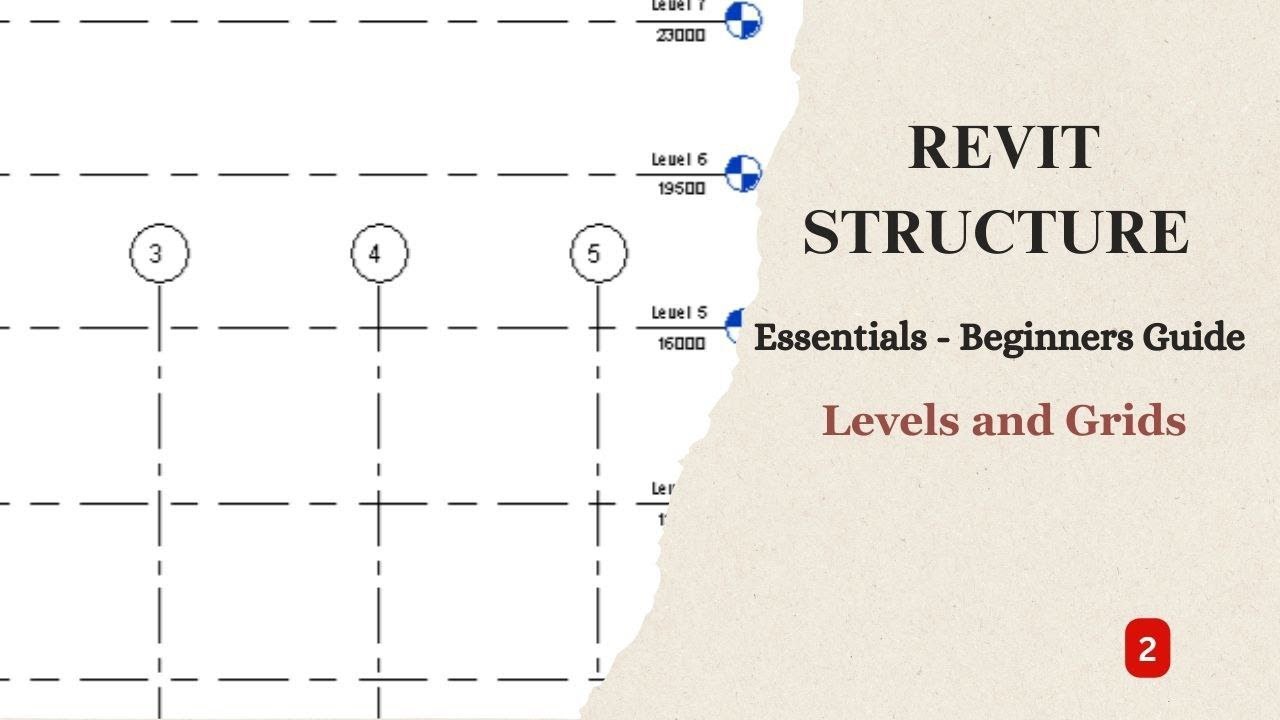
- Episode 2 builds the structural skeleton: grid lines, datum levels, and structural columns — everything else references these
- Grids define column positions; levels define floor heights — errors here cascade through the entire model
- Revit supports both reinforced concrete and structural steel columns, each constrained parametrically to levels
- BIM is mandatory on Indian projects above ₹100 crore — Revit Structure is the tool every major firm uses
- Fresh Revit-trained civil graduates earn ₹3.5–5 LPA in Pune; senior BIM coordinators command ₹8–14 LPA (AmbitionBox data)
What Revit Structure Episode 2 Covers — and Why This Foundation Matters
Episode 2 is where real structural modeling work begins. After the interface overview from Episode 1, this episode moves you into structural datum elements — the invisible framework every beam, slab, wall, and foundation attaches to. Here's the thing: get your grids or levels wrong at this stage and you're looking at hours of fixing misaligned elements and broken schedules further down the line. I've personally seen engineers lose entire days correcting what should have been a 20-minute grid setup. This episode is about preventing those costly mistakes before they happen.

Setting Up Structural Grids in Revit: The Right Method
Grid lines in Revit are datum elements that exist independently of 3D geometry and define where structural columns, walls, and beams are positioned. You create them in a Floor Plan view, name them with standard alphanumeric references (1, 2, 3 along X; A, B, C along Y), and set their extent so they show up correctly across all plan views. What most people don't realize is that grids need to be in the correct workset from day one — particularly for collaborative projects using Revit Worksharing. Once placed, you lock grids to prevent accidental displacement. Bajaj Auto's Chakan facility BIM models, reviewed during one of our workshops, used over 200 named grids — getting the naming convention right in Episode 2 saves enormous coordination time later.
| Feature | AutoCAD Structural (2D) | Revit Structure (BIM) |
|---|---|---|
| Model Type | 2D drawings only | 3D parametric BIM model |
| Clash Detection | Manual, time-consuming | Automated via Navisworks |
| Structural Schedules | Manual spreadsheet entry | Auto-generated from model |
| Team Collaboration | File sharing, version conflicts | Real-time Revit Worksharing |
| BIM Mandate Compliance | Non-compliant | Fully compliant (LOD 300+) |
| Fresher Salary (Pune) | ₹2.5–3.5 LPA | ₹3.5–5 LPA |
Defining Datum Levels for Multi-Story Structural Models
Levels define horizontal planes at specific heights — Ground Floor at ±0.00m, First Floor at +3.50m, Roof at +10.50m. You create levels in an Elevation or Section view, not in a plan. Each level Revit creates automatically generates a corresponding Floor Plan view, keeping your project organized from the start. The critical rule: every structural element — column top and base, beam elevation, slab thickness — must be constrained to a level. If you place a column without constraining its base to a level, Revit allows it, but the parametric relationship breaks and your structural schedules will report errors. This is the single most common mistake in Episode 2, and it's entirely avoidable.

Placing Structural Columns — Concrete vs. Steel in Revit
Revit's structural column library supports reinforced concrete columns (defined by cross-section and concrete grade — M25, M30, M40) and structural steel columns (W-sections, HSS, angle profiles). In Episode 2, you'll place columns at grid intersections using the Structural Column tool, constrain base to the foundation level and top to the floor level, and edit type properties for section dimensions. Trust me on this one: always use the Structural Column family, not the Architectural Column family. Structural columns carry parametric loads and link directly to structural analysis exports in Robot Structural Analysis or ETABS. Architectural columns are decorative — they look identical but break your analysis workflow.
Top Beginner Mistakes in Revit Structure Episode 2 (And How to Fix Them)
The five most common Episode 2 errors I see during ABC Trainings workshops: one, placing grids in a 3D view instead of a plan view — you lose grid-snapping precision. Two, entering level heights in millimetres (typing 3500 instead of 3.5m for metres-based projects) — model ends up at the wrong scale. Three, using Architectural Columns instead of Structural Columns — breaks analysis exports. Four, not constraining column top and base to levels — schedules show errors. Five, not locking grids after placement — any accidental drag shifts your entire structural layout. The good news is all five are simple to prevent once you know to look for them.
BIM Career Scope in India: Salaries and Top Hiring Companies
Civil engineers with Revit Structure skills are actively recruited across India's booming infrastructure sector. L&T Construction hires BIM coordinators at ₹4–6 LPA (Glassdoor); Tata Projects and AECOM India recruit Revit freshers at ₹3.5–5 LPA. In Pune, MHADA contractors, PMRDA project firms, and metro subcontractors hire BIM modelers and structural detailers. Chh. Sambhajinagar-based industrial developers working on AURIC (₹71,343 crore investment, 62,405 jobs committed) now require BIM coordination for plant infrastructure. Firms like Endurance Technologies (E-92 MIDC Waluj), Bajaj Auto Waluj (Plot G-137), and Toyota Kirloskar in AURIC have all expanded their engineering teams. NASSCOM-Deloitte projects 1.25 million AI and digital-skills professionals needed by 2027 — BIM is firmly in that count.
Get the AI Powered Building Information Modeling (BIM) Brochure + Fees + Batch Dates on WhatsApp
Free 1:1 counselling. Placement track record. CMYKPY/PMKVY eligibility check.
💬 Get Brochure on WhatsApp📞 Call 7039169629About the author: Komal Chilwar, Civil & BIM Trainer, ABC Trainings.
Visit Our Centers
- Wagholi (Pune): 1st Floor, Laxmi Datta Arcade, Pune-Ahilyanagar Highway. Call 7039169629
- Hadapsar (Pune HQ): 1st Floor, Shree Tower, opp. Vaibhav Theater, Magarpatta. Call 7039169629
- Cidco (Chh. Sambhajinagar): Kalpana Plaza, opp. Eiffel Tower, N-1 Cidco. Call 7039169629
- Osmanpura (Chh. Sambhajinagar): S.S.C Board to Peer Bazar Road, near Jama Masjid. Call 7039169629
- Sangli: Shubham Emphoria, 1st Floor, Above US Polo Assn., Sangli-Miraj Rd, Vishrambag. Weekend batches available. Call 7039169629
FAQs
What does Revit Structure Episode 2 specifically teach?
Episode 2 covers the structural datum framework — grid line setup in plan views, datum level creation in elevation views, and placing structural columns (both concrete and steel) at grid intersections. These are the reference elements every other structural component — beams, slabs, foundations, reinforcement — attaches to in a Revit model.
How long does it take a civil engineering beginner to learn Revit Structure?
Most ABC Trainings students become comfortable with Revit Structure basics within 3–4 weeks of hands-on training. The Episode 2 concepts (grids, levels, columns) map directly onto structural engineering knowledge civil students already have. The learning curve is steeper for the software interface than for the engineering concepts themselves.
What is the salary for a Revit BIM engineer in Pune in 2026?
According to AmbitionBox and Glassdoor data, fresh civil engineering graduates with Revit Structure skills start at ₹3.5–5 LPA in Pune. BIM coordinators with 2–3 years of experience in Revit, Navisworks coordination, and IFC workflows earn ₹8–14 LPA at firms including L&T Construction, Tata Projects, AECOM India, and MHADA contractors.
Does ABC Trainings offer Revit Structure training in Chh. Sambhajinagar?
Yes. ABC Trainings runs the AI Powered Building Information Modeling (BIM) workshop at two Sambhajinagar centers: Cidco (Kalpana Plaza, opp. Eiffel Tower, N-1 Cidco) and Osmanpura (S.S.C Board to Peer Bazar Road, near Jama Masjid). Both cover Revit Structure from Episode 2 foundations through reinforcement detailing and IFC export. Weekend batches available. Call 7039169629.