SolidWorks Course Review 2026: Is It Worth Learning for Mechanical Engineers? (Updated August 2026)
You can find dozens of SolidWorks tutorial playlists on YouTube. What you can't find there is someone who sat in a real classroom in Sambhajinagar, spent weeks building actual parts and assemblies on real hardware, and can tell you honestly whether the time was worth it. Vivek Sanjay Lahane did exactly that — he enrolled in ABC Trainings' SolidWorks course at the CIDCO branch and came back to say it was worth every session. This review unpacks what the ABC Trainings SolidWorks curriculum actually covers, what Vivek learned, how SolidWorks compares to other CAD tools for mechanical engineers, and what salaries and companies look like in Pune, Sambhajinagar, and the AURIC belt in 2026.

- SolidWorks is the most-demanded 3D CAD tool for mechanical product design — more job postings on Naukri.com in Maharashtra cite SolidWorks than any other parametric modeler except CATIA
- The ABC Trainings SolidWorks course covers part modeling, assembly design, sheet metal, and engineering drawings — the four modules that appear in every product design job description
- Student Vivek Lahane (CIDCO branch) rated trainer Shubham sir as highly responsive — explaining every problem in SolidWorks until it made sense, not just moving on
- SolidWorks graduate salaries in Pune in 2026: Rs.2.5-4 LPA fresh, Rs.5-8 LPA with 2-3 years at auto-component companies in Waluj, Chakan, and Ranjangaon
- CMYKPY scheme covers SolidWorks training at ABC Trainings — eligible Maharashtra youth get Rs.6,000-10,000/month stipend during the course
Is SolidWorks Worth Learning in 2026? The Straight Answer
SolidWorks is worth learning in 2026 if you are a mechanical engineer targeting product design, automotive component design, or manufacturing engineering roles — which covers the vast majority of mechanical engineering job postings in Maharashtra. Siemens NX and CATIA dominate aerospace and premium automotive OEMs (Tata Motors, Mahindra), but for the 200+ MIDC-registered auto-component companies in Waluj, Kupwad, Chakan, and Ranjangaon that supply to Bajaj, TVS, Maruti, and Volkswagen, SolidWorks is the day-one tool. Auto-component companies at this tier need engineers who can open a SolidWorks file, run a tolerance check, generate a drawing with GD&T callouts, and prepare a sheet metal flat pattern for the press shop — all without asking for help. If that describes your target job, yes, SolidWorks is worth learning now.
What the ABC Trainings SolidWorks Course Covers: Full Curriculum
The ABC Trainings SolidWorks curriculum is structured around four core modules that mirror real-world product development workflows: (1) Part Modeling — sketching on reference planes, applying dimensional and geometric constraints, using extrude, revolve, sweep, loft, shell, fillet, and chamfer features to create solid bodies; (2) Assembly Design — mating multiple parts (coincident, concentric, parallel, distance mates), detecting interference between components, creating exploded views for service documentation; (3) Sheet Metal Design — creating flanges, bends, hems, and cuts, generating flat patterns with bend allowance calculations for actual manufacturing; (4) Engineering Drawings — placing standard and detail views, adding dimensions (smart dimension), GD&T symbols, surface finish callouts, and material/title block information per ISO and IS standards. The course runs on actual SolidWorks licenses (2022 or later) on lab hardware — not a student trial that locks features.
Part Modeling in SolidWorks: Where Every Mechanical Design Begins
Part modeling is the foundation of SolidWorks and the skill that takes longest to genuinely master. The process starts with a 2D sketch on a reference plane (front, top, or a custom plane): draw the profile using lines, arcs, circles, and splines; apply relations (horizontal, vertical, tangent, concentric) to constrain geometry; add smart dimensions to fully define the sketch. Then apply a feature: extrude to a depth, revolve around an axis, sweep along a path, or loft between profiles. The ABC course builds from simple prismatic parts (brackets, blocks with holes and slots) to complex forms (turbine blades using loft, pipe fittings using sweep, housings with draft and shell). By the end, students can take a mechanical drawing and produce the matching SolidWorks part from scratch in under an hour — which is the benchmark for an entry-level design role at most Pune-area auto-component companies.
Assembly Design: Building Multi-Part Products and Checking Interference
Assembly design is where SolidWorks becomes a real engineering tool rather than just a drafting replacement. In assembly mode, you bring together individual parts and position them using mates — mathematical constraints that define the geometric relationship between part faces, edges, and axes. Coincident mate aligns two faces flush. Concentric mate aligns two cylindrical surfaces on the same axis (essential for bolt-hole alignment). Distance mate sets a specific gap between faces (used for clearance fits, gasket compression calculations). In the ABC curriculum, students build complete sub-assemblies (a gear-and-shaft assembly, a clamp mechanism, a pneumatic cylinder model) and then run interference detection to identify clashes before the design goes to the machine shop. This saves real money — one caught interference in simulation beats one scrapped machined component. Students also learn to create exploded views and assembly animations for service manuals, a skill that product companies specifically list in job descriptions.
Sheet Metal Design in SolidWorks: Flat Pattern to Formed Part
Sheet metal design in SolidWorks is a specialized module that mechanical engineers working with brackets, enclosures, covers, and formed parts use daily. The workflow differs from solid modeling: you start with a base flange (a flat strip at a specified thickness and bend radius), add edge flanges (bends at specified angles), cuts, louvers, and form tools. The key constraint is material bend allowance — how much extra length a bend consumes in the physical blank. SolidWorks calculates bend allowance automatically from the K-factor you specify, which is material-dependent (mild steel: 0.45, stainless: 0.50, aluminum: 0.40). When you unfold the model to flat pattern, SolidWorks generates the correct blank size with bend lines marked — exactly what the press shop operator needs to program the CNC press brake. This end-to-end flat-to-formed workflow is taught with practical exercises: a bent enclosure, a Z-bracket, and a multi-flanged cover that requires careful sequence planning to avoid tool interference during bending.
SolidWorks Drawings: From 3D Model to Production-Ready Blueprint
Engineering drawings in SolidWorks are parametrically linked to the 3D model — change a dimension in the part, and every dimension in the drawing updates automatically. The ABC curriculum covers: inserting standard drawing views (front, top, right, isometric) from the 3D model; adding projected and section views; placing smart dimensions with correct tolerances (bilateral ±, unilateral +/- with different limits); adding GD&T symbols (flatness, circularity, perpendicularity, positional tolerance) in ASME Y14.5 format; inserting surface finish callouts; completing the title block (material, scale, revision level, drawn-by, approved-by); and applying company-specific drawing standards. Drawings from SolidWorks are exported as PDFs or DXF files for manufacturing. Companies use these to issue purchase orders to vendors — a drawing error costs real money in rejected parts. Learning to produce a clean, complete SolidWorks drawing to manufacturing standards is what separates hire-ready engineers from those who need six months of hand-holding.
Student Review: Vivek Lahane's SolidWorks Experience at ABC Trainings CIDCO
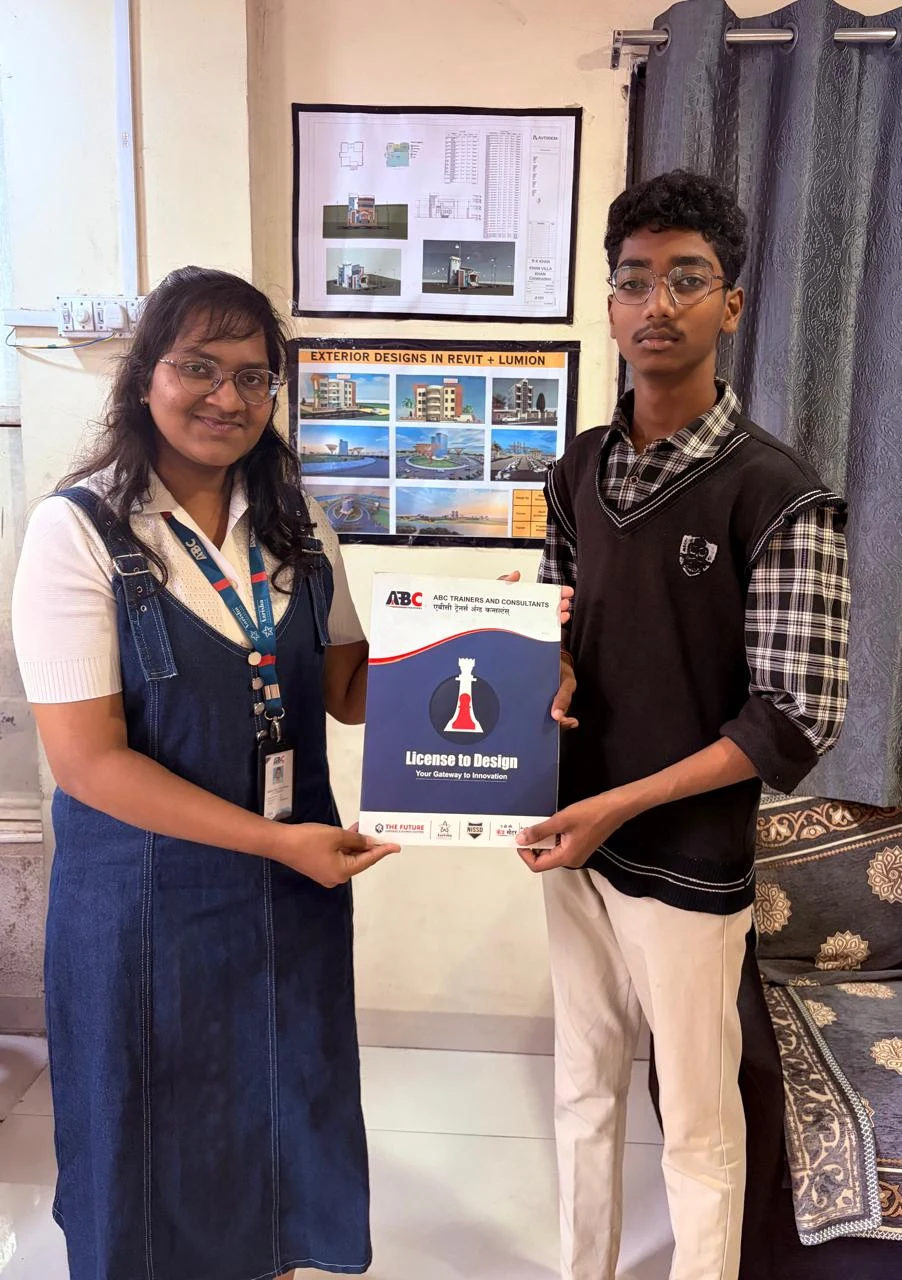
In the ABC Trainings review video, Vivek Sanjay Lahane — a mechanical engineering student — gives a direct testimonial about his SolidWorks course experience at the CIDCO branch in Sambhajinagar. His trainer was Shubham sir. Vivek's assessment: "Wherever I faced any problem in SolidWorks, sir was guiding me properly." That specific phrase matters. SolidWorks has hundreds of features and the feature manager tree can be confusing for beginners — especially when a sketch is over-defined, when a feature fails because of a geometry conflict, or when an assembly mate creates a rigid over-constrained situation instead of the intended degree of freedom. A trainer who explains each error case — not just shows the solution but explains why it happened — saves weeks of frustration. Vivek added: "If I want to do a course in the future, I will prepare and take a course with Shubham sir." Repeat-enrollment intent from a student is one of the clearest signals that actual skill transfer happened, not just screen-sharing during class hours.
SolidWorks vs CATIA vs NX CAD: Which Should Mechanical Engineers Learn First?
SolidWorks vs CATIA vs NX: which to learn first depends entirely on your target employer sector. CATIA is the tool of choice at Tata Motors EV design, Mahindra, and aerospace companies — it handles complex surfaces (Class A automotive styling, turbine airfoils) better than SolidWorks. NX CAD/CAM is used at defence and precision machining companies (HAL Nasik, DRDO, BEL) and has the most powerful CAM integration for multi-axis machining. SolidWorks dominates the mid-market: auto-component suppliers, pump and valve manufacturers, industrial machinery companies, and design consultancies. For a fresh mechanical engineering graduate in Pune or Sambhajinagar targeting their first job: learn SolidWorks first. It has the most openings, the lowest entry barrier, and produces visible output (a finished 3D part, a drawing) fast enough to stay motivated. After 1-2 years working in SolidWorks roles, branch to CATIA or NX based on where your career is heading.
| Role | Experience | Salary (Rs. LPA) | Target Companies |
|---|---|---|---|
| Junior CAD / Design Trainee | 0-1 yr | Rs.2.5-4 | Tier-2 auto-component, MIDC SMEs |
| Design / Product Engineer | 2-4 yrs | Rs.5-8 | Endurance, Minda, Bajaj vendors |
| Senior / Lead Design Engineer | 5-8 yrs | Rs.10-16 | OEM design centres, consultancies |
| Principal / Design Manager | 10+ yrs | Rs.18-28 | Tata, Mahindra, John Deere India |
SolidWorks salary data 2026 — Naukri/AmbitionBox/Glassdoor estimates for Maharashtra mechanical design roles
SolidWorks Jobs and Salaries in Pune and Sambhajinagar 2026
SolidWorks engineers are consistently absorbed by the auto-component supply chain that wraps around MIDC areas in Waluj, Kupwad, Chakan, Ranjangaon, and Bidkin. Fresh SolidWorks engineers (0-1 year) at these companies earn Rs.2.5-4 LPA — job titles: junior design engineer, CAD operator, product development trainee. After 2-3 years with a portfolio of real designed parts and drawings: Rs.5-8 LPA as design engineer or product engineer. SolidWorks professionals at OEM-level design centers (Fiat engineering center Ranjangaon, John Deere India, Kirloskar Electric) with 5+ years: Rs.10-16 LPA. Sambhajinagar-specific companies actively hiring SolidWorks engineers: Endurance Technologies (auto-components, MIDC E-92), Bajaj Auto vendor shops (Waluj industrial area), Minda Group AURIC, and dozens of tier-2 stamping, casting, and machining companies across the AURIC belt. The AURIC industrial node is adding manufacturing jobs directly and through its tier-2 supply chain — SolidWorks design capacity is on every manufacturing company's hiring checklist.
How to Join SolidWorks Training at ABC Trainings: Batches, Fees and CMYKPY
ABC Trainings runs SolidWorks batches from the CIDCO and Osmanpura centers in Sambhajinagar, plus Wagholi and Hadapsar in Pune. Batches run Monday-Saturday, morning and evening slots, with hardware-equipped labs (not virtual machines). The curriculum runs 2.5-3 months covering all four modules (part modeling, assembly, sheet metal, drawings) plus optional SolidWorks Simulation for FEA stress analysis. CMYKPY eligibility: SolidWorks CAD training at ABC qualifies as a vocational skill program under the Mukhyamantri Yuva Karya Prashikshan Yojana — eligible Maharashtra youth (18-35) receive Rs.6,000-10,000/month during training (12th pass: Rs.6K, Diploma/ITI: Rs.8K, Graduate: Rs.10K). Register at cmykpy.mahaswayam.gov.in; ABC's counsellors process same-day. Call 7039169629 to confirm the next CIDCO or Osmanpura batch start date and check seat availability.
The Mukhyamantri Yuva Karya Prashikshan Yojana 2026 covers CAD and mechanical design training. Eligible Maharashtra youth (18-35) get Rs.6,000/month (12th pass), Rs.8,000/month (ITI/Diploma) or Rs.10,000/month (graduate) stipend during approved SolidWorks training. ABC Trainings is an approved center. Walk in to CIDCO or Osmanpura and we process CMYKPY registration on the same visit. Call 7039169629.
Get the CAD/CAM Brochure + Fees + Batch Dates on WhatsApp
Free 1:1 counselling. Placement track record. CMYKPY/PMKVY eligibility check.
💬 Get Brochure on WhatsApp📞 Call 7039169629About the author: Shubham Choundiye, Mechanical Design Trainer, ABC Trainings.
Visit Our Centers
- Wagholi (Pune): 1st Floor, Laxmi Datta Arcade, Pune-Ahilyanagar Highway. Call 7039169629
- Hadapsar (Pune HQ): 1st Floor, Shree Tower, opp. Vaibhav Theater, Magarpatta. Call 7039169629
- Cidco (Chh. Sambhajinagar): Kalpana Plaza, opp. Eiffel Tower, N-1 Cidco. Call 7039169629
- Osmanpura (Chh. Sambhajinagar): S.S.C Board to Peer Bazar Road, near Jama Masjid. Call 7039169629
- Sangli: Shubham Emphoria, 1st Floor, Above US Polo Assn., Sangli-Miraj Rd, Vishrambag. Weekend batches available. Call 7039169629
FAQs
What does the ABC Trainings SolidWorks course cover?
The ABC Trainings SolidWorks course covers four modules: Part Modeling (sketching, extrude, revolve, sweep, loft, fillet, shell), Assembly Design (mates, interference detection, exploded views), Sheet Metal Design (flanges, bends, flat patterns with K-factor), and Engineering Drawings (views, dimensions, GD&T, title blocks). Optional SolidWorks Simulation is available for stress analysis. All modules are on licensed SolidWorks software on lab hardware.
How long is the SolidWorks course at ABC Trainings?
The full SolidWorks curriculum at ABC Trainings takes 2.5 to 3 months (60-90 hours of instruction and lab time). Morning and evening batches are available at CIDCO and Osmanpura centers in Sambhajinagar, and Wagholi and Hadapsar in Pune. Call 7039169629 for the next batch start date.
Is SolidWorks better than CATIA for getting a job in Pune?
For fresh graduates targeting jobs at Pune-region auto-component companies (Endurance, Minda, tier-2 Bajaj vendors, AURIC-area manufacturers), SolidWorks is the better first CAD tool — it has more job openings at entry level than CATIA. CATIA is preferred for OEM design centers (Tata Motors, Mahindra) and aerospace, which require more experience before hiring. Learn SolidWorks first, add CATIA after 2 years in industry.
Can I get a government stipend for SolidWorks training at ABC Trainings?
Yes. SolidWorks and CAD training at ABC Trainings is eligible for the CMYKPY (Mukhyamantri Yuva Karya Prashikshan Yojana) government stipend — Rs.6,000-10,000 per month during training, depending on your education level: 12th pass Rs.6K, Diploma/ITI Rs.8K, Graduate Rs.10K. Register at cmykpy.mahaswayam.gov.in. ABC counsellors complete your CMYKPY enrollment on the same day you visit.