ANSYS Workbench Foundation to Expert – Episode 2: Mastering Meshing Techniques & Static Structural Analysis (Updated June 2026)
Maharashtra's AURIC industrial corridor near Sambhajinagar is committing ₹71,343 crore in investment and generating 62,405 manufacturing jobs — and every product development team inside that industrial base needs engineers who can validate a design before the first prototype is cut. Episode 2 of our ANSYS Workbench Foundation to Expert series focuses on two skills that form the backbone of every FEA project: meshing and static structural analysis. Here is the thing — a simulation is only as accurate as the mesh you build. A bad mesh gives you bad results, even with perfect boundary conditions. Episode 2 teaches you to judge mesh quality, select the right meshing strategy for your geometry, and run static structural analysis to extract stress, total deformation, and factor of safety — the three numbers every design review asks for.
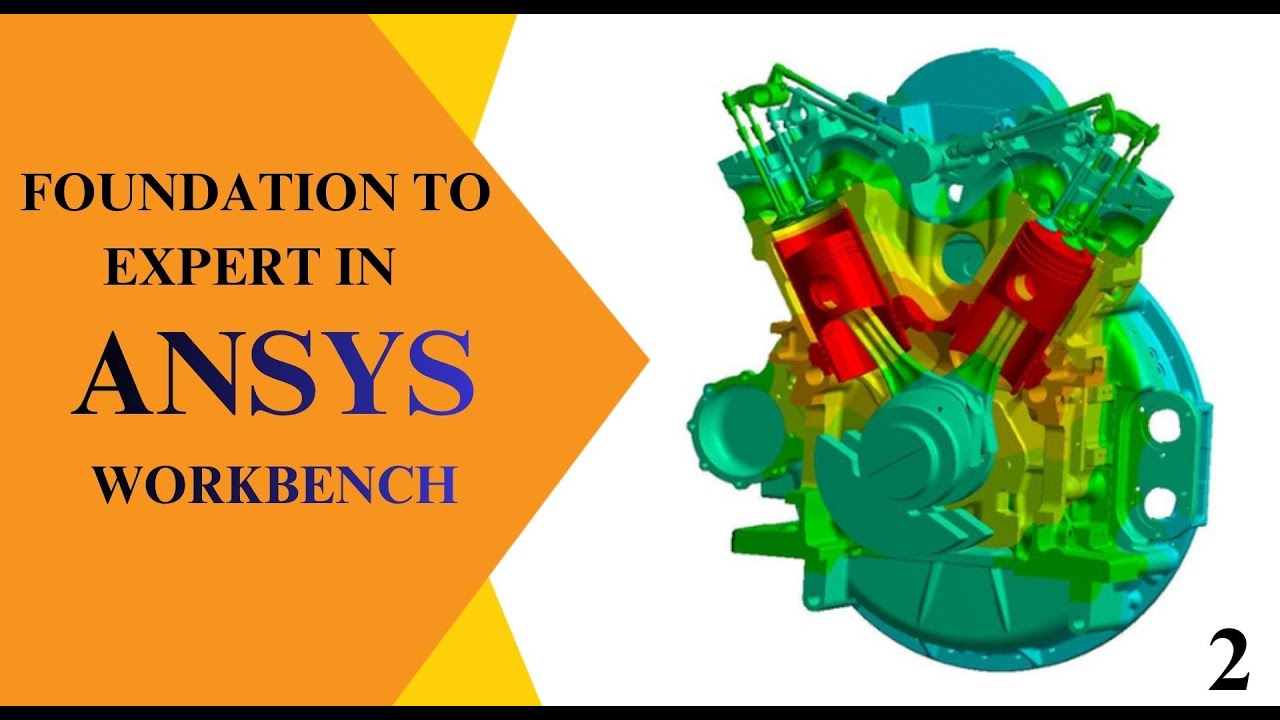
- Episode 2 covers ANSYS Workbench mesh types, mesh quality metrics, and static structural analysis for stress and deformation results
- FEA/CAE engineers earn ₹3.5–₹6 LPA fresher and ₹8–₹15 LPA at mid-level in Maharashtra
- Key hirers: Bajaj Auto Waluj (G-137), Tata Technologies Hinjewadi, Bosch Ranjangaon (A1/A2), KPIT Hinjewadi, Bharat Forge Pune
- CMYKPY scheme gives Maharashtra students ₹6,000–₹10,000/month during ANSYS training
- Weekend and weekday ANSYS batches at ABC Trainings across Pune, Sambhajinagar, and Sangli
Why Meshing Is the Foundation of Accurate FEA Results
Meshing converts your solid CAD geometry into thousands of small elements — tetrahedra, hexahedra, or prisms — each one solved by the FEA solver to build up the complete stress and temperature field across the part. The element size and shape determine how accurately the solver can capture stress concentrations, contact zones, and regions of high gradient. Too coarse a mesh and you miss the stress peak near a fillet or a hole, giving an over-optimistic safety factor. Too fine and you use ten times the compute time for negligible gain in accuracy. Episode 2 teaches you to make that call intelligently — starting from a coarse global mesh, running a mesh sensitivity study, and refining only in the regions where the results are still changing between refinement levels. That methodology is what separates a competent simulation engineer from someone who just clicks Solve and accepts whatever the software outputs.
Mesh Types in ANSYS Workbench: When to Use Coarse, Fine, and Adaptive
ANSYS Workbench gives you several mesh generation strategies. The default Automatic meshing uses a sweep method on prismatic bodies and a patch-conforming tetrahedra method on complex shapes. Inflation layers grow thin prismatic elements from wall faces, capturing boundary layers in fluid and thermal problems. Face Sizing pins a specific element size on a critical face — useful around fillet radii or contact patches. Body of Influence scopes a refined element size inside a sphere of influence without touching the global mesh. In Episode 2 we run a mesh sensitivity study on a bracket: coarse at 10 mm average element size (39% von Mises stress error from fine mesh), medium at 5 mm (9% error), fine at 2 mm (1.2% error), and adaptive at 1 mm in the fillet region only (matches fine result in 40% less compute time). This study is exactly the kind of engineering judgement interviewers probe.
ANSYS Workbench mesh quality metrics — Episode 2 curriculum
Static Structural Analysis: Applying Loads, Fixtures, and Boundary Conditions
Static structural analysis assumes that loads are applied slowly enough that inertia and damping effects can be ignored — the structure is in equilibrium at all times. In Episode 2 we analyse a steel suspension bracket under a 5 kN vertical load and a 2 kN lateral load applied simultaneously. Boundary conditions: Fixed Support on the three bolt holes (restrains all six degrees of freedom). Load application: Force on the lower face, specified in the global XYZ frame. Material: structural steel with a yield strength of 250 MPa. After applying loads and mesh, we solve. The result tree populates with Total Deformation, Equivalent (von Mises) Stress, and Maximum Principal Stress. We add a Safety Factor result calculated against yield strength. The visual deformation scale is deliberately exaggerated by ANSYS — a common source of confusion for first-time users that Episode 2 addresses directly.
Interpreting FEA Results: Stress, Deformation, and Factor of Safety
Reading FEA results correctly is a skill in itself. Total deformation shows the maximum displacement anywhere in the model — for our bracket it is 0.35 mm at the load application point, which the customer spec limits to 0.5 mm. Equivalent von Mises stress gives the scalar stress value used to check against yield strength — our peak is 198 MPa against a yield of 250 MPa, giving a safety factor of 1.26 at the most critical location. Maximum principal stress reveals the orientation of the tensile stress field, important for brittle materials or weld joint assessment. Episode 2 also covers how to create probe points and reaction force summations — tools used to verify that the applied loads are correctly balanced and the constraints are not introducing artificial stiffness into the model.
Static Analysis Engineer Jobs in Pune and Sambhajinagar: What the Market Pays
FEA and structural analysis roles are growing across Maharashtra. In Pune: Tata Technologies Hinjewadi places simulation engineers across multiple OEM clients; KPIT Technologies runs an NVH and structural dynamics group; Bajaj Auto R&D Akurdi has a dedicated FEA team; Bosch Engineering Centre Ranjangaon (Plots A1/A2) runs multi-physics simulation; Bharat Forge Pune uses ANSYS for forging process analysis. In Sambhajinagar: Bajaj Auto Waluj (Plot G-137) has a product analysis group; Skoda VW Shendra (Plot A-1/1) has a local validation team; Endurance Technologies (E-92 Waluj) uses structural simulation for casting and machining processes. Fresher FEA engineers earn ₹3.5–₹6 LPA; mid-level engineers ₹8–₹15 LPA; senior engineers ₹15–₹25 LPA. Source: AmbitionBox, PayScale India 2025–2026.
Enrol in ANSYS Workbench Training at ABC Trainings
ABC Trainings runs ANSYS Workbench Foundation to Expert courses at Wagholi (Laxmi Datta Arcade, Pune-Ahilyanagar Highway), Hadapsar (Shree Tower, opp. Vaibhav Theater), Cidco (Kalpana Plaza, N-1 Cidco, Sambhajinagar), Osmanpura (near Jama Masjid, Sambhajinagar), and Sangli (Shubham Emphoria, Vishrambag). The CMYKPY scheme provides ₹6,000–₹10,000/month to eligible Maharashtra domicile students. Weekend batches and fast-track options are available. ABC Trainings has trained 20,000+ students since 2014, holds ISO certification and MSME registration, and has delivered training to the Indian Army, PWD Maharashtra, RBI, and BARC. Call 7039169629 or WhatsApp 7774002496.
Chief Minister Yuva Karya Prashikshan Yojana (CMYKPY) gives eligible Maharashtra domicile students ₹6,000–₹10,000/month during skill training. ABC Trainings is MSME and ISO-certified. Call 7039169629 to check ANSYS CMYKPY eligibility.
Get the CAD/CAM Brochure + Fees + Batch Dates on WhatsApp
Free 1:1 counselling. Placement track record. CMYKPY/PMKVY eligibility check.
💬 Get Brochure on WhatsApp📞 Call 7039169629About the author: Shubham Choundiye, Mechanical Design Trainer, ABC Trainings.
Visit Our Centers
- Wagholi (Pune): 1st Floor, Laxmi Datta Arcade, Pune-Ahilyanagar Highway. Call 7039169629
- Hadapsar (Pune HQ): 1st Floor, Shree Tower, opp. Vaibhav Theater, Magarpatta. Call 7039169629
- Cidco (Chh. Sambhajinagar): Kalpana Plaza, opp. Eiffel Tower, N-1 Cidco. Call 7039169629
- Osmanpura (Chh. Sambhajinagar): S.S.C Board to Peer Bazar Road, near Jama Masjid. Call 7039169629
- Sangli: Shubham Emphoria, 1st Floor, Above US Polo Assn., Sangli-Miraj Rd, Vishrambag. Weekend batches available. Call 7039169629
FAQs
What does Episode 2 of the ANSYS Workbench Foundation to Expert series teach?
Episode 2 covers mesh types (automatic, inflation, face sizing, body of influence), mesh quality metrics (skewness, orthogonal quality, aspect ratio, element quality), mesh sensitivity studies, and static structural analysis including Fixed Support boundary conditions, force and pressure load application, and result interpretation for total deformation, von Mises stress, and factor of safety.
How do I choose between coarse, fine, and adaptive meshing in ANSYS?
Start with a coarse global mesh and run a mesh sensitivity study: compare the stress result at the highest-stressed point as you progressively refine the mesh. When the result changes by less than 2–5% between refinement levels, the mesh is adequate. Use adaptive refinement (Face Sizing or Convergence tool) in high-gradient regions like fillets, holes, and contact zones to get accuracy without excessive element count.
What results does static structural analysis produce in ANSYS Workbench?
Static structural analysis in ANSYS Workbench produces: Total Deformation (maximum displacement in mm), Equivalent Von Mises Stress (compared against material yield strength), Maximum/Minimum Principal Stress (for brittle materials or weld assessment), Safety Factor, and Reaction Forces at supports. You can also extract probe point results and generate linearised stress reports for pressure vessel code compliance.
What salary can I expect after learning ANSYS FEA in Pune or Sambhajinagar?
Fresher FEA engineers in Pune earn ₹3.5–₹6 LPA at Tata Technologies, KPIT, Bajaj Auto R&D, and Bosch Ranjangaon. In Sambhajinagar, freshers earn ₹3.5–₹5 LPA at Bajaj Auto Waluj and Endurance Technologies. With 3+ years of ANSYS experience, salaries reach ₹8–₹15 LPA. Source: AmbitionBox, PayScale India 2025–2026.