ANSYS Workbench Static Structural Analysis Setup – Beginner's Complete Guide (Updated June 2026) (Updated June 2026)
Static structural analysis is the bread-and-butter of mechanical engineering simulation — and if you can set one up cleanly in ANSYS Workbench, you can land a job at virtually any manufacturing company in India. The AURIC industrial zone in Sambhajinagar has attracted Rs. 71,343 crore in investments and created 62,405 engineering jobs, with Skoda VW (Plot A-1/1, Shendra), Bajaj (Plot G-137, Waluj), and Toyota Kirloskar all running ANSYS-based design validation workflows. What most people don't realize is that getting the boundary conditions right matters more than any other step in a static analysis — a wrong constraint turns a valid simulation into meaningless numbers. Episode 7 of our ANSYS Workbench Essentials series teaches you the complete static structural workflow, from dragging the analysis block onto the project schematic to hitting Solve with confidence.
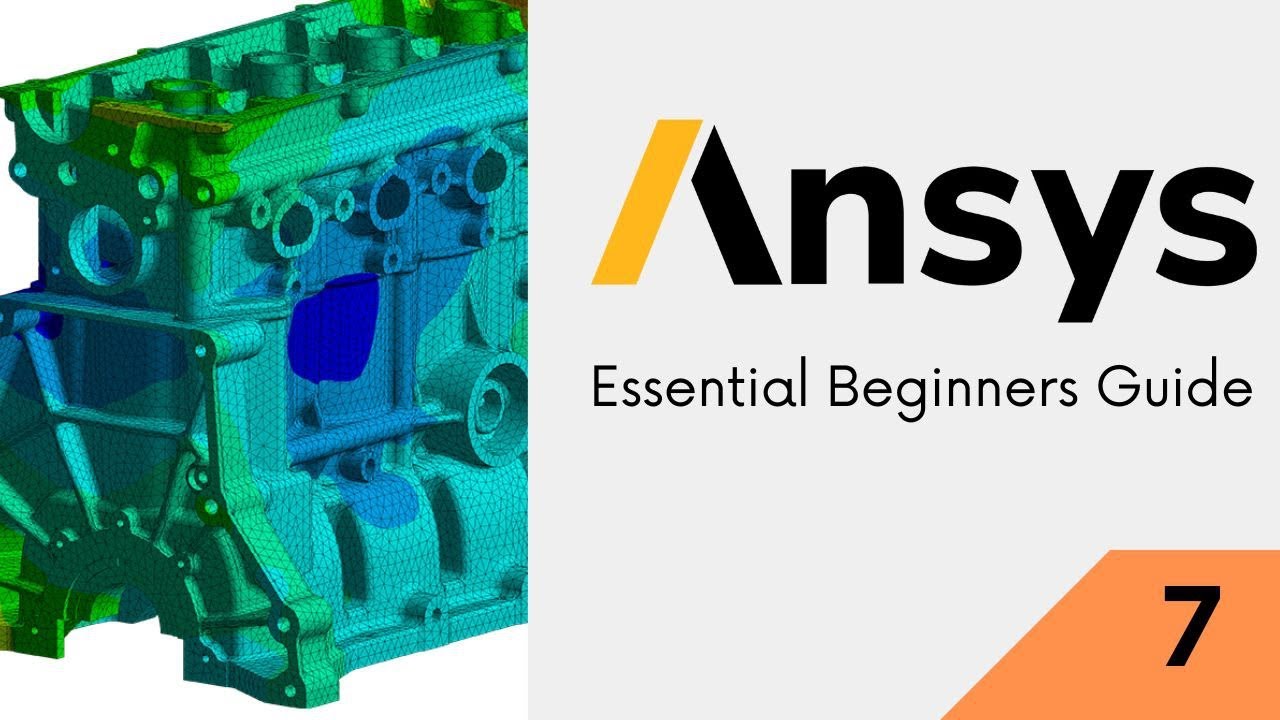
- Static structural analysis calculates stresses and deformations caused by constant (non-time-varying) loads like gravity, bolt preloads, or steady pressure
- Material properties — Young's modulus and Poisson's ratio at minimum — must be correctly assigned in Engineering Data before the solver can run
- Fixed Support prevents all movement and rotation at a face; Displacement constraint lets you restrict specific degrees of freedom selectively
- Force, Pressure, and Remote Force are the three most common load types in structural analysis — each has specific geometry selection requirements
- A yellow lightning bolt on the Solution branch means ANSYS needs to re-solve; a green tick means results are current and valid
What Is Static Structural Analysis and When Do You Use It?
Static structural analysis answers one question: if I apply these loads to this structure, does it hold? The word static means the loads don't change with time — no vibration, no impact, no fatigue cycling. It is the right tool for checking a bracket under a known force, a pressure vessel under operating load, or a shaft under torque. Where static analysis is not appropriate: dynamic events (drop tests, crashes), cyclic fatigue, or problems where the deformation itself changes the stiffness significantly (large-deformation buckling). Knowing these limits is part of what makes you a credible simulation engineer in the eyes of hiring managers at Mahindra and Tata Tech.

Setting Up the ANSYS Workbench Project for Static Structural Analysis
In ANSYS Workbench, double-click Static Structural in the Toolbox to drag it onto the Project Schematic. Connect it to your geometry source — either a fresh DesignModeler session or an imported CAD file. The project block shows cells for Engineering Data, Geometry, Model, Setup, Solution, and Results. A green tick means the cell is up to date; a lightning bolt means it needs updating. Always complete the cells top to bottom: materials first, then geometry, then model setup, then loads, then solve. Skipping the order leads to the cascading yellow warnings that trip up most beginners.
| Boundary Condition | Degrees of Freedom Constrained | Typical Use Case |
|---|---|---|
| Fixed Support | All 6 DOF (Tx, Ty, Tz, Rx, Ry, Rz) | Welded or bolted base |
| Frictionless Support | Normal displacement only | Symmetry planes, sliding contacts |
| Displacement | User-defined per axis | Guided movement along one axis |
| Cylindrical Support | Radial, axial, tangential separately | Shaft and bearing seats |
| Compression Only | Normal direction, compression only | Parts resting on surfaces |
Assigning Material Properties: Why Getting This Right Is Non-Negotiable
Material properties define how your model responds to stress. For a static structural analysis, ANSYS needs at minimum: Young's Modulus (stiffness) and Poisson's Ratio (lateral contraction behaviour). For failure prediction you also need Yield Strength (for ductile metals) or Tensile Strength (for brittle materials). ANSYS Workbench includes Structural Steel, Aluminum Alloy, and a handful of other materials in its default Engineering Data library. For proprietary alloys used at Endurance Technologies or Bharat Forge (Kagal), you input custom properties using datasheet values — a step that engineers skip in practice far more often than they should, leading to wildly incorrect stress predictions.
Applying Supports and Constraints: The Most Critical Step in FEA
The support (boundary condition) defines which part of your model is fixed in space and which is free to move. A Fixed Support locks all six degrees of freedom — three translations and three rotations — at the selected face, edge, or point. This represents a welded or bolted connection to a rigid structure. A Displacement constraint lets you prescribe specific movements: zero displacement in Z but free in X and Y, for example. The most common beginner mistake is over-constraining: applying Fixed Support to every surface that touches something, which makes the model artificially stiff and produces unrealistically low stress results — the kind that later fail in the real world.
Adding Loads: Force, Pressure, and Remote Force Explained
ANSYS Workbench offers several load types for static structural analysis. Force applies a total force distributed over a selected face, edge, or vertex — ANSYS divides it uniformly. Pressure applies a force per unit area normal to a surface, ideal for fluid-loaded panels and pressure vessels. Remote Force applies a force at an offset point not on the model surface, useful for bracket loading from an attached mass. For rotational equipment, you also have Moment and Bearing Load. Always check your load direction: ANSYS uses the global coordinate system by default, and a downward gravity load needs to point in the negative Y direction unless your model is oriented differently.
Running the Solver and Diagnosing Common ANSYS Errors
Click Solve in the ANSYS Mechanical toolbar and watch the Solution Information panel for progress. Common errors: Underconstrained model (rigid body motion detected) means you have not applied enough supports — the model can float freely in some direction. Highly distorted elements means your mesh is too coarse in a curved or thin region. Negative pivot error typically means a material property is wrong or zero. The good news is ANSYS flags most errors with a specific message and line number — read the error text fully before guessing at a fix. At ABC Trainings we spend a dedicated session on solver error diagnostics because this is exactly what differentiates engineers who can work independently from those who need constant hand-holding.
Under Maharashtra's Chief Minister Yuva Karya Prashikshan Yojana (CMYKPY), engineering graduates earning their ANSYS Workbench certification at ABC Trainings can apply for Rs. 6,000-10,000/month training stipends while doing structural simulation work at AURIC-zone manufacturers like Skoda VW, Bajaj, and Toyota Kirloskar in Sambhajinagar.Get the CAD/CAM Brochure + Fees + Batch Dates on WhatsApp
Free 1:1 counselling. Placement track record. CMYKPY/PMKVY eligibility check.
💬 Get Brochure on WhatsApp📞 Call 7039169629About the author: Rahul Patil. 12 yrs experience training mechanical and CAD/CAM engineers across Maharashtra.
Visit Our Centers
- Wagholi (Pune): 1st Floor, Laxmi Datta Arcade, Pune-Ahilyanagar Highway. Call 7039169629
- Hadapsar (Pune HQ): 1st Floor, Shree Tower, opp. Vaibhav Theater, Magarpatta. Call 7039169629
- Cidco (Chh. Sambhajinagar): Kalpana Plaza, opp. Eiffel Tower, N-1 Cidco. Call 7039169629
- Osmanpura (Chh. Sambhajinagar): S.S.C Board to Peer Bazar Road, near Jama Masjid. Call 7039169629
- Sangli: Shubham Emphoria, 1st Floor, Above US Polo Assn., Sangli-Miraj Rd, Vishrambag. Weekend batches available. Call 7039169629
FAQs
What is the difference between static structural and transient structural analysis in ANSYS?
Static structural analysis assumes loads are applied slowly and remain constant — the structure reaches equilibrium without vibrating. Transient structural analysis simulates loads that change with time, capturing dynamic effects like inertia and damping. Use static analysis for steady operating loads (clamps, pressure vessels, brackets); use transient analysis for impact, seismic events, or any load that changes faster than the structure can respond quasi-statically. Static analysis is significantly faster to solve and is the appropriate starting point for most component validations.
Why does ANSYS show an underconstrained model error even when I applied a Fixed Support?
The underconstrained error means your model has at least one direction it can translate or rotate freely — it is technically floating in space. Check that your Fixed Support face is actually connected to the model geometry (it may be on a suppressed body or hidden face). Also verify you haven't applied the support to a disconnected body if you have a multi-body model. As a diagnostic, check Tools and then Show Rigid Body Modes in ANSYS Mechanical — it will highlight which direction the model is free to move.
Do I need to assign material properties manually in ANSYS Workbench?
Yes — ANSYS Workbench does not automatically assign material properties. You must open Engineering Data (double-click the Engineering Data cell in the Project Schematic), select or create your material, and then in Mechanical you assign that material to each body by selecting the body and changing the Material Assignment property. The default ANSYS Structural Steel (E=200 GPa, Poisson=0.3, Yield=250 MPa) is a reasonable placeholder but must be replaced with your actual material for valid results.
How long does a static structural solve take in ANSYS Workbench?
Solve time depends on model complexity. A simple bracket with 50,000 elements solves in under 60 seconds on a modern laptop. An automotive suspension knuckle with 500,000 elements and contact pairs may take 15 to 45 minutes. Solve time scales roughly with element count squared for direct solvers. To reduce solve time: coarsen the mesh away from critical stress regions, use symmetry boundary conditions where applicable, and ensure your PC has at least 16 GB RAM for models above 200,000 elements.