Best Laptop Configuration for Revit, Navisworks and BIM 360 in Pune 2026: GPU, RAM, SSD and Display Recommendations Under ₹80,000 — A Buyer''s Guide for Civil Engineering Students (Updated September 2026)
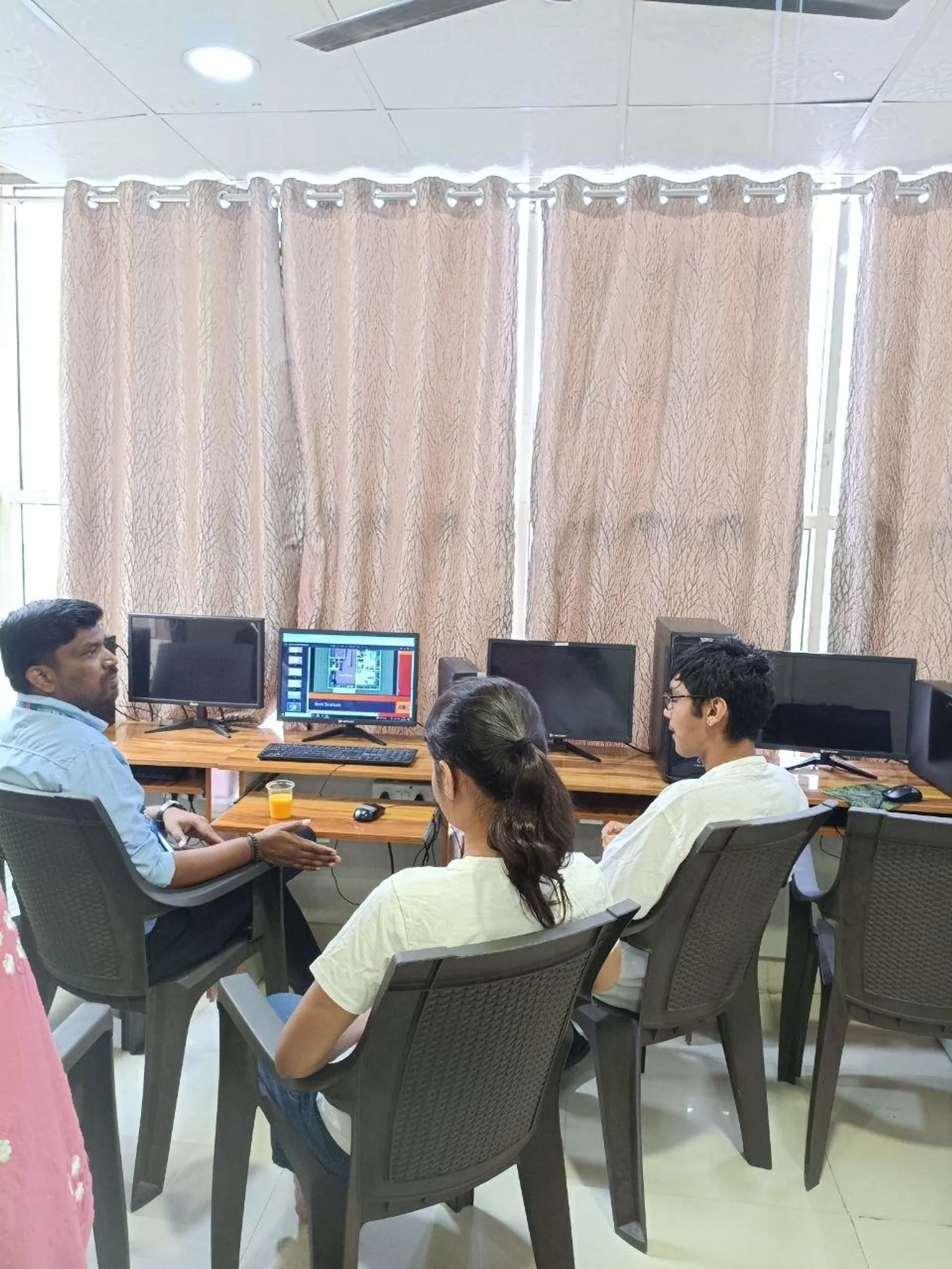
Every Tuesday at our Wagholi and Hadapsar centres, two or three civil engineering students walk into the counselling room with the same question: "Sir, my budget is around ₹70,000–₹80,000. Will this laptop run Revit, Navisworks and BIM 360?" They show us a screenshot from Flipkart Big Billion Days, Amazon Great Indian Festival, Vijay Sales''s Pune showroom or Croma''s Phoenix outlet. Half the time, the laptop on the screen is the right call. The other half, it''s a beautiful trap that will frustrate the student for the next three years.
This guide is the version of that counselling conversation we wish was written down. It is specifically for Pune civil engineering students preparing to enrol in a BIM programme — at ABC Trainings, at any Pune institute, or even self-taught — with a hard budget of ₹80,000 or less. It is updated for May 2026 prices in Pune and reflects the actual configurations that have run our PG Diploma in BIM curriculum without a meltdown.
Best Laptop for BIM Modeling: Top 3 Picks for August 2026
The best laptop for BIM modeling in 2026 is the HP Victus 15 (Ryzen 5 7640HS, RTX 4050 6 GB, 16 GB DDR5) at around ₹74,990 for students, and the Lenovo LOQ 15 Gen 4 (Ryzen 7 7435HS, RTX 4060 8 GB, 16 GB DDR5) at ₹79,990 for professionals who also run Enscape or Twinmotion. For BIM modeling — which means daily Revit Architecture, Revit Structure, Navisworks clash detection and BIM 360 cloud coordination — the non-negotiable specs in August 2026 are: 16 GB DDR5 RAM minimum (32 GB for professionals), an RTX 4050 or better GPU (6 GB VRAM floor), and a 512 GB NVMe Gen 4 SSD.
Best Laptop for BIM Modeling: What Actually Changed in August 2026
Good news: August 2026 has been a strong buying month for BIM students in Pune and Sambhajinagar. The Lenovo LOQ 15 Gen 4 (RTX 4060, 16 GB DDR5) held its July price of ₹79,990 at Croma Phoenix and Reliance Digital — it's now the best single laptop for BIM modeling students who also want to run Enscape without a stutter. The HP Victus 15 (RTX 4050) is stable at ₹74,990. The Dell G15 (i7-13650HX, RTX 4060) dropped ₹2,000 to ₹70,990 at Vijay Sales JM Road — now the strongest value pick for BIM professionals who need build quality. ASUS TUF A15 2024 is at ₹62,990 — the best sub-₹65K BIM laptop if Enscape is not in your plan. One new finding from August 2026 BIM sessions at our Wagholi lab: RTX 5060-equipped laptops (Lenovo LOQ 16 Gen 5, ASUS ROG Zephyrus G14 2025) are appearing in the ₹85,000–1,00,000 range. The RTX 5060 handles Enscape 4.0 real-time AI rendering 35–40% faster than RTX 4060 for the same scene — if your BIM workflow includes client-facing VR walkthroughs or BIM-to-AR exports, the extra spend is justified. For Revit + Navisworks alone, the RTX 4050 remains the right floor.
Best Laptop for BIM Modeling: Frequently Asked Questions (August 2026)
Which brand is best for BIM modeling laptops — HP, Dell or Lenovo? For sub-₹80K BIM workflows in Pune, HP Victus 15 wins on price/GPU, Dell G15 wins on build quality and service centre access, and Lenovo LOQ wins on CPU-GPU balance. The good news is that all three have authorised service centres in Pune (Aundh, JM Road, Camp, PCMC) with typical 3–5 day turnaround for warranty repairs — which matters if your BIM project deadline is 2 weeks away. Is 16 GB RAM enough for BIM modeling in 2026? For student-scale Revit projects (architectural models under 150 MB, linked files under 3), 16 GB DDR5 handles BIM modeling without drama. The moment you open a federated Revit model with Architecture + Structure + MEP linked together (total 250–400 MB), 16 GB starts paging to SSD. For professional BIM modeling, plan to upgrade to 32 GB within the first year. Can I do BIM modeling on a MacBook for an Indian job? The good news is Autodesk now has a native M-series Mac build of Revit (beta). The bad news: Pune's AEC firms (L&T, AECOM, Shapoorji Pallonji, local PMC contractors) all run Windows Revit, and the Mac beta is not stable enough for deadline-critical professional BIM modeling in 2026. Wait for the stable release — expected 2027 — or use Parallels on a MacBook Pro M4 if you can afford it. What is the best laptop for BIM modeling on a ₹60,000 budget? At ₹60,000–65,000, the ASUS TUF A15 2024 (Ryzen 5 7535HS, RTX 4050, 16 GB DDR5) is the strongest BIM modeling laptop. Below ₹60,000, stop looking at new consumer laptops — instead, look for a refurbished ThinkPad P14s or Dell Precision 3560 with 32 GB from an authorised Pune dealer; the RAM advantage outweighs the GPU disadvantage for pure BIM modeling.
What Revit, Navisworks and BIM 360 Actually Need on a Laptop in 2026
Autodesk publishes "system requirements" that are honest but conservatively useless. The real-world question is not "Will Revit launch?" but "Will Revit not freeze when I open a 200 MB federated model with three linked structural files at 50% zoom?" That requires looking past the spec sheet.
The bottlenecks, ranked, are:
1. RAM (DDR4-3200 or DDR5-4800/5600) — The single most important spec for Revit. A 250 MB federation with five linked files will consume 18–24 GB of RAM at peak. 16 GB is fine for student work; 32 GB is the right target for a serious BIM career; 8 GB is unacceptable in 2026 even for entry-level.
2. CPU single-core performance — Revit is single-threaded for most operations. A laptop with a Ryzen 5 7530U or Intel i5-13420H beats a laptop with more cores but lower per-core clock for 80% of Revit work. Look for Cinebench R23 single-core ≥ 1,500 points.
3. SSD (NVMe Gen 4 preferred) — The difference between Revit opening a 350 MB central model in 12 seconds vs. 90 seconds is the SSD. A 512 GB NVMe Gen 4 is the practical floor in 2026; a 1 TB Gen 4 is the right target.
4. GPU (dedicated, ≥ 4 GB VRAM, RTX preferred) — Revit and Navisworks shift more work to the GPU each year. Enscape, Veras, real-time renders and AR/VR exports demand dedicated graphics. Integrated graphics (Iris Xe, Radeon 780M) are acceptable for Revit but choke on Enscape, Twinmotion or Lumion.
5. Display panel — A 14" or 15.6" 1920×1080 IPS at 100% sRGB is the sweet spot for Revit. 4K at 14" looks beautiful but Revit''s UI is still imperfect at 4K scaling. Avoid 1366×768 — it is below the Revit ribbon''s comfortable density.
6. Cooling and thermals — Pune summers (40°C+ in May) and a 60-minute Navisworks render combine to thermally throttle a poorly-cooled laptop. Read the MaxTech or Hardware Canucks YouTube review of any laptop you buy and look at the sustained CPU+GPU thermal score.
7. Battery — Less important for BIM (you''ll be plugged in 80% of the time) but matters for the day you carry the laptop to a Pune client meeting at Kharadi or Hinjewadi.
Revit + Navisworks Spec Tiers for 2026 — Minimum vs Recommended vs Pro
Before the shortlist, place any laptop you are evaluating into one of these three tiers. They reflect Revit 2026 and Navisworks Manage 2026 running real federated models at our Wagholi and Hadapsar labs — not Autodesk's bare "it will launch" minimums. When a salesperson shows you a machine, find its column here first.
| Component | Minimum — it runs | Recommended — course to first job | Pro — BIM career machine |
|---|---|---|---|
| CPU | Ryzen 5 5500U / Intel i5-1235U | Ryzen 5 7640HS / Intel i5-13420H (Cinebench R23 single-core 1,500+) | Ryzen 7 7840HS / Intel i7-13650HX or better |
| RAM | 16 GB DDR4 | 16 GB DDR5 with a free SO-DIMM slot for 32 GB later | 32 GB DDR5 from day one |
| GPU | Integrated (Iris Xe / Radeon 760M) | RTX 4050 6 GB | RTX 4060 8 GB or higher |
| SSD | 512 GB NVMe Gen 3 | 512 GB NVMe Gen 4 | 1 TB NVMe Gen 4 |
| Display | 15.6" 1920×1080 | 15.6" 1920×1080 IPS, 100% sRGB | 16" 2560×1600 IPS, 120 Hz |
| What it handles | Single-discipline models under 100 MB, no live rendering | 200–300 MB federations, Navisworks clash runs, student-scale Enscape | 400 MB+ federations, point clouds, Twinmotion/Lumion |
| Pune price band (Jul 2026) | ₹45,000–58,000 | ₹65,000–80,000 | ₹95,000–1,35,000 |
The honest reading: the minimum tier survives the first month of a BIM course, the recommended tier carries you through the full programme and your first modelling job, and the pro tier only earns its premium once rendering, AR walkthroughs or point-cloud scans enter your daily work. Every laptop in the shortlist below sits in the recommended column.
The 2026 Pune Sub-₹80,000 Laptop Shortlist for BIM
These are the configurations that have run our BIM curriculum reliably at Wagholi and Hadapsar in 2025 and 2026. Prices are May 2026 Pune street, taking the lower of online vs. Vijay Sales JM Road / Phoenix.
HP Victus 15 (2025) — Ryzen 5 7640HS, 16 GB DDR5, 512 GB NVMe, RTX 4050 6 GB, 144 Hz IPS — around ₹74,990. Best overall sub-₹80K BIM laptop in Pune as of May 2026. RTX 4050 handles Enscape and Twinmotion. Cooling is good. The only catch: 16 GB RAM is the floor — plan to upgrade to 32 GB at year two (slot is accessible).Lenovo IdeaPad Gaming 3 / LOQ 15 — Ryzen 7 7435HS, 16 GB DDR5, 512 GB NVMe, RTX 4050 6 GB — around ₹76,990. Slightly better CPU than the Victus, similar GPU. Battery is weaker. Build quality fine.ASUS TUF A15 (2024) — Ryzen 5 7535HS, 16 GB DDR5, 512 GB NVMe, RTX 3050 6 GB — around ₹68,000. Older RTX 3050 still very capable for Revit/Navisworks. Build is military-grade tough — survives a Pune monsoon backpack drop better than the Victus.Acer Nitro V 15 (2025) — Intel i5-13420H, 16 GB DDR5, 512 GB NVMe, RTX 4050 6 GB — around ₹72,990. Intel platform if you prefer it. Slightly hotter under sustained load than the AMD options.Dell Inspiron 15 7000 (2024) — i5-13450HX, 16 GB DDR5, 512 GB NVMe, RTX 4050 6 GB — around ₹78,990. Best-built among this list. Premium chassis. Keyboard and trackpad better than HP/Lenovo at this price.Workstation alternative: Lenovo ThinkPad P14s Gen 4 (refurbished) — i7-1370P, 32 GB DDR5, 1 TB NVMe, Iris Xe — refurbished at around ₹72,000 from authorised dealers in Pune. No dedicated GPU, but 32 GB of RAM and a real workstation cooling system. Good for pure Revit + Navisworks; weak for Enscape/Lumion.We do not recommend, at this budget:
- Any laptop with 8 GB of RAM, regardless of brand or other specs.
- Any laptop with HDD or SATA SSD only (no NVMe).
- Any laptop with a 1366×768 display.
- MacBook Air M2/M3 — Revit''s native ARM Mac build is still beta in 2026 and not stable enough for a BIM student. Pune AEC firms run Windows Revit. (MacBook Pro is fine via Parallels, but it''s above the ₹80K budget.)
Pune Buying Tactics — Where, When and How to Save ₹4,000–₹8,000
If you''re a Pune student, your buying calendar should be:
- Croma JM Road, Phoenix Marketcity, Westend, Seasons — bargain in person, especially during March-end (financial year) and September-end (festive). Croma exchanges and bank EMI offers can shave ₹3,000–₹5,000.
- Vijay Sales JM Road or Phoenix — frequent ₹5,000-off coupons during Diwali, Republic Day, Independence Day, Big Bang Sale.
- Reliance Digital Phoenix Marketcity — Reliance One Card discount is real money when stacked with HDFC/SBI bank EMI offer.
- Flipkart Big Billion Days, Amazon Great Indian Festival — best for variety. Pair with an HDFC, SBI, ICICI or Axis EMI offer for the maximum discount. Always check the seller (Cloudtail / RetailNet) and check the return window.
- Authorised refurbished workstations from Bhageshwar Computers (Camp), Computers Express (Aundh), Sai Computers (PCMC) — for ThinkPad P / HP ZBook / Dell Precision at 40–55% off MRP. Bring an engineer-friend if you don''t know how to inspect.
Avoid buying at malls during Diwali Day itself — the mark-ups quietly creep back. The two best buying weeks in Pune for BIM laptops are early October (start of Big Billion Days) and late January (Republic Day clearance).
7 Costly Mistakes Pune Students Make When Buying a BIM Laptop
These are the traps we see most often when a student brings a freshly bought laptop to a Wagholi or Hadapsar lab session. All seven are avoidable at the showroom; none are fixable afterwards without spending again.
- Trusting "you can upgrade the RAM later" without checking. Half the thin-and-light laptops in this budget have soldered RAM and no free slot. Search the model number plus "hardware maintenance manual" and confirm a free SO-DIMM slot before billing, not after.
- Paying extra for a U-series i7 over an H-series i5. An i7-1355U sounds superior to an i5-13420H but throttles to a fraction of its clock twenty minutes into a Revit session. For BIM, the suffix (H/HS/HX) matters more than the number after "i".
- Accepting an MX-class or 2 GB VRAM card as "dedicated graphics". An MX550 or any 2 GB GPU fails Enscape's 4 GB VRAM minimum and delivers a fraction of an RTX 4050. If it is not RTX with at least 4 GB — ideally 6 GB — treat the machine as integrated-graphics tier and price it accordingly.
- Taking the 1366×768 display to save ₹4,000. Revit's ribbon, Properties palette and Project Browser cannot coexist comfortably below 1920×1080. Students who make this mistake end up buying an external monitor within a semester.
- Not checking the SSD on festive-sale variants. Some Big Billion Days and exchange-offer SKUs quietly ship SATA or Gen 3 SSDs in the same chassis as the Gen 4 model. Match the exact SKU code on the box against the manufacturer's spec page before paying.
- Judging cooling by chassis thickness. A slim laptop that throttles ten minutes into a Navisworks clash run turns a 40-minute batch into a two-hour one — worse in Pune's May heat. Watch one sustained-load thermal review of the exact model first.
- Spending the entire ₹80,000 on the laptop. Keep ₹3,000–4,000 aside for a cooling pad, a proper mouse and a backup drive. Orbiting a federated model on a trackpad is how wrists and deadlines both get hurt.
Stretching the Budget — When to Pick 32 GB Over GPU
A surprisingly common decision point: should you spend ₹78,000 on 16 GB + RTX 4050, or ₹76,000 on 32 GB + integrated graphics?
For a Pune BIM student in 2026, the answer depends on what you will do beyond Revit:
- If you''ll touch Enscape, Twinmotion, Lumion, AR/VR, photoreal rendering — pick the GPU. 16 GB is enough for student-sized models.
- If you''ll stay strictly inside Revit, Navisworks, BIM 360 and ETABS/STAAD — pick the 32 GB. The CPU-bound Revit operations will benefit far more.
A third option is to buy the 16 GB RTX laptop and plan to upgrade to 32 GB at month 8 (ABC Trainings'' Wagholi and Hadapsar centres can install student-supplied RAM in 30 minutes — most modern gaming laptops have a free SO-DIMM slot).
What an Entry-Level BIM Job in Pune Pays — Why Laptop Cost ROI Matters
A fresher BIM modeller in Pune in 2026 starts around ₹3.0–4.2 LPA. After 18 months, the same modeller in a tier-1 firm earns ₹5.5–7.5 LPA. Freelancing on the side adds ₹15,000–35,000/month in year 2.
A ₹78,000 laptop pays back in 4–6 months of a fresher salary. Skimping on ₹15,000 to buy an 8 GB laptop costs you 1–2 hours of productivity every working day for three years. The math is overwhelmingly in favour of buying the right laptop the first time.
Software Licence Strategy for a Pune BIM Student
Once you have the laptop, the software question follows. The legal answer in 2026:
- Autodesk Education licence (free for 1 year, renewable while a student) — gives you Revit, AutoCAD, Civil 3D, Navisworks, Forma, Fusion 360, Maya. This is the licence ABC Trainings BIM students use.
- Trimble Tekla Educational — free for students.
- Bentley Academic Select — free for students at participating institutes.
- BIM 360 / Autodesk Construction Cloud — student licence available.
- Adobe Creative Cloud Student — ₹1,675/month, includes Firefly. Worth it for the AI-rendering workflow.
- Microsoft 365 Education — free for students at recognised institutes.
We advise our Wagholi and Hadapsar students never to use cracked software — Pune AEC employers in 2026 audit candidate portfolios for licence integrity, and a cracked-software origin tag in a Revit project file metadata has cost two of our students interview offers.
A Quick Self-Test — Is Your Existing Laptop Good Enough?
Before you spend, run this check on your current machine:
1. Open Task Manager → Performance.
2. Open Revit and a 100 MB sample model.
3. Watch the RAM, CPU and GPU usage for 60 seconds while orbiting and changing views.
If RAM usage hits 90%+ within 60 seconds, you need more RAM. If CPU sits at 100% on a single core with the rest idle, you need a better single-core CPU. If your model takes more than 45 seconds to open, you need a Gen 4 NVMe SSD.
ABC Trainings'' Wagholi centre runs this diagnostic for free for any walk-in. Bring your laptop, leave with a buy/keep recommendation.
FAQ — Pune BIM Laptop Questions We Hear at the Counter
Can I do BIM on my college laptop with 8 GB RAM? For the first three weeks, yes. Beyond that, no — federation models will choke. Plan an upgrade or a new buy.Is RTX 4060 worth the extra ₹15,000 over RTX 4050? Only if you do heavy Lumion or Twinmotion. For Revit and Navisworks alone, no.Should I buy an HP, Dell or Lenovo for a 4-year horizon? Lenovo and Dell have better build quality. HP Victus is the best price/perf in 2026. All three have good Pune service centres (Aundh, JM Road, Camp, Pimpri).MacBook Pro M3 Pro? Above budget at ₹1.6L+, but for the BIM student who can stretch — yes, with Parallels Windows + Revit. Battery and silence are unbeatable.What about Chromebooks? Not for BIM. Cloud Revit (BIM 360 web view) does not authoring.Can I use a desktop instead? Absolutely — and a desktop at ₹70K outperforms a laptop at ₹70K for BIM. The trade-off is portability for Pune commute and Wagholi-Hadapsar lab sessions.Walk Into Wagholi or Hadapsar With Your Shortlist
If you''re still undecided after this guide, walk in. Our Wagholi and Hadapsar BIM faculty have benchmarked every laptop in this article on the actual Revit and Navisworks workloads our students face. We''ll spend 20 minutes with your shortlist, no obligation.
- Call: 7039169629
- WhatsApp: 7774002496
- Centres: ABC Trainings Wagholi (Awhalwadi Road) and ABC Trainings Hadapsar (near Magarpatta City)
Bring the spec sheet of any laptop you''re considering. Or bring your existing laptop for a free Revit benchmark.
Best Laptops for Revit 2026 — July 2026 Update: What's Changed Since May
If you're searching "best laptop for Revit 2026" from Pune, the short answer for July 2026: HP Victus 15 (Ryzen 5 7640HS, RTX 4050, 16 GB DDR5) at around ₹74,990 is still the best value under ₹80,000, but the Lenovo LOQ 15 Gen 4 has become a strong challenger with a price drop to ₹79,990 and an RTX 4060 GPU that makes Enscape and Twinmotion renders 20–30% faster.
July 2026 Price Changes at Pune Stores
HP Victus 15 (RTX 4050, 16 GB DDR5): Stable at ₹74,990 at Vijay Sales JM Road and Amazon. Still the benchmark pick for pure BIM workflows.
Lenovo LOQ 15 Gen 4 (Ryzen 7 7435HS, RTX 4060, 16 GB DDR5): Dropped from ₹82,990 to ₹79,990. RTX 4060 outperforms RTX 4050 by 25–30% on Enscape. Available at Croma Phoenix and Reliance Digital Pune.
ASUS TUF A15 (RTX 4050, 2024 model): Now ₹64,990 — down ₹3,000. Best budget pick for pure Revit/Navisworks without rendering workflows.
Dell G15 (i7-13650HX, RTX 4060): ₹72,990 — the best Dell option for BIM students in July 2026 after Inspiron 7000 price increase.
Quick-Reference: Best Laptops for Revit 2026 Under ₹80,000
| Laptop | CPU | GPU | RAM | Pune Price Jul 2026 | Best For |
|---|---|---|---|---|---|
| HP Victus 15 | Ryzen 5 7640HS | RTX 4050 6 GB | 16 GB DDR5 | ₹74,990 | Best overall value |
| Lenovo LOQ 15 Gen 4 | Ryzen 7 7435HS | RTX 4060 8 GB | 16 GB DDR5 | ₹79,990 | Revit + Enscape/Twinmotion |
| ASUS TUF A15 (2024) | Ryzen 5 7535HS | RTX 4050 6 GB | 16 GB DDR5 | ₹64,990 | Tough build, budget pick |
| Acer Nitro V 15 | Intel i5-13420H | RTX 4050 6 GB | 16 GB DDR5 | ₹72,990 | Intel platform preference |
| Dell G15 (2024) | i7-13650HX | RTX 4060 8 GB | 16 GB DDR5 | ₹72,990 | Build quality + GPU |
Intel vs AMD for Revit in 2026 — The Honest Answer
The performance gap between Intel and AMD for Revit has narrowed dramatically. Both Ryzen 7 7435HS and Intel i7-13650HX score within 5% on Cinebench R23 single-core — which is what Revit uses. The old wisdom that "Revit prefers Intel" came from the Ryzen 3000/4000 era. In 2026, pick the platform with better cooling on your specific laptop at your specific budget. And regardless of CPU brand: NVIDIA GPU is a hard requirement if you'll use Enscape, Twinmotion, or Veras AI rendering — AMD Radeon (integrated or discrete) does not support CUDA-based render plugins.
BIM Laptop Requirements FAQ — Straight Answers to What Searchers Ask
What are the minimum laptop requirements for BIM software in 2026?
For Revit 2026 and Navisworks Manage 2026: a 4-core/8-thread CPU no older than Intel 12th gen or Ryzen 5000 series, 16 GB RAM, a 512 GB NVMe SSD and a 1920×1080 screen. Both applications run on integrated graphics at this level. BIM 360 / Autodesk Construction Cloud is browser-based, so it needs a stable 40–50 Mbps connection more than it needs a GPU. The moment Enscape, Twinmotion or Lumion enters your workflow, a dedicated RTX GPU stops being optional.
Which laptop is best for a working BIM professional, not a student?
For daily professional modelling, start at 32 GB RAM and an RTX 4060: the Lenovo LOQ 15 Gen 4 at ₹79,990 plus a ₹6,000 RAM upgrade is the value route, and the Dell G15 (i7-13650HX, RTX 4060) at ₹72,990 plus the same upgrade is the build-quality route. For pure Revit + Navisworks with no rendering, a refurbished ThinkPad P-series or Dell Precision workstation with 32–64 GB from Pune's authorised refurb dealers outworks both at similar money.
Is there a good budget laptop for Revit under ₹70,000?
Yes — the ASUS TUF A15 at ₹64,990 (Ryzen 5, RTX 4050 in the 2024 refresh, 16 GB DDR5) is the strongest under-70k pick in Pune as of July 2026, and the Acer Nitro V 15 dips below ₹70,000 with bank-card offers during sale weeks. Below ₹60,000, stop looking at new consumer laptops — an 8 GB machine will fight you daily; a refurbished 32 GB workstation is the smarter buy at that money.
What should I buy if my budget stretches to ₹1 lakh?
Between ₹90,000 and ₹1,00,000 you can get an RTX 4060 with 32 GB factory-fitted, or a 16-inch 2560×1600 panel — the HP Omen 16 and Lenovo LOQ 16 are the two we see most at that price in Pune. Stretch only if rendering or point-cloud work is genuinely in your plan; otherwise a ₹75,000 laptop plus a ₹8,000 RAM upgrade plus a ₹9,000 external monitor beats a single ₹1,00,000 machine for BIM productivity.
Is an RTX 4050 enough for Revit and Navisworks in 2026?
Comfortably. The RTX 4050's 6 GB VRAM covers the Revit viewport, Navisworks clash detection and student-to-junior-scale Enscape scenes without drama. The RTX 4060 earns its extra cost only for Twinmotion, Lumion, large point clouds or 4K rendering. No laptop in our Wagholi or Hadapsar BIM labs has been GPU-bottlenecked on an RTX 4050 inside Revit itself.
Do civil engineering students need a graphics card for AutoCAD and Revit?
For AutoCAD 2D drafting — no, integrated graphics are fine. For Revit alone — it runs on integrated graphics, but a dedicated GPU keeps view navigation smooth on larger models. For the full civil BIM stack (AutoCAD + Revit + Navisworks + STAAD.Pro + Enscape) that Pune employers actually expect, an RTX 4050 is the safe floor and saves you a second purchase in year two.
The laptop is step one; supervised practice on live federated models is what turns it into a job. ABC Trainings runs BIM training in Pune at the Wagholi and Hadapsar centres on the same Revit + Navisworks + BIM 360 workflow this guide is specced for — the full syllabus and career paths are on the BIM course page, and current batch dates with payment options are on the fees page. Bring your new laptop to the first session and our lab team will set up your Autodesk Education licence with you.
Best Laptop for BIM Modeling in 2026: Direct Answer
The best laptop for BIM modeling in 2026 is the HP Victus 15 (Ryzen 5 7640HS, RTX 4050 6 GB, 16 GB DDR5) at around Rs 74,990 for students, or the Lenovo LOQ 15 Gen 4 (Ryzen 7, RTX 4060) at Rs 79,990 for heavier Enscape and Twinmotion rendering. For BIM modeling specifically — which means Revit Architecture, Revit Structure, Revit MEP and Navisworks on federated models up to 300 MB — the non-negotiable specs in 2026 are 16 GB DDR5 RAM (32 GB preferred), an RTX 4050 or better GPU, and a 512 GB NVMe Gen 4 SSD. Any laptop meeting those three specs will handle BIM modeling without frustrating daily freezes; anything below those specs will fight you every session. The key insight that most laptop guides miss: for BIM modeling, RAM matters more than GPU. A 32 GB laptop with integrated graphics will outperform a 16 GB laptop with an RTX 4060 on pure Revit and Navisworks work — the GPU only earns its premium when you run real-time renders in Enscape, Twinmotion or Lumion alongside your BIM workflow. Budget around Rs 65,000–80,000 for a capable BIM modeling machine at a Pune or Sambhajinagar electronics store in July 2026; below Rs 60,000, the 8 GB RAM trap is almost unavoidable.
Best Laptop for a BIM Professional vs a BIM Student in 2026
The best laptop for a working BIM professional in 2026 is the Dell G15 (i7-13650HX, RTX 4060, 16 GB DDR5) at Rs 72,990 — upgraded to 32 GB RAM within the first year — or a refurbished Lenovo ThinkPad P16s with 32 GB from an authorised Pune dealer for Rs 65,000–75,000. A BIM professional's workday involves 400 MB+ federated models, live Enscape walkthroughs for client presentations, point-cloud scan integration and BIM 360 coordination sessions where the model is always open in the background. Those workloads demand 32 GB RAM (not upgradeable from 16 GB after buying — check the slot), an RTX 4060 for real-time rendering and a 1 TB NVMe SSD because project archives grow fast. A student can survive the first year on 16 GB with RTX 4050 and upgrade RAM in month 8; a professional running live client projects cannot afford the stutter. The single biggest mistake BIM professionals make when buying a laptop is skimping on RAM to afford a better GPU — for the 90% of BIM work that is Revit viewport navigation and Navisworks clash runs (not rendering), the 32 GB machine wins every time.
Get Brochure + Fees + Batch Dates on WhatsApp
Free 1:1 counselling. Placement track record. CMYKPY/PMKVY eligibility check.
💬 WhatsApp 7774002496📞 Call 7039169629Visit Our Centers
- Wagholi (Pune): 1st Floor, Laxmi Datta Arcade, Pune-Ahilyanagar Highway. Call 7039169629
- Hadapsar (Pune HQ): 1st Floor, Shree Tower, opp. Vaibhav Theater, near Bloom Hotel, Magarpatta. Call 7039169629
- Cidco (Chh. Sambhajinagar): Kalpana Plaza, opp. Eiffel Tower, N-1 Cidco. Call 7039169629
- Osmanpura (Chh. Sambhajinagar): S.S.C Board to Peer Bazar Road, near Jama Masjid. Call 7039169629
- Sangli: Shubham Emphoria, 1st Floor, Above US Polo Assn., Sangli-Miraj Rd, Vishrambag. Weekend batches available. Call 7039169629
Best Laptop for BIM Modeling in 2026: Direct Answer (August Update)
For students: HP Victus 15 with RTX 4050, 16 GB DDR5, and 512 GB SSD (around Rs 72,000–75,000 in Pune retail in August 2026) is the best value BIM laptop under Rs 80,000. It handles Revit Architecture and Navisworks smoothly for typical academic project sizes (buildings up to 50,000 sq ft, models with 5,000–15,000 elements). For working BIM professionals: Dell G15 (RTX 4060, 32 GB DDR5) or Lenovo LOQ Gen 4 (RTX 4060, 32 GB) in the Rs 85,000–95,000 range handles large federated models (100,000+ elements in Navisworks) without performance degradation. For teams running BIM 360 / Autodesk Construction Cloud workflows with synced 3D views, 32 GB RAM is effectively the floor for smooth operation. Detailed model-by-model specs and benchmark data are in the full comparison table above.
BIM Laptop Requirements: Minimum and Recommended Specs in 2026
Autodesk's official minimum specification for Revit 2026 is 8 GB RAM, but this is a floor for file opening, not smooth editing. Real-world minimum for Revit (architectural models, student projects): 16 GB RAM, SSD (not HDD), dedicated GPU with 4 GB VRAM, and a display at 1920x1080 or higher. Recommended for Navisworks (clash detection on federated models): 32 GB RAM, RTX 4060 or equivalent with 8 GB VRAM, SSD with at least 100 GB free for cache. For BIM 360 / Construction Cloud: stable internet connection (minimum 25 Mbps upload for model syncing) is more important than GPU. A mid-range GPU paired with a good internet connection outperforms a high-end GPU on a slow connection. What NOT to buy: avoid laptops with only an Intel Iris Xe integrated GPU for BIM work — they can open Revit but cannot render 3D views or run Navisworks clash detection at usable speeds. ABC Trainings' BIM programs at Wagholi and Hadapsar include a free laptop consultation session at enrollment. WhatsApp 7774002496.
Best Laptop for BIM Modeling 2026: Quick Summary by Budget
The best laptop for BIM modeling in 2026 depends on your software and budget. For Revit and Navisworks on large models (over 150MB), the minimum spec is a 13th-gen Intel Core i7 or Ryzen 7, 16GB DDR5 RAM, an NVIDIA RTX 4050 GPU, and a Gen 4 NVMe SSD — this handles standard coordination workflows and clash detection without lag. For professional-grade performance on 300MB+ federated models, the Lenovo ThinkPad P16 Gen 3 (RTX 3000 Ada Quadro, 64GB DDR5) is the current benchmark. For students and freshers in Pune targeting under Rs 80,000, the HP Victus 15 (RTX 4050, 16GB DDR5, 512GB NVMe) and Lenovo LOQ 15 (RTX 4060, 16GB DDR5) are the two most recommended options — both handle Revit, Navisworks, and BIM 360 at the scale civil engineering students and junior engineers work with.
A note on GPU: Revit uses CPU-primary rendering for most workflows, but Navisworks real-time navigation and large-model viewport rendering benefit significantly from a dedicated GPU. The RTX 4050 is the entry threshold for comfortable BIM work; RTX 4060 or above is recommended for ENSCAPE visualization and clash detection on dense models. Students at ABC Trainings BIM program in Pune (centers at Hadapsar, Wakad, Wagholi) use lab machines with RTX 4060 configs — checking your laptop against that spec is a good baseline before purchase. Call or WhatsApp 7039169629 to ask what hardware the current batch uses.