NX CAD for Beginners — Episode 20: Sheet Metal Design, Forming Features and Drawing Views (Updated June 2026)
AURIC's ₹71,343 crore manufacturing investment is creating 62,405 engineering jobs in Sambhajinagar — and NX CAD proficiency appears in over 60% of Tier 1 auto supplier job descriptions in Maharashtra, particularly for sheet metal and body engineering roles. Episode 20 of our free NX CAD beginner series tackles sheet metal design: how to create base flanges, add bend features, use forming tools like louvers and beads, generate flat patterns, and set up manufacturing-ready drawing views. Watch the video above first, then use this guide as your written reference.
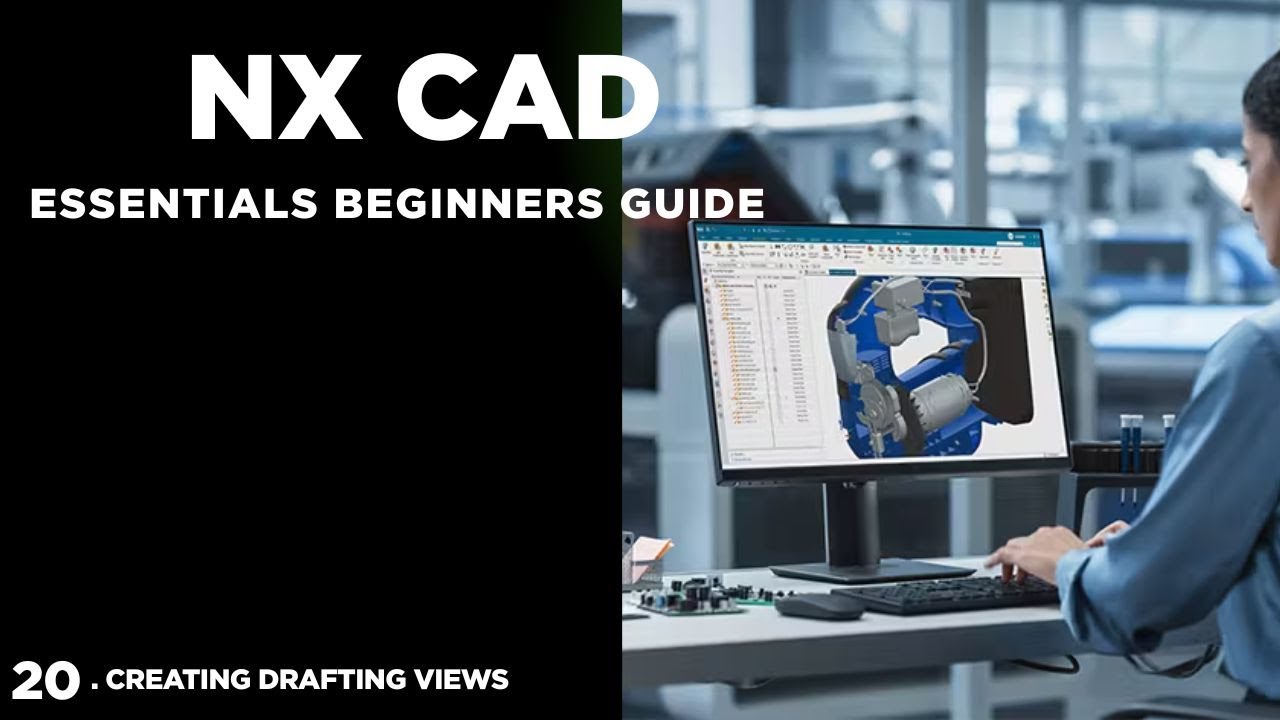
- Episode 20 covers: Tab and Base Flange, Bend feature, Flange, Contour Flange, Forming tools (Louver, Dimple, Bead, Drawn Cutout), Flat Pattern, and Drawing Views
- Sheet metal design in NX uses the Sheet Metal application — separate from standard modelling — with dedicated bend allowance and material thickness controls
- The Flat Pattern command unfolds your 3D sheet metal part into a 2D manufacturing layout automatically with accurate bend deduction
- NX Drawing Views for sheet metal: Flat Pattern view is a separate view type required on every manufacturing drawing
- NX CAD sheet metal skills are in demand at Skoda VW Shendra, Bajaj Auto, Mahindra, and Tata Tech for body and chassis engineering roles
- ABC Trainings offers AI Powered Product Design, Analysis & Simulation course with NX CAD at Pune Wagholi, Hadapsar, and Sambhajinagar
Recap: What We Covered in NX CAD Episodes 1–19
Before we go into Episode 20, here's a quick recap of the ground we've covered since Episode 1. Episodes 1–5 covered the NX interface, sketching fundamentals, extrude, revolve, and Boolean operations. Episodes 6–10 introduced part modelling with holes, fillets, chamfers, sweep, and loft. Episodes 11–15 went into datum planes, advanced feature operations, and part editing using the Part Navigator. Episodes 16–19 covered assembly design — adding components, applying constraints (Touch, Align, Center, Angle), checking for clashes, and creating exploded views. If you missed any of those episodes, the playlist is on our YouTube channel at @ABCTrainings. Episode 20 opens a new chapter: sheet metal design, which has its own dedicated application and tool set in NX.
Sheet Metal Application in NX: Starting the Right Way
The first thing to understand about NX sheet metal design is that it's a separate application from standard 3D modelling. In NX, go to Application > Sheet Metal to switch environments. The moment you do this, the toolbar and menu change to sheet metal-specific commands. The key setting before you start: Material Thickness. Unlike a solid model where you set wall thickness manually by extruding a sketch, in the Sheet Metal application you define thickness globally (e.g., 1.5 mm, 2 mm, 3 mm) and NX applies it consistently across all features. You also set the Bend Radius here — typically 1× to 2× material thickness depending on the material (mild steel, stainless, aluminium). Set these correctly at the start; changing them mid-design forces a recalculation of all bend allowances, which can cause drawing dimensions to shift.
| NX Sheet Metal Feature | What It Does | Key Parameter to Set |
|---|---|---|
| Tab (Base Tab) | Starting flat sheet from sketch | Material thickness, sketch profile |
| Flange | Bends an edge to a specified angle | Bend angle, flange length, bend radius |
| Louver | Ventilation slot with drawn flap | Length, height, draft angle |
| Flat Pattern | Unfolds 3D part to 2D layout | K-factor, bend allowance method |
Base Tab, Flange, and Contour Flange: The Core Sheet Metal Features
The three core building blocks of any NX sheet metal part are the Tab (Base), Flange, and Contour Flange. The Tab (Base Tab command) is your starting flat face — think of it as the sheet metal equivalent of the sketch-and-extrude base feature in solid modelling. You sketch a 2D profile (rectangle, L-shape, or any closed curve) and NX creates a flat sheet of defined thickness. The Flange command bends a section of existing sheet edge by a specified angle (typically 90°) at the defined bend radius. You select an edge, specify angle and flange length, and NX adds the bent section with correct bend allowance applied automatically. The Contour Flange is more powerful: you define the full profile of the bend using a sketch, allowing you to create multi-bend flanges or hem flanges in a single operation. These three commands handle about 80% of standard sheet metal parts.
Forming Features: Louvers, Dimples, Beads, and Drawn Cutouts
Forming features are the details that distinguish production sheet metal from a simple bent blank — and NX has a full set of them. Louver: creates a ventilation slot with a drawn flap, commonly seen in enclosure panels. In NX, the Louver command lets you specify louver length, height, and draft angle. Dimple: an embossed circular or rectangular raised feature used for stiffening panels. Specify diameter, height, and punch direction. Bead: a continuous rib or groove pressed into sheet metal to add stiffness. In NX you define the bead sketch path and cross-section shape. Drawn Cutout: a flanged hole — the material is drawn down rather than just punched, creating a collar. This is commonly used for self-tapping screw holes in thin sheet metal. All forming features in NX require that you're inside the Sheet Metal application and working on a part that already has a base Tab. They don't work on standard solid bodies.
Flat Pattern and Manufacturing Drawing Views in NX
Once your sheet metal part is complete in 3D, two outputs are critical for manufacturing: the Flat Pattern and the Drawing Views. The Flat Pattern command (Sheet Metal > Flat Pattern) unfolds your entire 3D part into a 2D developed layout, automatically computing bend deduction based on your material thickness, bend radius, and K-factor settings. This flat pattern can be exported as DXF for laser cutting or press tooling. In the NX Drawing environment, when you insert a view of a sheet metal part, you get an additional option: Flat Pattern View — this is a separate view type that shows the unfolded pattern on the same drawing sheet as your 3D views. Every sheet metal manufacturing drawing must have this view. Also note: sheet metal drawings use a specific bend annotation format — bend direction (up/down), bend angle, inside radius, and bend allowance are all typically shown in a bend table.
NX Sheet Metal Skills in the Job Market: Maharashtra Demand and Salary
Sheet metal design is one of the most consistently in-demand NX CAD skills at Maharashtra's auto manufacturers. Here's the job market picture for 2026 based on LinkedIn India and NaukriHub listings. Junior NX Sheet Metal Designer (0–2 years): ₹3–5 LPA at Tier-2 auto suppliers, body engineering teams at Waluj MIDC. Mid-level NX Designer (2–5 years): ₹6–10 LPA at Tier-1 suppliers and OEMs. Senior NX Body/Sheet Metal Engineer (5+ years): ₹12–20 LPA at Skoda VW Shendra (Plot A-1/1), Bajaj Auto Waluj (Plot G-137), Tata Motors Ranjangaon, Mahindra Research Valley Pune, Tata Technologies Hinjewadi. Sheet metal plus Siemens NX Nastran knowledge for simulation: adds ₹2–4 LPA premium. If you're targeting Skoda VW specifically — they run on Siemens NX across their global design chain — NX proficiency isn't just preferred, it's required.
Get the CAD/CAM Training Brochure + Fees + Batch Dates on WhatsApp
Free 1:1 counselling. Placement track record. CMYKPY/PMKVY eligibility check.
💬 Get Brochure on WhatsApp📞 Call 7039169629About the author: Rahul Patil. 12 yrs experience training mechanical and CAD/CAM engineers across Maharashtra.
Visit Our Centers
- Wagholi (Pune): 1st Floor, Laxmi Datta Arcade, Pune-Ahilyanagar Highway. Call 7039169629
- Hadapsar (Pune HQ): 1st Floor, Shree Tower, opp. Vaibhav Theater, Magarpatta. Call 7039169629
- Cidco (Chh. Sambhajinagar): Kalpana Plaza, opp. Eiffel Tower, N-1 Cidco. Call 7039169629
- Osmanpura (Chh. Sambhajinagar): S.S.C Board to Peer Bazar Road, near Jama Masjid. Call 7039169629
- Sangli: Shubham Emphoria, 1st Floor, Above US Polo Assn., Sangli-Miraj Rd, Vishrambag. Weekend batches available. Call 7039169629
FAQs
What is Siemens NX CAD and why is it used in the automotive industry?
Siemens NX CAD (formerly Unigraphics) is a high-end 3D CAD, simulation, and manufacturing software used by automotive OEMs and aerospace companies globally. It's the standard platform at Siemens, Skoda VW, Audi, BMW, and many Tier-1 auto suppliers that work in the global supply chain. NX is preferred in automotive because it integrates part design, assembly, simulation (NX Nastran), and manufacturing (NX CAM) in one environment — reducing the data translation errors that happen when switching between separate software packages.
Can beginners learn NX CAD sheet metal design without prior CAD experience?
Yes — our NX CAD beginner series (Episodes 1–20 and beyond) is designed for complete beginners with no prior 3D CAD experience. The series starts from the NX interface and builds progressively through 2D sketching, 3D modelling, assemblies, and sheet metal design. Students who have completed the series alongside ABC Trainings classroom sessions have gone on to entry-level NX design roles at Tier-1 auto suppliers in Maharashtra without prior CAD experience.
What is the difference between NX CAD and SolidWorks for sheet metal design?
Both NX and SolidWorks can do sheet metal design effectively. NX is the industry standard for automotive OEMs and their Tier-1 suppliers — if you want to work at Skoda VW, Siemens, BMW suppliers, or global auto firms, NX is the required tool. SolidWorks is dominant in general mechanical engineering, small-to-medium product companies, and some consumer goods manufacturers. For sheet metal specifically, NX has more advanced forming feature libraries and tighter integration with manufacturing CAM. If you want both options, learn SolidWorks first (easier to get started), then add NX for automotive sector targeting.
Where can I learn NX CAD in Pune or Sambhajinagar?
ABC Trainings offers the AI Powered Product Design, Analysis and Simulation programme — which includes NX CAD, SolidWorks, CATIA V5/V6, ANSYS Workbench, and manufacturing add-ons — at Pune Wagholi, Pune Hadapsar, Sambhajinagar Cidco, and Osmanpura centres. Classroom batches with hands-on lab sessions run on weekdays and weekends. Call 7039169629 or WhatsApp 7774002496 for the next NX CAD batch start date and detailed fees.